Yotpo is an e-commerce marketing platform that helps online stores collect and display product reviews and ratings, and run loyalty, referral, and SMS programs.
Hevo uses the Yotpo Core API to replicate data from your Yotpo store to the Destination of your choice. To ingest data, you must provide Hevo with the app key of your store and an access token generated from the API secret key of your store.
Supported Features
| Feature Name | Supported |
|---|---|
| Capture deletes | Yes (for some objects) |
| History mode | No |
| Custom data (user-configured tables & fields) | No |
| Data blocking (skip objects and fields) | Yes |
| Resync (objects and Pipelines) | Yes |
| API configurable | Yes |
Prerequisites
-
An active Yotpo account from which data is to be ingested.
-
You are an admin of the Yotpo store, to obtain the app key and secret key.
-
A tool to send an API request, such as cURL or Postman, to generate the access token.
Obtain the App Key and Access Token
Hevo connects to Yotpo using the app key of your store and an access token. Yotpo does not show the access token in its UI. You must generate it by sending the API secret key of your store to the Yotpo API.
Perform the following steps to obtain the app key and access token:
-
Log in to your Yotpo account as an admin.
-
Go to the General Settings page of your store, at https://settings.yotpo.com/#/general_settings.
-
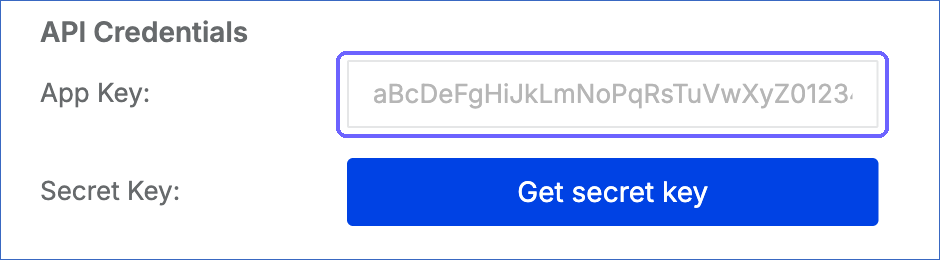
In the API Credentials section, copy the App Key and save it securely.
-
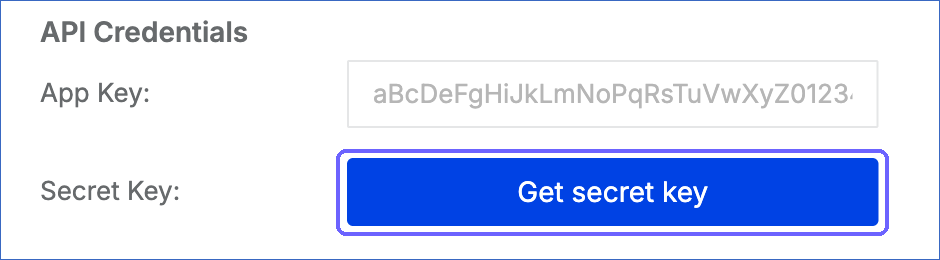
Next to Secret Key, click Get secret key. Yotpo sends a verification code to your email address.
-
In the Enter the code dialog, enter the verification code, and then click Submit.

-
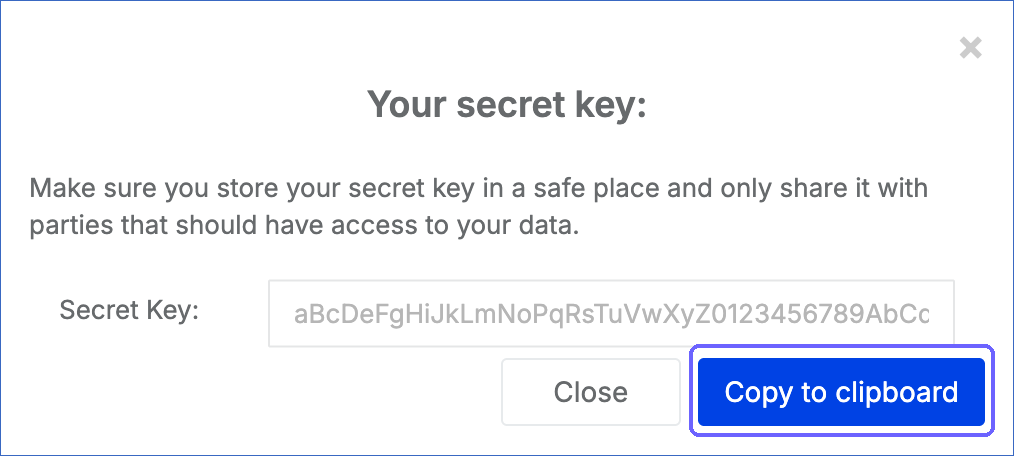
In the Your secret key dialog, click Copy to clipboard, and save the secret key securely.
-
Send the following request to generate an access token. Replace <app key> and <secret key> with the values that you copied:
curl -X POST https://api.yotpo.com/core/v3/stores/<app key>/access_tokens -H "Content-Type: application/json" -d '{"secret": "<secret key>"}' -
Copy the value of access_token from the response and save it securely.
Note: Each time you click Get secret key, Yotpo can issue a new secret key, and the earlier key stops working. Always use the latest secret key to generate the access token.
Note: If the access token expires or becomes invalid, Hevo cannot connect to Yotpo. To resume ingestion, generate a new access token and modify the Source configuration with it.
Configure Yotpo as a Source in your Pipeline
Perform the following steps to configure your Yotpo Source:
-
Click Pipelines in the Navigation Bar.
-
Click + Create Pipeline in the Pipelines List View.
-
On the Select Source Type page, select Yotpo.
-
On the Select Destination Type page, select the type of Destination you want to use.
-
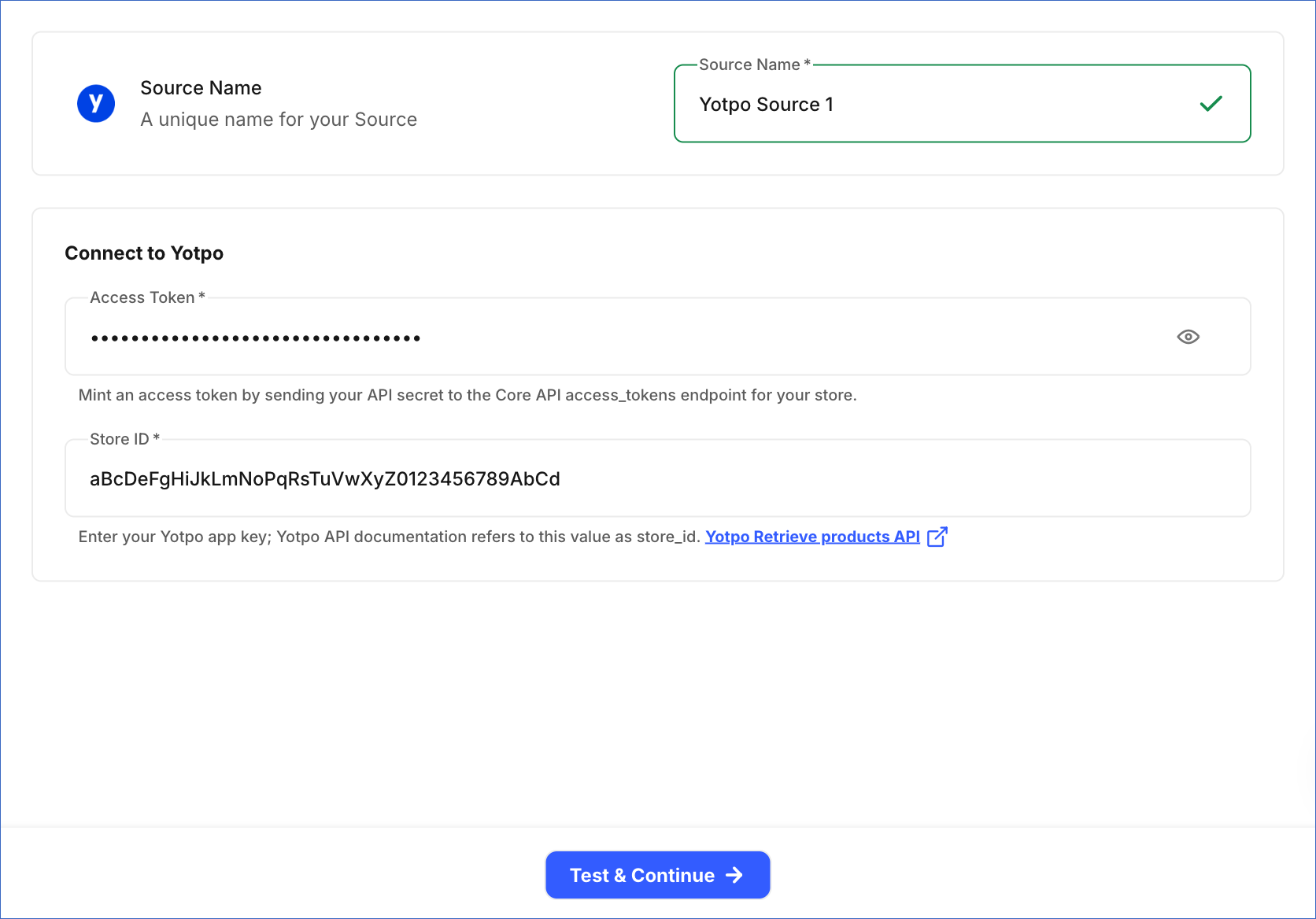
In the Configure Source screen, specify the following:
-
Source Name: A unique name for your Source, not exceeding 255 characters. For example, Yotpo Source.
-
In the Connect to Yotpo section, specify the following:
-
Access Token: The access token that you generated using the secret key of your store.
-
Store ID: The app key of your store, which you copied from the API Credentials section. The Yotpo API documentation refers to this value as store_id.
-
-
-
Click Test & Continue to test the connection to your Yotpo Source. Once the test is successful, you can proceed to set up your Destination.
Data Replication
Hevo replicates data for all the objects selected on the Configure Objects page during Pipeline creation. By default, all supported objects and their available fields are selected. However, you can modify this selection while creating or editing the Pipeline.
For the Customers and Reviews objects, Hevo ingests new and updated records in each Pipeline run, as per the sync frequency. Changes are identified using the time at which the customer account or the review was last updated.
For all the other objects, Hevo ingests the entire data during each Pipeline run. For each product, Hevo also reads its variants, and the GTINs and options of the product and its variants. Custom properties of products are added as columns with the prefix custom_.
You can resync only the parent objects, Customers, Products, and Reviews. When you resync Products, Hevo also resyncs its child objects.
Yotpo limits the number of API requests that can be made for a store in a given period of time. Read Rate Limiting. If this limit is exceeded, a rate limit exception occurs. To understand how Hevo handles such scenarios, read Handling Rate Limit Exceptions.
Note: The Customers object uses the Append load mode, and all the other objects use the Merge load mode. You cannot change the load mode of an object. As each Pipeline run adds the new and updated customers as new records, the Customers table in the Destination can contain more than one record for a customer.
Schema and Primary Keys
Hevo uses the following schema to upload the records in the Destination. For a detailed view of the objects, fields, and relationships, click the ERD.
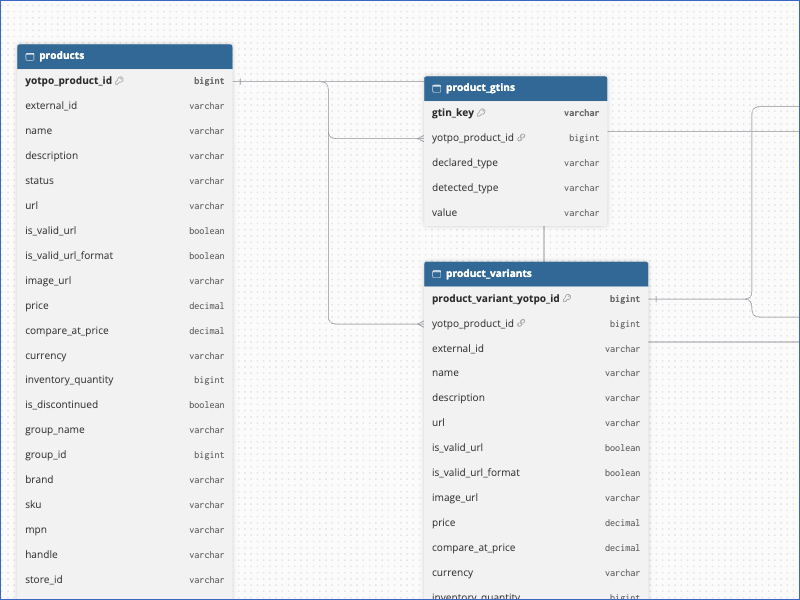
The primary keys of the objects are:
-
Customers: None. As the object uses the Append load mode, it has no primary key.
-
Reviews:
id -
Products:
yotpo_product_id -
Product Variants:
product_variant_yotpo_id -
Product GTINs, Product Variant GTINs, and Product Variant Options:
gtin_key,variant_gtin_key, andvariant_option_key. Hevo generates these keys from the IDs of the parent product and variant and the content of the record.
Data Model
The following is the list of tables (objects) that are created at the Destination when you run the Pipeline:
| Object | Description |
|---|---|
| Customers | Contains the customers of your store, including their name, email address, and account details. |
| Products | Contains the products of your store, including their name, URL, price, and SKU. It includes the following child objects: - Product GTINs: The GTINs, such as UPCs and EANs, of each product. - Product Variants: The variants of each product, such as sizes and colors. - Product Variant GTINs: The GTINs of each variant. - Product Variant Options: The options, such as size and color, that define each variant. |
| Reviews | Contains the product and site reviews written by your customers, including the rating, title, and content of each review. |
Additional Information
Read the detailed Hevo documentation for the following related topics:
Handling of Deletes
For the Products and Product Variants objects, Hevo uses a full data refresh approach to capture deletes. If a record exists in the Destination but is no longer returned by the Source, the record is marked as deleted by setting the value of the metadata column __hevo__marked_deleted to True.
For the Product GTINs, Product Variant GTINs, and Product Variant Options objects, Hevo replaces the records of a product each time it ingests the product. Records that are no longer returned for the product are removed from the Destination.
For the Customers and Reviews objects, which are ingested incrementally, Hevo does not capture deletes. The deleted and archived fields of a review show whether the review is deleted or archived in Yotpo.
Source Considerations
-
Hevo does not replicate the orders and collections of your store, even though the Yotpo Core API provides them.
-
The Product GTINs, Product Variant GTINs, and Product Variant Options objects contain data only if you add GTINs (such as UPCs and EANs) and options to your products in Yotpo or your e-commerce platform.
Limitations
- Hevo does not generate the access token from your secret key. If the access token stops working, you must generate a new one and update the Source configuration.