Statuspage is an Atlassian product that companies use to communicate the status of their services to users. It lets you publish status pages, report incidents and scheduled maintenance, and notify subscribers.
Hevo uses the Statuspage REST API to replicate data from your Statuspage organization to the Destination of your choice. To ingest data, you must provide Hevo with an API key and the ID of your Statuspage organization.
Supported Features
| Feature Name | Supported |
|---|---|
| Capture deletes | Yes (for some objects) |
| History mode | No |
| Custom data (user-configured tables & fields) | No |
| Data blocking (skip objects and fields) | Yes |
| Resync (objects and Pipelines) | Yes |
| API configurable | Yes |
Prerequisites
-
An active Statuspage account from which data is to be ingested. The Statuspage free plan includes API access.
-
You are the owner of the Statuspage account, to create an API key.
Obtain the API Key and Organization ID
Perform the following steps to obtain the API key and organization ID:
-
Log in to the Statuspage management interface.
-
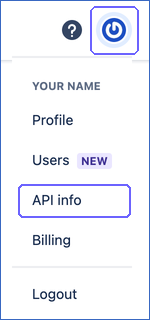
In the upper-right corner, click your profile icon, and then click API info.
-
Copy the organization ID from the URL of the API info page and save it. The URL has the form https://manage.statuspage.io/organizations/<organization ID>/api-info.
-
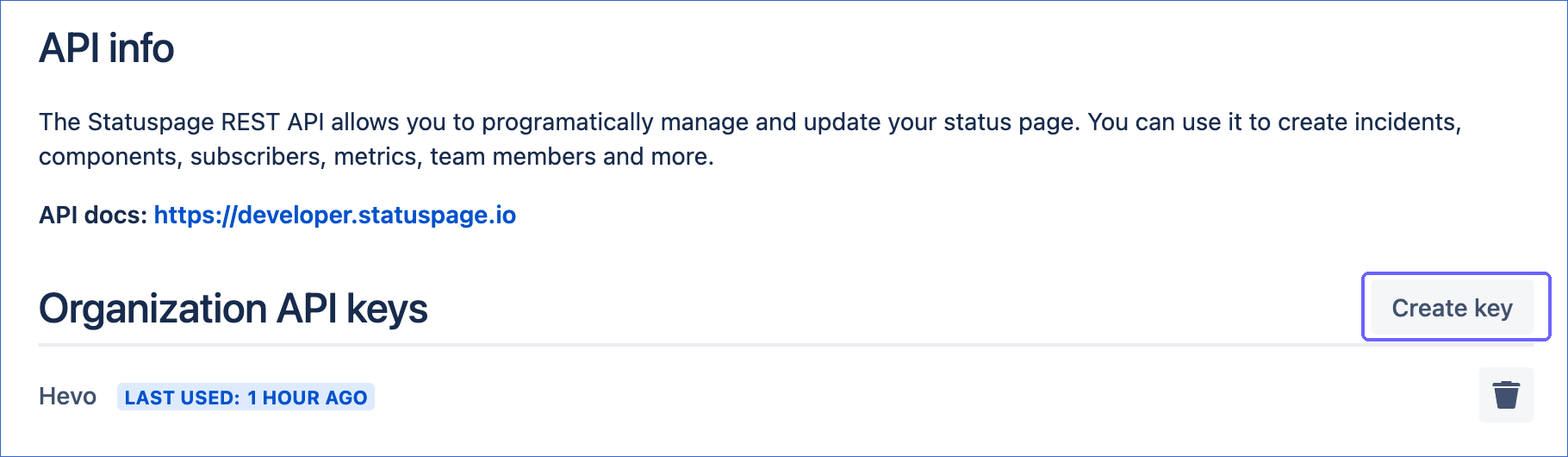
In the Organization API keys section, click Create key.
-
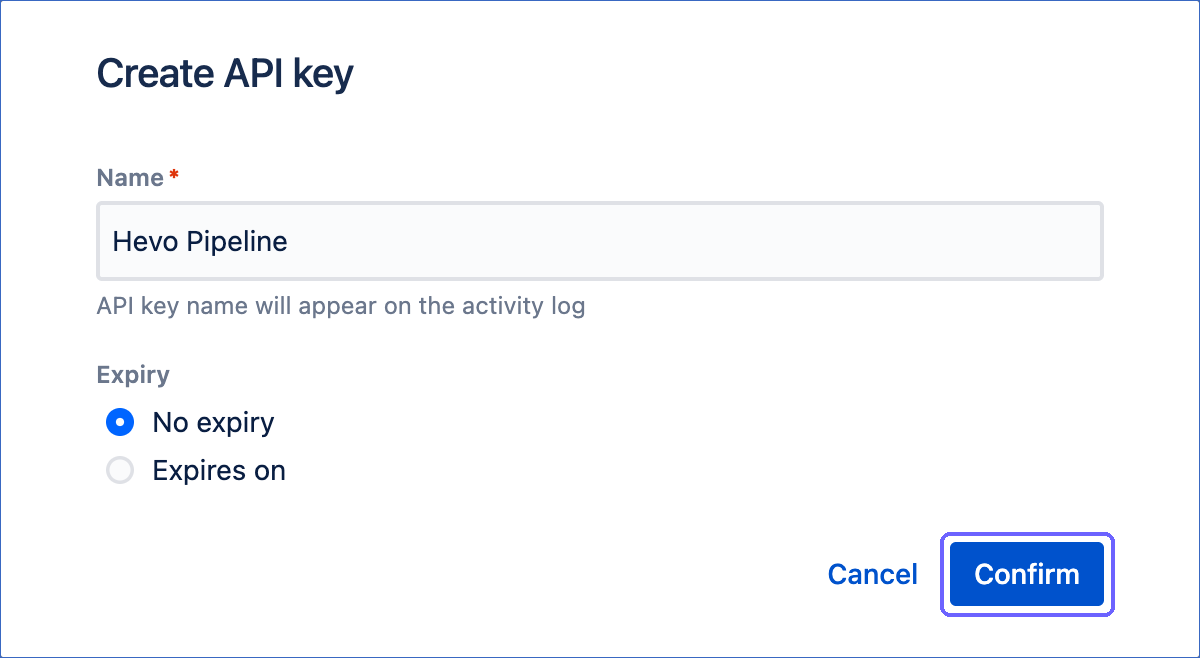
In the Create API key dialog, specify a Name for the key, such as Hevo Pipeline, select an Expiry, and then click Confirm. You can select No expiry, or a date up to 365 days later.
-
In the Copy your API token dialog, click Copy, and save the key securely. Then, click Done.
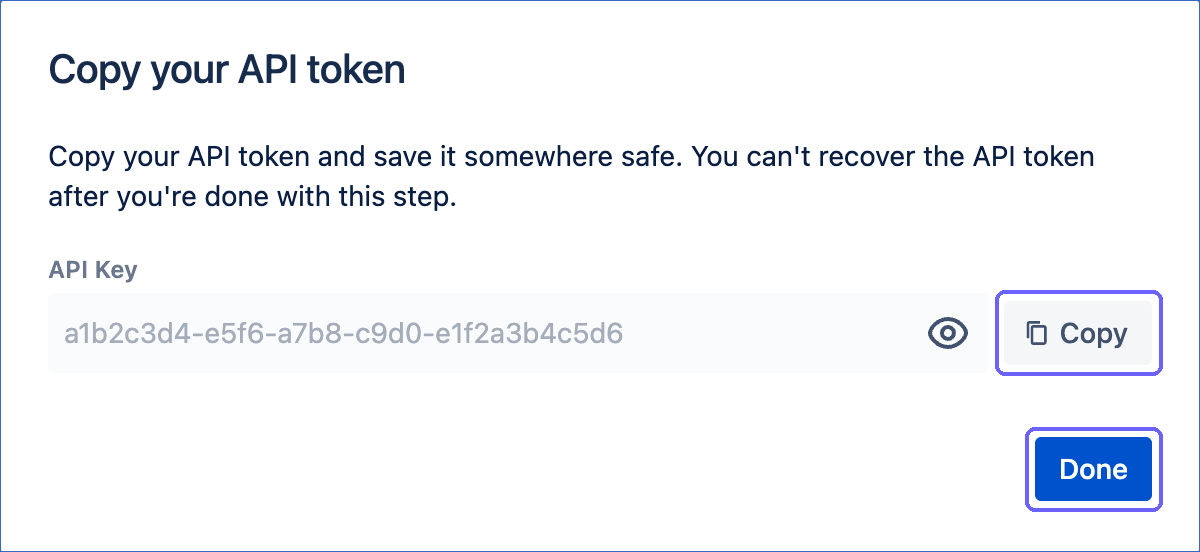
Note: Statuspage shows the API key only when you create it. If you lose the key, create a new one. If the key expires or is deleted, Hevo cannot connect to Statuspage. To resume ingestion, modify the Source configuration with a valid key.
Configure Statuspage as a Source in your Pipeline
Perform the following steps to configure your Statuspage Source:
-
Click Pipelines in the Navigation Bar.
-
Click + Create Pipeline in the Pipelines List View.
-
On the Select Source Type page, select Statuspage.
-
On the Select Destination Type page, select the type of Destination you want to use.
-
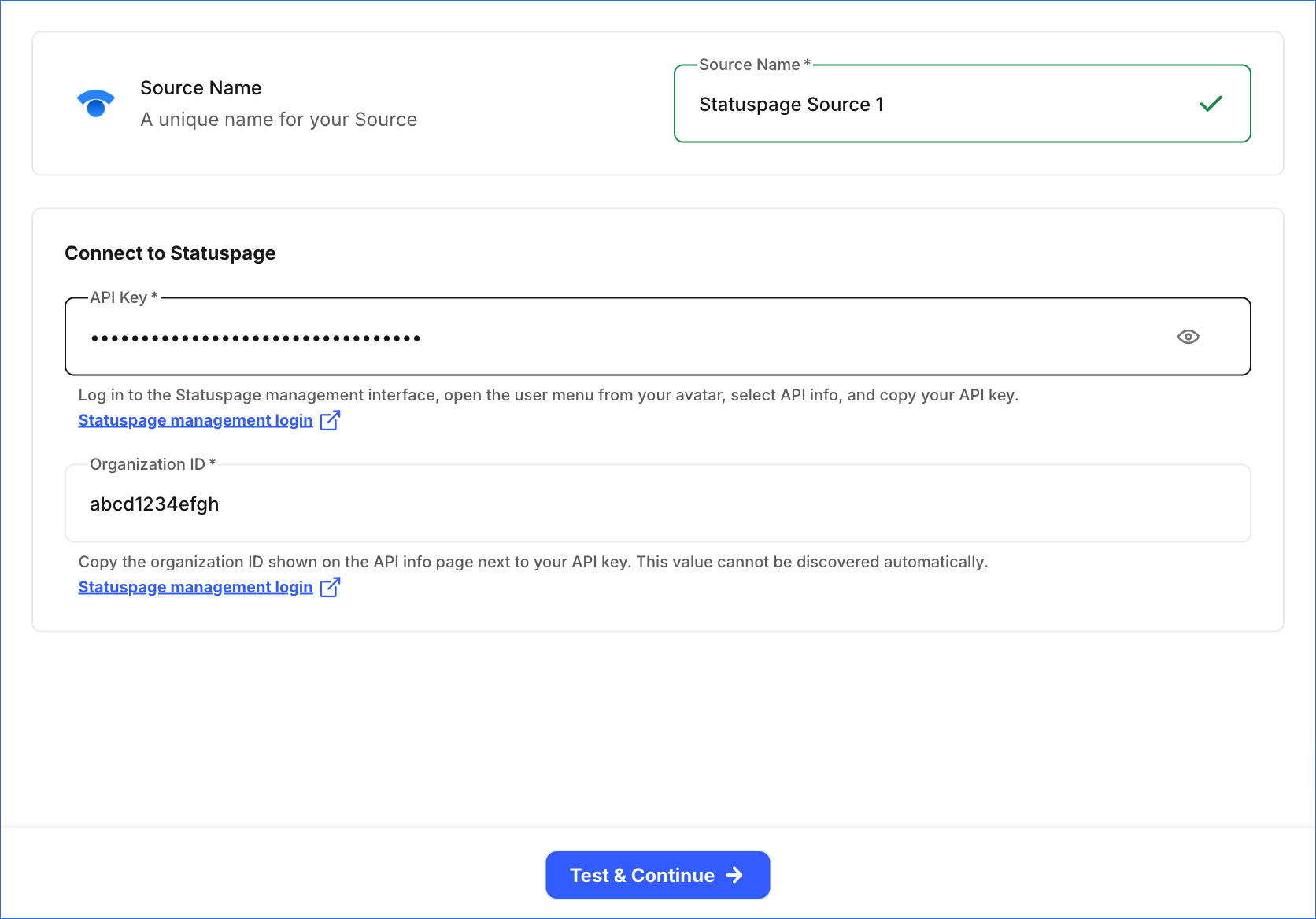
In the Configure Source screen, specify the following:
-
Source Name: A unique name for your Source, not exceeding 255 characters. For example, Statuspage Source.
-
In the Connect to Statuspage section, specify the following:
-
API Key: The API key that you created in Statuspage.
-
Organization ID: The ID of your Statuspage organization, which you copied from the URL of the API info page.
-
-
-
Click Test & Continue to test the connection to your Statuspage Source. Once the test is successful, you can proceed to set up your Destination.
Data Replication
Hevo replicates data for all the objects selected on the Configure Objects page during Pipeline creation. By default, all supported objects and their available fields are selected. However, you can modify this selection while creating or editing the Pipeline.
Hevo ingests the entire data of all the selected objects during each Pipeline run, as per the sync frequency.
You can resync only the parent objects, Page and Users. When you resync a parent object, Hevo also resyncs its child objects.
Statuspage limits API requests to 1 request per second per API key. If Statuspage rejects a request because of this limit, Hevo waits for the time that Statuspage specifies, and then retries the request once. To understand how Hevo handles such scenarios, read Handling Rate Limit Exceptions.
Note: You can create a Pipeline with this Source only using the Merge load mode. The Append mode is not supported for this Source.
Schema and Primary Keys
Hevo uses the following schema to upload the records in the Destination. For a detailed view of the objects, fields, and relationships, click the ERD.
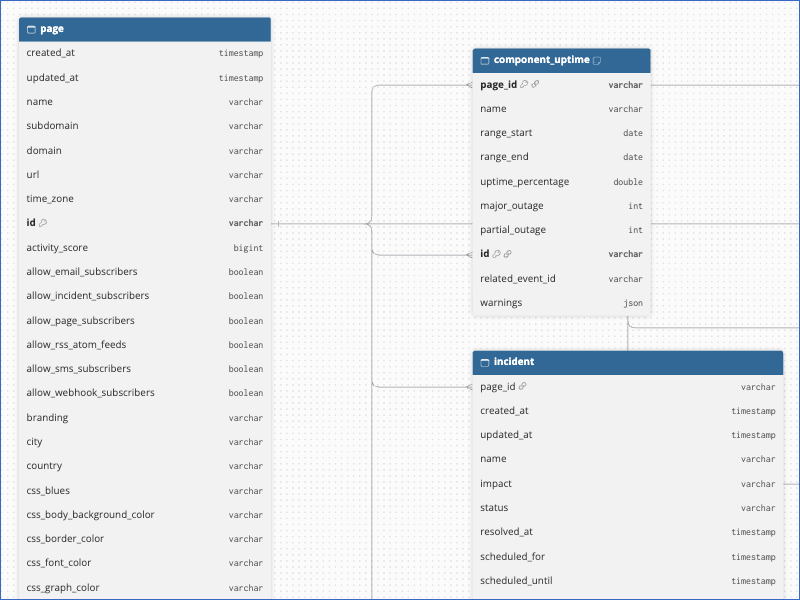
The primary key of most objects is id. The following objects use other primary keys:
-
The objects that link two records, such as Incident Component and Subscriber Component, use the IDs of both records, for example,
component_idandincident_id. -
Component Uptime:
idandpage_id. -
Incident Update and Incident Subscriber:
idandincident_id. -
Incident Postmortem:
incident_id. -
Page Status Embed Config:
page_id. -
User Permission:
page_idanduser_id.
Data Model
The following is the list of tables (objects) that are created at the Destination when you run the Pipeline:
| Object | Description |
|---|---|
| Page | Contains your status pages, including their name, domain, and settings. It includes the following child objects: - Component - Component Group - Component Uptime - Incident - Incident Component - Incident Postmortem - Incident Subscriber - Incident Update - Metric - Metric Provider - Page Access Group - Page Access Group Component - Page Access Group Metric - Page Access Group User - Page Access User - Page Access User Component - Page Access User Metric - Page Status Embed Config - Subscriber - Subscriber Component - Template - Template Component - Unsubscribed - Unsubscribed Component |
| Users | Contains the team members of your Statuspage organization, including their name and email address. It includes a child object, User Permission. |
Additional Information
Read the detailed Hevo documentation for the following related topics:
Handling of Deletes
For the Page, Metric Provider, Page Status Embed Config, Subscriber, Subscriber Component, Template, Template Component, Users, and User Permission objects, Hevo uses a full data refresh approach to capture delete actions. If a record exists in the Destination but is no longer returned by the Source, the record is marked as deleted by setting the value of the metadata column __hevo__marked_deleted to True.
For all the other objects, Hevo does not capture deletes. Records deleted in Statuspage, such as deleted incidents and components, remain in the Destination.
Source Considerations
-
The Page Access Group and Page Access User objects and their child objects are populated only for audience-specific status pages.
-
The Component Uptime object contains uptime data only for components that have uptime showcase enabled. The data covers up to the last 90 days, and each Pipeline run replaces it with the latest values.
-
The Subscriber object contains all the subscribers of a page, including the unsubscribed and quarantined subscribers.
-
The Incident Postmortem object contains data only for incidents that have a postmortem.