sevdesk is a cloud accounting and invoicing software for small businesses and freelancers in Germany and Austria. It helps you create quotes and invoices, record expenses and receipts, manage contacts, and prepare tax reports.
Hevo uses the sevdesk API to replicate data from your sevdesk account to the Destination of your choice. To ingest data, you must provide Hevo with the API token of a sevdesk administrator.
Supported Features
| Feature Name | Supported |
|---|---|
| Capture deletes | Yes (for some objects) |
| History mode | No |
| Custom data (user-configured tables & fields) | No |
| Data blocking (skip objects and fields) | Yes |
| Resync (objects and Pipelines) | Yes |
| API configurable | Yes |
Prerequisites
-
An active sevdesk account from which data is to be ingested.
-
You are an administrator of the sevdesk account, to obtain the API token.
Obtain the API Token
Each sevdesk administrator has one API token. The token does not expire as long as the user exists.
Perform the following steps to obtain the API token:
-
Log in to your sevdesk account.
-
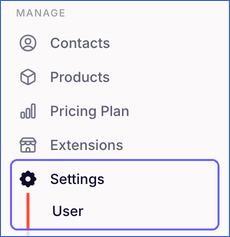
In the left navigation pane, click Settings, and then click User.
-
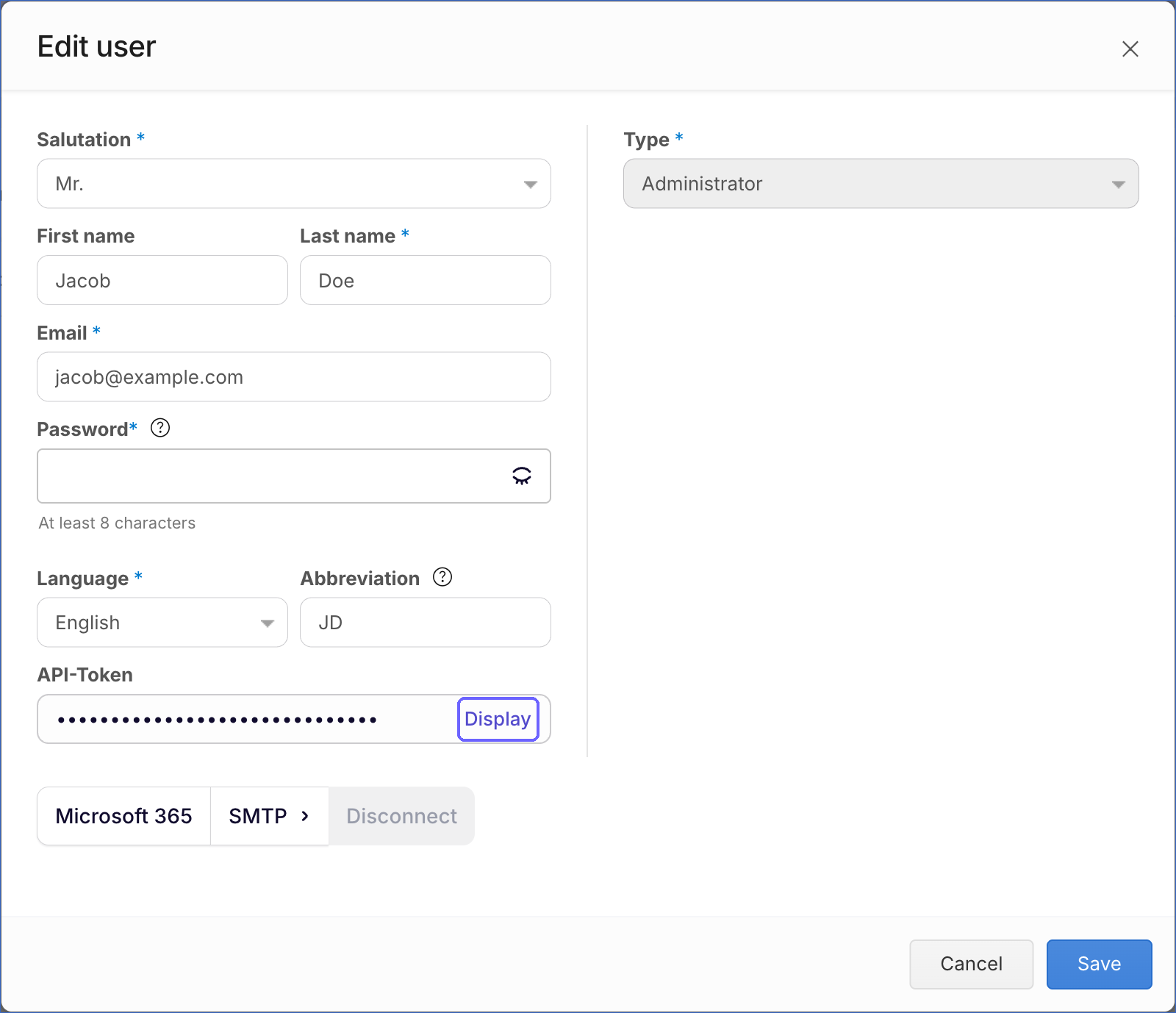
Click your user.

-
In the Edit user dialog, next to API-Token, click Display.
-
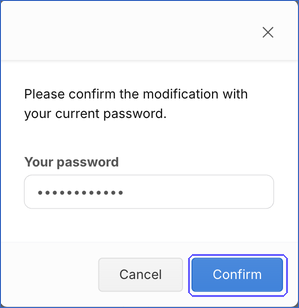
When prompted, enter your sevdesk password, and then click Confirm.
-
Copy the 32-character API token and save it securely.
Note: If the user whose API token you use is deleted, or if the token is regenerated, Hevo cannot connect to sevdesk. To resume ingestion, modify the Source configuration with a valid token.
Configure sevdesk as a Source in your Pipeline
Perform the following steps to configure your sevdesk Source:
-
Click Pipelines in the Navigation Bar.
-
Click + Create Pipeline in the Pipelines List View.
-
On the Select Source Type page, select sevdesk.
-
On the Select Destination Type page, select the type of Destination you want to use.
-
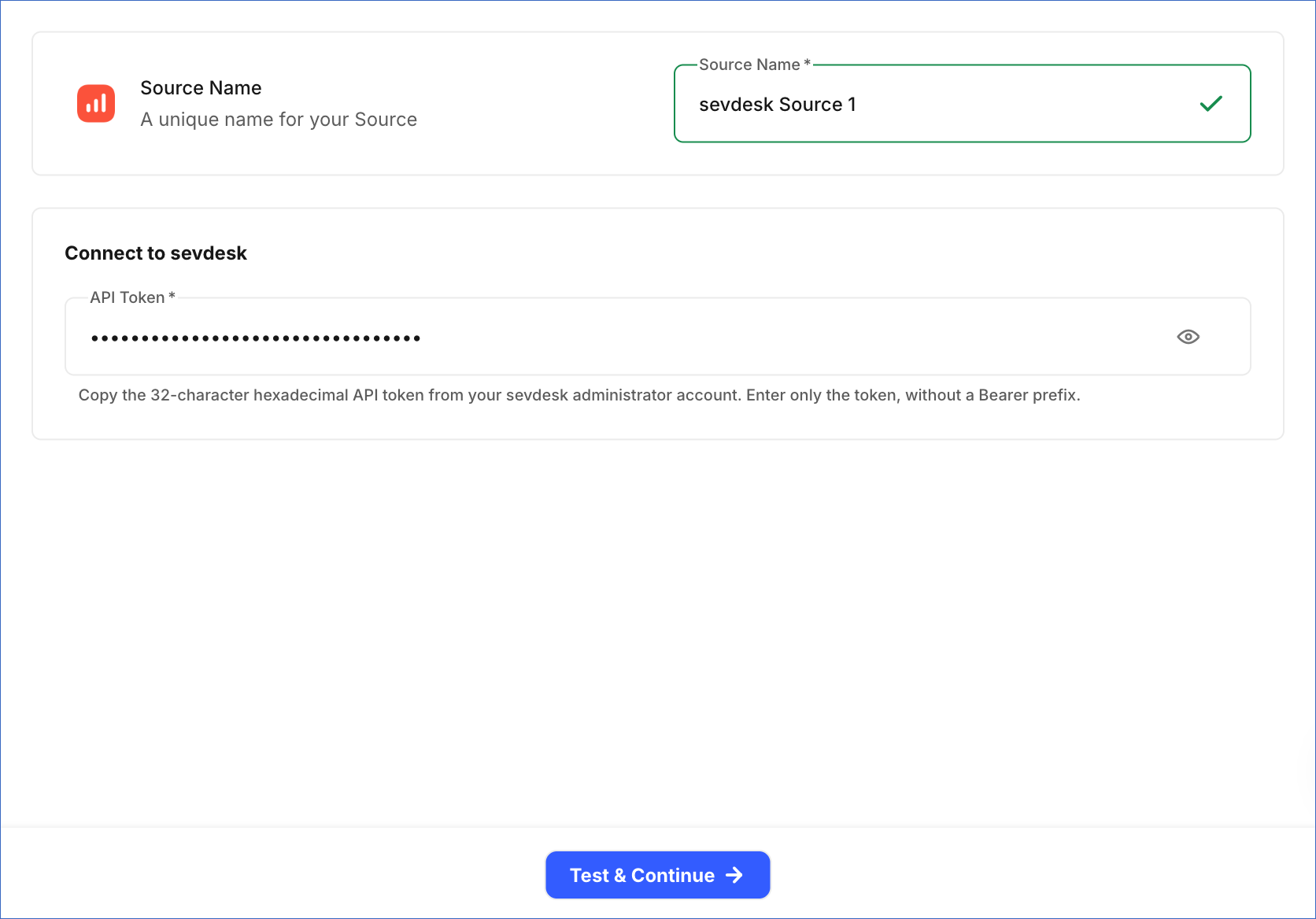
In the Configure Source screen, specify the following:
-
Source Name: A unique name for your Source, not exceeding 255 characters. For example, sevdesk Source.
-
In the Connect to sevdesk section, specify the following:
- API Token: The API token that you copied from sevdesk. Enter only the token, without a Bearer prefix.
-
-
Click Test & Continue to test the connection to your sevdesk Source. Once the test is successful, you can proceed to set up your Destination.
Data Replication
Hevo replicates data for all the objects selected on the Configure Objects page during Pipeline creation. By default, all supported objects and their available fields are selected. However, you can modify this selection while creating or editing the Pipeline.
Hevo ingests the entire data of all the selected objects during each Pipeline run, as per the sync frequency.
As sevdesk does not provide a way to fetch only the records that changed, Hevo reads all the records of each object in every run. For the Order Get Discount object, Hevo makes one request for each order, so its ingestion time grows with the number of orders.
You can resync all the objects except the child objects of Order Operation and Receipt Guidance For All Account. When you resync a parent object, Hevo also resyncs its child objects.
Note: You can create a Pipeline with this Source only using the Merge load mode. The Append mode is not supported for this Source.
Schema and Primary Keys
Hevo uses the following schema to upload the records in the Destination. For a detailed view of the objects, fields, and relationships, click the ERD.
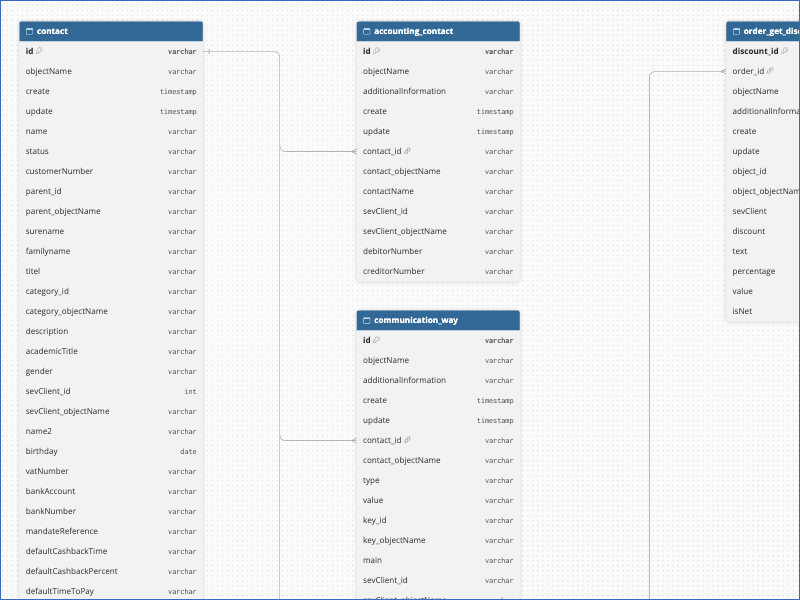
The primary key of most objects is id. The following objects use a different primary key:
-
Order Operation:
order_id -
Order Get Discount:
discount_id -
Receipt Guidance For All Account:
receipt_guidance_for_all_account_account_datev_id -
Receipt Guidance Allowed Tax Rule, Receipt Guidance Tax Rate, and Receipt Guidance Allowed Receipt Type: A key that Hevo generates from the parent account and the record.
Data Model
The following is the list of tables (objects) that are created at the Destination when you run the Pipeline:
| Object | Description |
|---|---|
| Accounting Contact | Contains the accounting settings of contacts, such as debitor and creditor numbers. |
| Check Account | Contains your payment accounts, such as bank accounts and cash registers. |
| Check Account Transaction | Contains the transactions of your payment accounts. |
| Communication Way | Contains the communication details of contacts, such as email addresses and phone numbers. |
| Communication Way Key | Contains the types of communication details, such as private and work. |
| Contact | Contains your contacts, including organizations and persons, such as customers and suppliers. |
| Contact Address | Contains the addresses of contacts. |
| Contact Custom Field | Contains the values of the custom fields of contacts. |
| Contact Custom Field Setting | Contains the custom fields defined for contacts. |
| Credit Note | Contains your credit notes. |
| Credit Note Pos | Contains the line items of credit notes. |
| Invoice | Contains your invoices, including their number, date, status, and amounts. |
| Invoice Pos | Contains the line items of invoices. |
| Order Operation | Contains your orders, such as quotes and order confirmations. It includes a child object, Order Get Discount. |
| Order Pos | Contains the line items of orders. |
| Part | Contains your products and services. |
| Private Transaction Rule | Contains the rules for classifying private transactions. |
| Receipt Guidance For All Account | Contains the accounting accounts that sevdesk provides for booking receipts. It includes the following child objects: - Receipt Guidance Allowed Receipt Type - Receipt Guidance Allowed Tax Rule - Receipt Guidance Tax Rate |
| Tag Operation | Contains the tags defined in your account. |
| Tag Relation | Contains the tags applied to records. |
| Voucher | Contains your vouchers (receipts), such as expense receipts. |
| Voucher Pos | Contains the line items of vouchers. |
Additional Information
Read the detailed Hevo documentation for the following related topics:
Handling of Deletes
For all objects except Voucher, Receipt Guidance Tax Rate, and Receipt Guidance Allowed Receipt Type, Hevo uses a full data refresh approach to capture delete actions. If a record exists in the Destination but is no longer returned by the Source, the record is marked as deleted by setting the value of the metadata column __hevo__marked_deleted to True.
For the Receipt Guidance Tax Rate and Receipt Guidance Allowed Receipt Type objects, Hevo replaces the records in each Pipeline run.
For the Voucher object, Hevo does not capture deletes. Vouchers deleted in sevdesk remain in the Destination.
Source Considerations
-
The steps in this document use the English sevdesk interface. If your interface is in German, switch it to English: in Einstellungen > Benutzer, click your user, set Sprache to English, and then click Speichern.
-
Most amount fields, such as
sumNet,sumGross, andpriceNet, are loaded as strings. Convert them to numbers in your Destination before using them in calculations. -
References to other records, such as the contact of an invoice, are loaded either as ID columns, such as
contact_id, or as JSON columns, such ascontact_json. -
The Receipt Guidance objects contain the accounting reference data that sevdesk provides. These objects contain about 6,500 records, even in a new sevdesk account. As Hevo reads all the records in each run, these objects add about 6,500 Events to each Pipeline run. If you do not need this data, deselect these objects.