Permit.io is an authorization-as-a-service platform that provides fine-grained authorization for applications, APIs, and AI agents. It enables teams to implement role-based (RBAC), attribute-based (ABAC), and relationship-based (ReBAC) access control policies without building permissions into their application code.
Hevo uses the Permit.io API to replicate data from your Permit.io account to the Destination of your choice. To ingest data, you must provide Hevo with an API key and then select the projects and environments from which you want to replicate data.
Supported Features
| Feature Name | Supported |
|---|---|
| Capture deletes | Yes |
| History mode | No |
| Custom data (user-configured tables & fields) | No |
| Data blocking (skip objects and fields) | Yes |
| Resync (objects and Pipelines) | Yes |
| API configurable | Yes |
Prerequisites
-
An active Permit.io account from which data is to be ingested.
-
The API key is available to provide Hevo access to your Permit.io account data.
Note: Permit.io API keys are scoped to an organization, a project, or an environment. The projects and environments you can select in Hevo depend on the scope of the API key you provide.
Obtain the API Key
To connect Hevo to your Permit.io account, you must provide a Permit.io API key.
Perform the following steps to obtain the API key:
-
Log in to your Permit.io account.
-
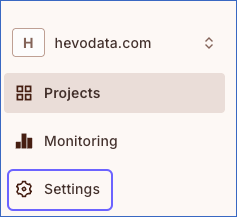
In the left navigation pane, click Settings.
-
On the Settings page, click the API Keys tab.

-
On this page, do one of the following based on the API key scope you want to provide:
-
Create an Organization API Key
An organization API key provides access to all the projects and environments in the organization. You must be a Workshop Owner to create an organization API key.-
In the Organization API Keys section, click Create Key.

-
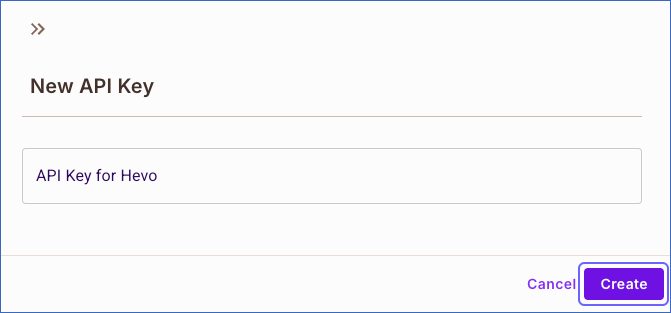
In the New API Key slide-in page, specify a name for the API key and click Create.
-
Reveal and copy the API key, and save it securely like any other password.

-
-
Create a Project API Key
A Project API key provides access to all the environments in a specific project. You must be a Project Owner or Project Editor for the project to create a project API key.-
In the Project API Keys section, click Create Key.

-
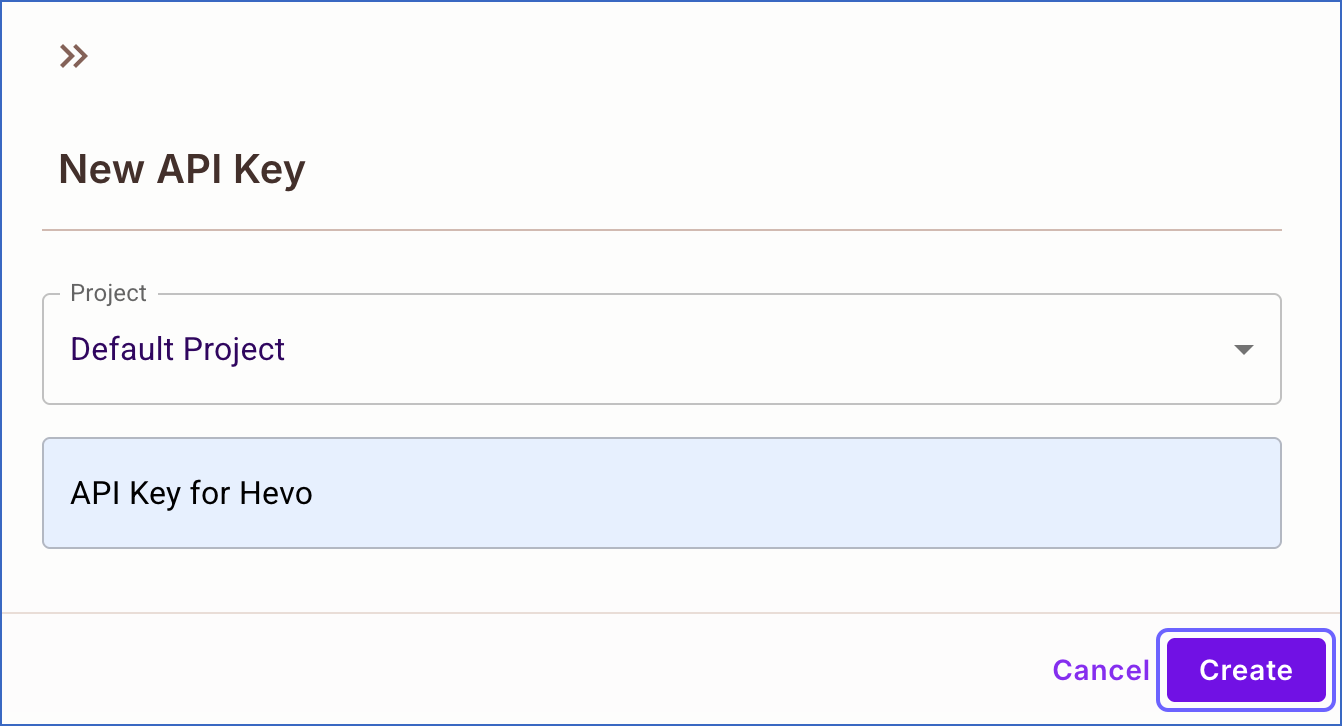
In the New API Key slide-in page, do the following:
-
Project: Select the project for which you want to create the API key.
-
Specify a name for the API key. For example, API Key for Hevo.
-
-
Click Create.
-
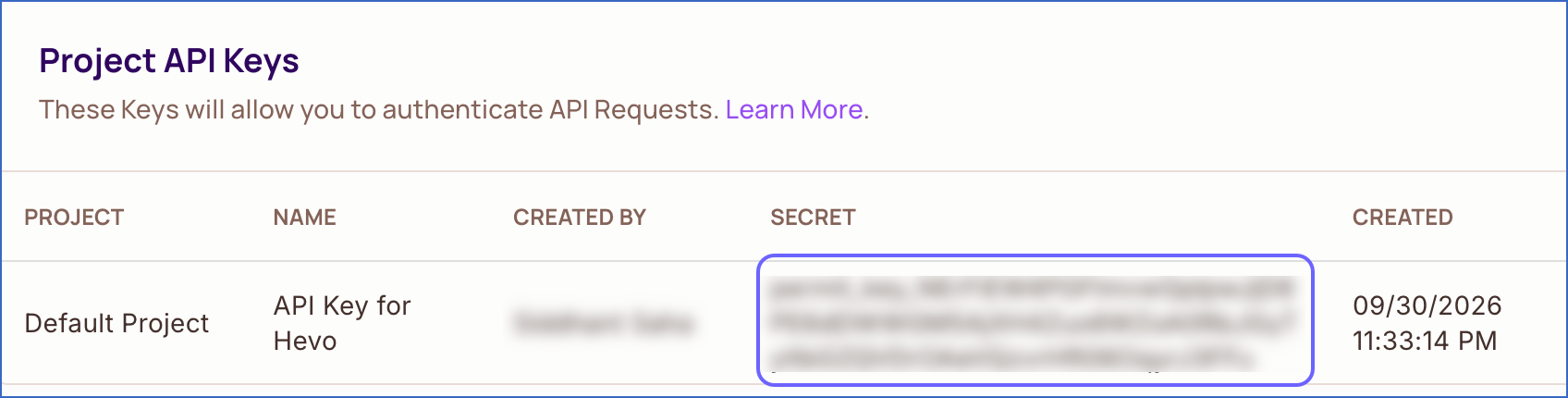
Reveal and copy the API key, and save it securely like any other password.
-
-
Create an Environments API Key
An Environments API key provides access to specific environments in a specific project. You must be an Environment Owner or Environment Editor for the environment to create an Environments API key.-
In the Environments API Keys section, click Create Key.

-
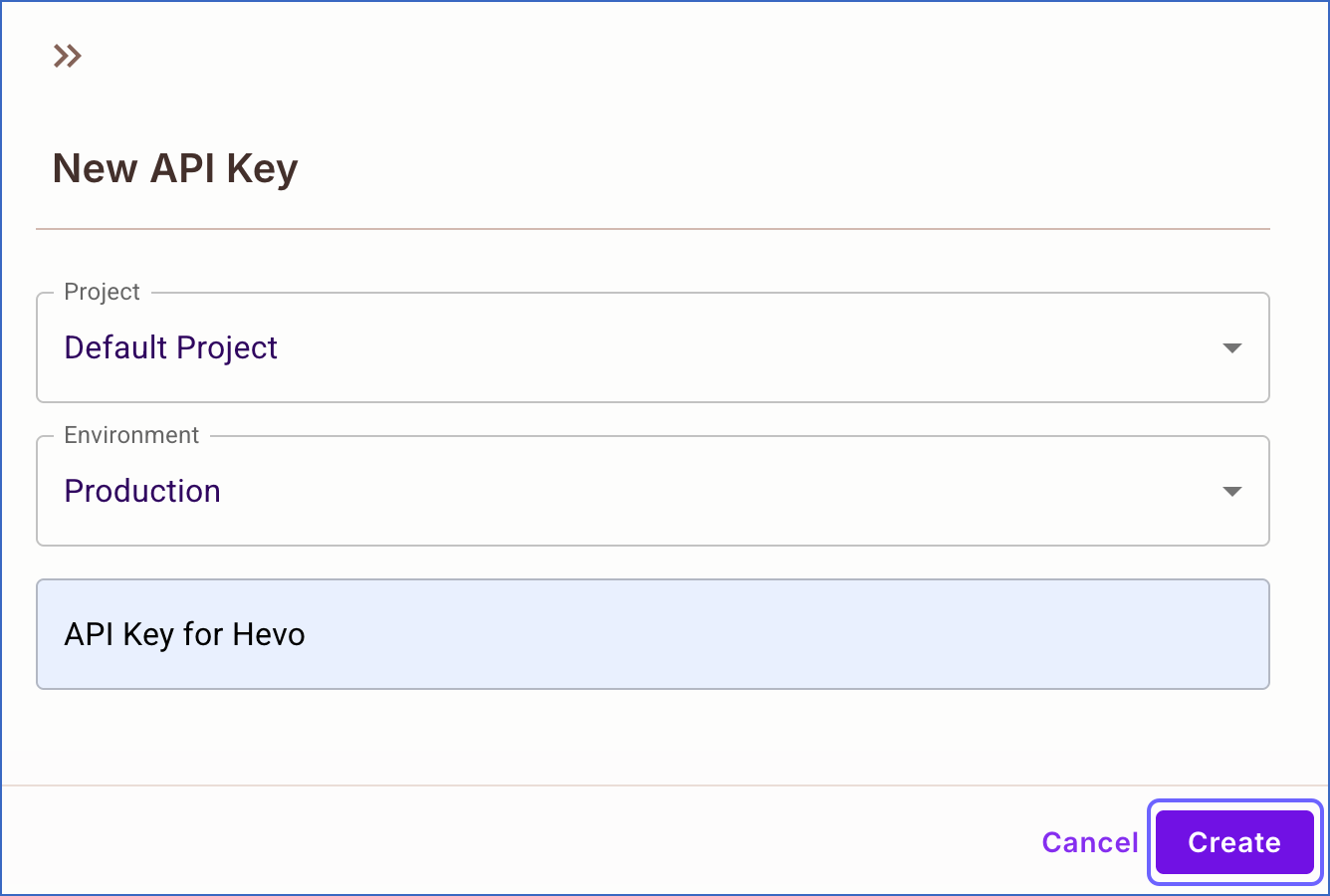
In the New API Key slide-in page, do the following:
-
Project: Select the project to which you want to scope the API key.
-
Environment: Select the project environment for which you want to create the API key.
-
Specify a name for the API key. For example, API Key for Hevo.
-
-
Click Create.
-
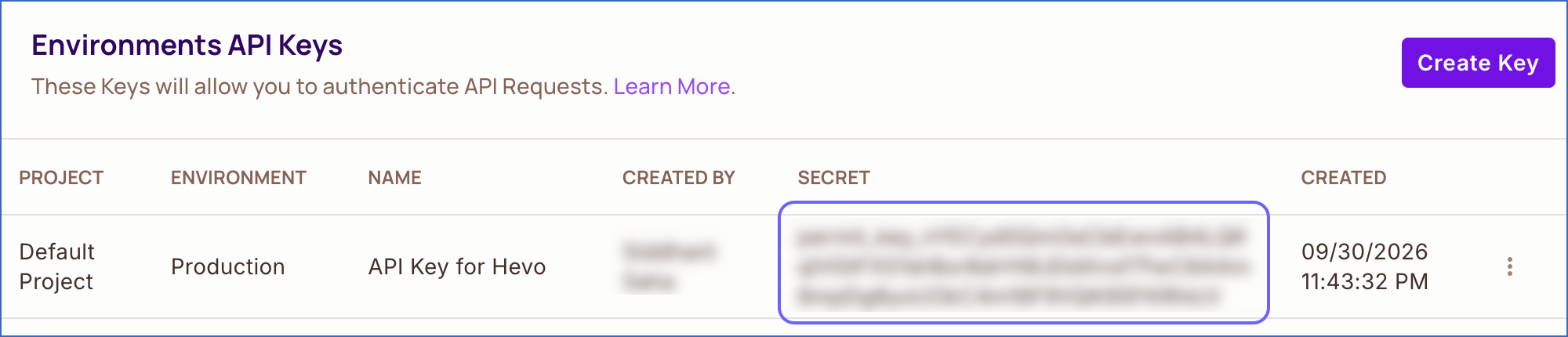
Reveal and copy the API key, and save it securely like any other password.
-
-
Use this API key when configuring your Permit.io Source in Hevo. If the API key is revoked, Hevo can’t connect to your Permit.io account, and the Pipeline stops ingesting data. To resume, modify the Source configuration with a valid API key. Once the updated key is saved, Hevo re-authenticates the Source, and data ingestion resumes from the last saved offset.
Configure Permit.io as a Source in your Pipeline
Perform the following steps to configure your Permit.io Source:
-
Click Pipelines in the Navigation Bar.
-
Click + Create Pipeline in the Pipelines List View.
-
On the Select Source Type page, select Permit.io.
-
On the Select Destination Type page, select the type of Destination you want to use.
-
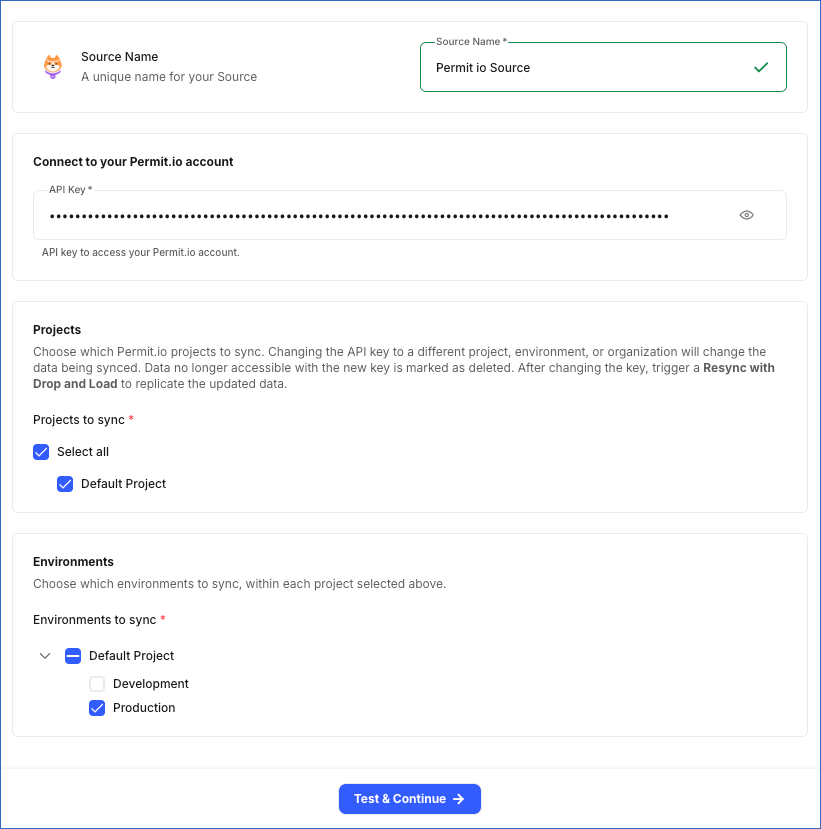
In the Configure Source screen, specify the following:
-
Source Name: A unique name for your Source, not exceeding 255 characters. For example, Permit io Source.
-
In the Connect to your Permit.io account section, specify the following:
- API Key: The API key that you obtained from your Permit.io account.
-
In the Projects section, specify the following:
- Projects to sync: The Permit.io projects from which you want to sync data. Hevo lists the projects that the API key can access. You must select at least one project.
Note: If you change the API key after the Pipeline is created, to a key scoped to a different organization, project, or environment, the data that Hevo syncs changes. Data that is not accessible with the new key is marked as deleted in the Destination. After changing the key, resync the Pipeline with the Enable Drop and Load option selected to replicate the data accessible with the new key.
-
In the Environments section, specify the following:
- Environments to sync: The environments from which you want to sync data. Environments are grouped by project, and Hevo lists only the environments for the projects you selected in the Projects section. You must select at least one environment.
-
-
Click Test & Continue to test the connection to your Permit.io Source. Once the test is successful, you can proceed to set up your Destination.
Data Replication
Hevo replicates data for all the objects selected on the Configure Objects page during Pipeline creation. By default, all supported objects and their available fields are selected. However, you can modify this selection while creating or editing the Pipeline.
Hevo ingests the following types of data from your Source objects:
-
Historical Data: The first run of the Pipeline ingests all available historical data for the selected objects and loads it into the Destination.
-
Incremental Data: Once the historical load is complete, new and updated records for objects are ingested as per the sync frequency.
For the following objects, Hevo ingests only the incremental data in subsequent Pipeline runs:
-
Activity
-
API Events
-
PDP Audit Logs
For all other objects, Hevo ingests the entire data during each Pipeline run.
Schema and Primary Keys
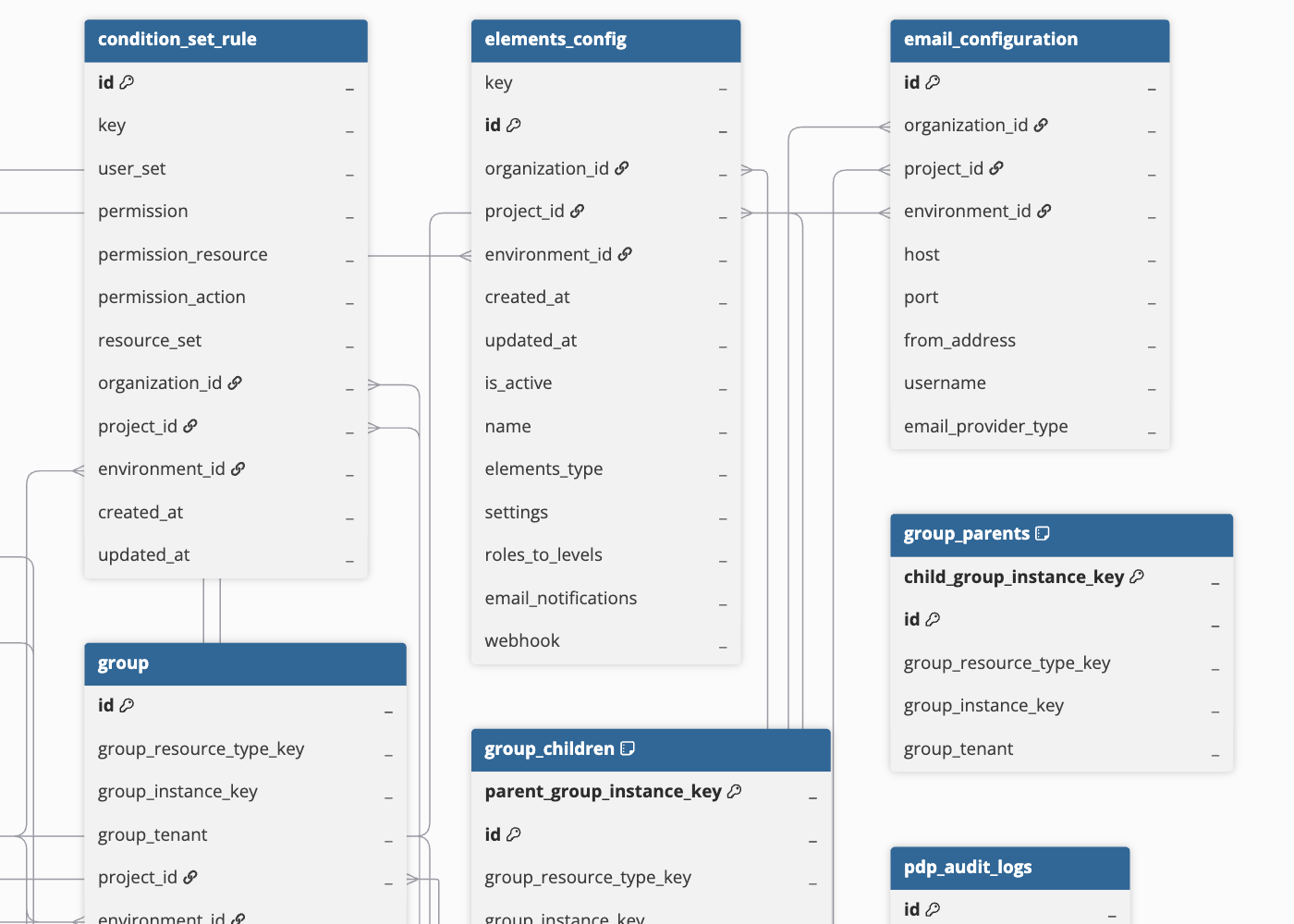
Hevo uses the following schema to upload the records to the Destination. For a detailed view of the objects, fields, and relationships, click the ERD.
Data Model
The following is the list of tables (objects) that are created at the Destination when you run the Pipeline:
| Object | Description |
|---|---|
| Activity | Contains the activity events recorded in your Permit.io account, such as the activity description, details, the actor who performed it, and the project and environment it relates to. |
| API Event | Contains the API request events recorded for your Permit.io account, including the request method, path, status, and the actor who made the request, and the project and environment that it targeted. |
| Condition Set | Contains the user and resource groups in the Permit.io environments that are formed based on matching criteria, including the group type, the criteria used, and the resource each group applies to. |
| Condition Set Rule | Contains the rules that link a user set to a resource set through a permission, including the permission’s resource and action. |
| Elements Config | Contains the Permit Elements configurations defined in your environments, including their key, name, type, settings, and roles-to-levels mapping. |
| Email Configuration | Contains the email provider configuration of your Permit.io environments, including the host, port, sender address, and provider type. |
| Email Template | Contains the email templates used by your Permit.io environments, including the template type, sender address, subject, and messages. |
| End User | Contains the users defined in your Permit.io environments, including their key, email, name, attributes, roles, and associated tenants. |
| Environment | Contains the environments within your Permit.io projects, including their key, name, description, email configuration, and settings. |
| Group | Contains the collections of users defined in the Permit.io environments, including the resource type, instance key, and tenant associated with each collection. It includes the following child objects: - Group Children - Group Parents - Group Users - Group Roles |
| Invite | Contains invitations sent to members to join your Permit.io organization, including the invitee’s email, role, and invitation status. |
| Member | Contains the members of your Permit.io organization, including their email, identities, superuser and onboarding status, login details, and pending invite information. |
| Organization | Contains details of your Permit.io organization, including its key, name, enterprise status, usage limits, and settings. |
| PDP Config | Contains the Policy Decision Point (PDP) configurations of your environments, including the number of shards, audit log settings, and minimum PDP version. It includes a child object, PDP Audit Logs. |
| Policy Guard Scope | Contains the scopes that define where policy guard rules apply, including the resources and permissions that the rules cover. It includes a child object, Policy Guard Rule. |
| Policy Repo | Contains the policy repositories configured for your projects, including the repository URL, main branch name, status, and authentication type. |
| Project | Contains the projects in your Permit.io organization, including their key, name, description, and settings. |
| Proxy Config | Contains the proxy configurations defined in your Permit.io environments, including their key, name, authentication mechanism, and mapping rules. |
| Relationship Tuple | Contains the connections between specific resource instances, such as a folder that contains a file, including the subject, connection type, object, and tenant for each connection. |
| Resource | Contains the items or entities in an application for which access permissions are managed, such as documents or folders, defined in the Permit.io environments. This includes the unique key, name, description, and Uniform Resource Name (URN) of each item. It includes the following child objects: - Resource Attribute - Resource Relation - Resource Role - Resource Action - Resource Action Group |
| Role | Contains the roles defined in your Permit.io environments, including their permissions, attributes, and the roles they extend or are granted to. |
| Role Assignment | Contains the roles assigned to users, including the user, role, tenant, and resource instance for each assignment. |
| Tenant | Contains the separate organizations or customer accounts set up in the Permit.io environments, including the key, name, description, attributes, and the time of the most recent activity for each. It includes a child object, Tenant User. |
| User Attribute | Contains the properties used to describe users in Permit.io environments, such as department or location, including each property’s key, data type, and whether it is predefined by Permit.io. |
| User Invite | Contains the invitations sent to users of your application, including the invitee’s email, name, role, tenant, and invitation status. |
Additional Information
Read the detailed Hevo documentation for the following related topics:
Handling of Deletes
Hevo uses a full data refresh approach to capture delete actions for parent objects. During each Pipeline run, Hevo compares the data fetched from the Source object with the data present in the Destination table. If a record exists in the Destination but is no longer returned by the Source, the record is marked as deleted by setting the value of the metadata column __hevo__marked_deleted to True. This applies to all objects except Activity, API Event, and PDP Audit Logs, which don’t support capturing deletes.