Paddle is a Merchant of Record platform for digital product businesses. It manages payments, subscriptions, tax, compliance, and billing, allowing businesses to sell globally without handling these operations themselves.
Hevo uses Paddle Billing’s REST API to replicate data from your Paddle account to the Destination of your choice. To ingest data, you must provide Hevo with an API key to authenticate to your Paddle account.
Paddle Environments
Paddle provides separate environments for testing and production use. The two environments are entirely separate accounts, with separate API keys and separate data:
-
Sandbox: This environment is used for testing. You access it from
sandbox-vendors.paddle.com, and its API keys begin withpdl_sdbx_apikey_. -
Production: This environment is used for live business operations and contains real customer data. You access it from
vendors.paddle.com, and its API keys begin withpdl_live_apikey_.
Hevo supports replicating data from both the sandbox and production environments.
Supported Features
| Feature Name | Supported |
|---|---|
| Capture deletes | Yes (for Product, Price, Customer, and Customer Business objects, and removed child records) |
| History mode | No |
| Custom data (user-configured tables & fields) | No |
| Data blocking (skip objects and fields) | Yes |
| Resync (objects and Pipelines) | Yes |
| API configurable | Yes |
Prerequisites
-
An active Paddle account in the Production or Sandbox environment from which data is to be ingested.
-
A user with permission to create API keys in your Paddle account.
-
An API key with read permissions on the objects you want to replicate is available to provide Hevo access to your Paddle account data.
Obtain the API Key
To connect Hevo to your Paddle account, you must provide an API key. You can either use an existing API key or create one if required.
The API key must be created in the same environment from which you want to ingest data. Paddle API keys created before May 6, 2025 do not support permissions. If you want to use such a key, create a new one instead.
Perform the following steps to obtain the API key:
-
Log in to your Paddle account for the environment you want to ingest data from: vendors.paddle.com for production or sandbox-vendors.paddle.com for sandbox.
-
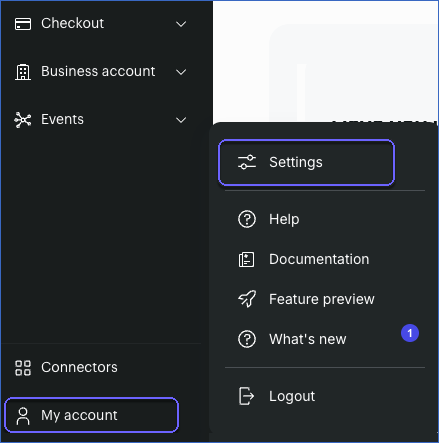
In the left navigation pane, click My account, and then click Settings.
-
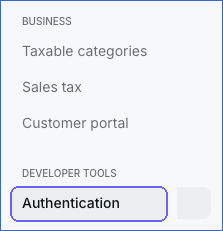
In the left navigation pane, under Developer Tools, click Authentication.
-
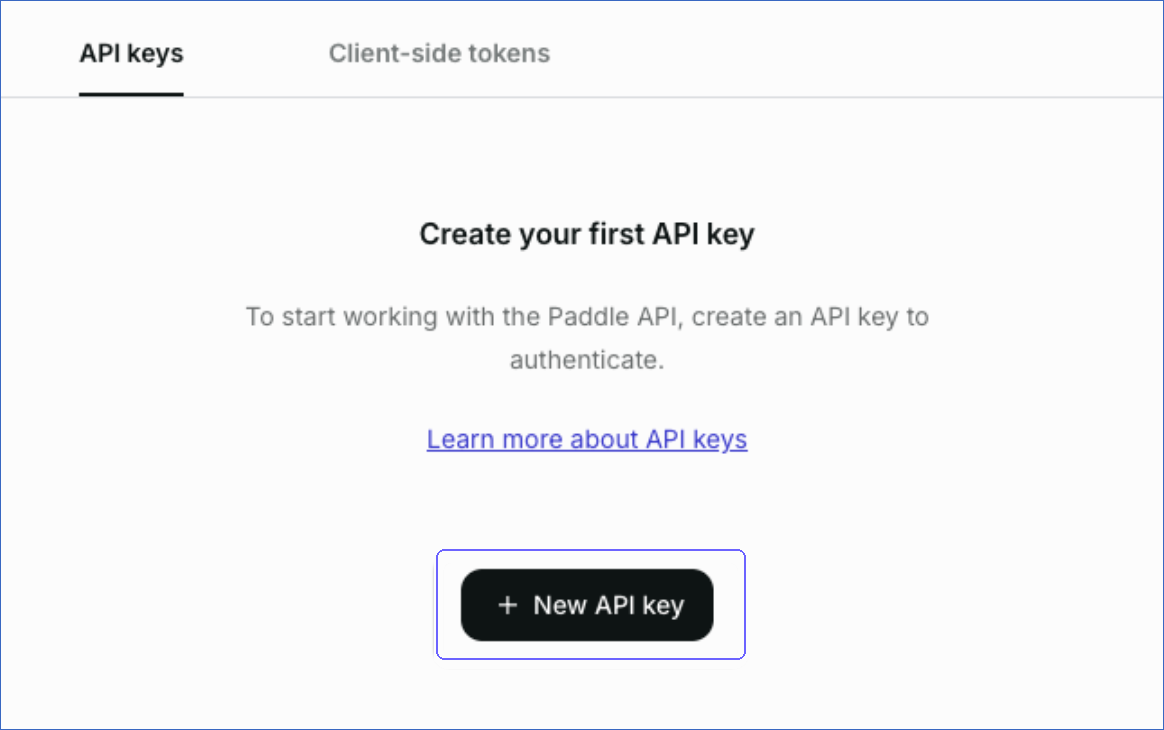
On the API keys tab, click + New API key.
-
Specify a name and description, set an expiry date, and select the following permissions for the key:
-
product.read
-
price.read
-
customer.read
-
business.read
-
subscription.read
-
adjustment.read
-
transaction.read
-
address.read
Note: Paddle API keys expire 90 days after creation by default. To avoid interruptions, set the expiry date to the maximum allowed, one year, and update the key in the Pipeline before it expires.
-
-
Copy the key and store it securely. Paddle does not display the key again. Use this key while configuring your Paddle Source in the Hevo Pipeline.
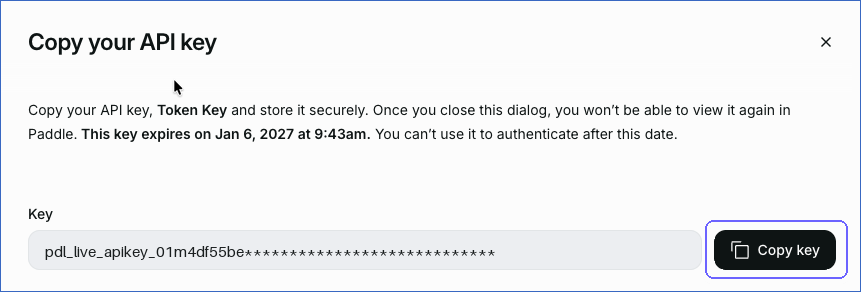
For more information, read Paddle API keys.
Note: If you do not grant a permission to the API key, Hevo cannot ingest the corresponding object, and the object fails with a 403 error that names the missing permission.
If the API key configured in the Pipeline expires or is revoked in your Paddle account, Hevo cannot authenticate with the Source. As a result, all active jobs for the Pipeline fail, and no data is replicated. To resume data replication, modify the Source configuration in the Pipeline with a valid API key. Once the updated key is saved, Hevo re-authenticates the Source, and data ingestion resumes from the last saved offset.
Configure Paddle as a Source in your Pipeline
Perform the following steps to configure your Paddle Source:
-
Click Pipelines in the Navigation Bar.
-
Click + Create Pipeline in the Pipelines List View.
-
On the Select Source Type page, select Paddle.
-
On the Select Destination Type page, select the type of Destination you want to use.
-
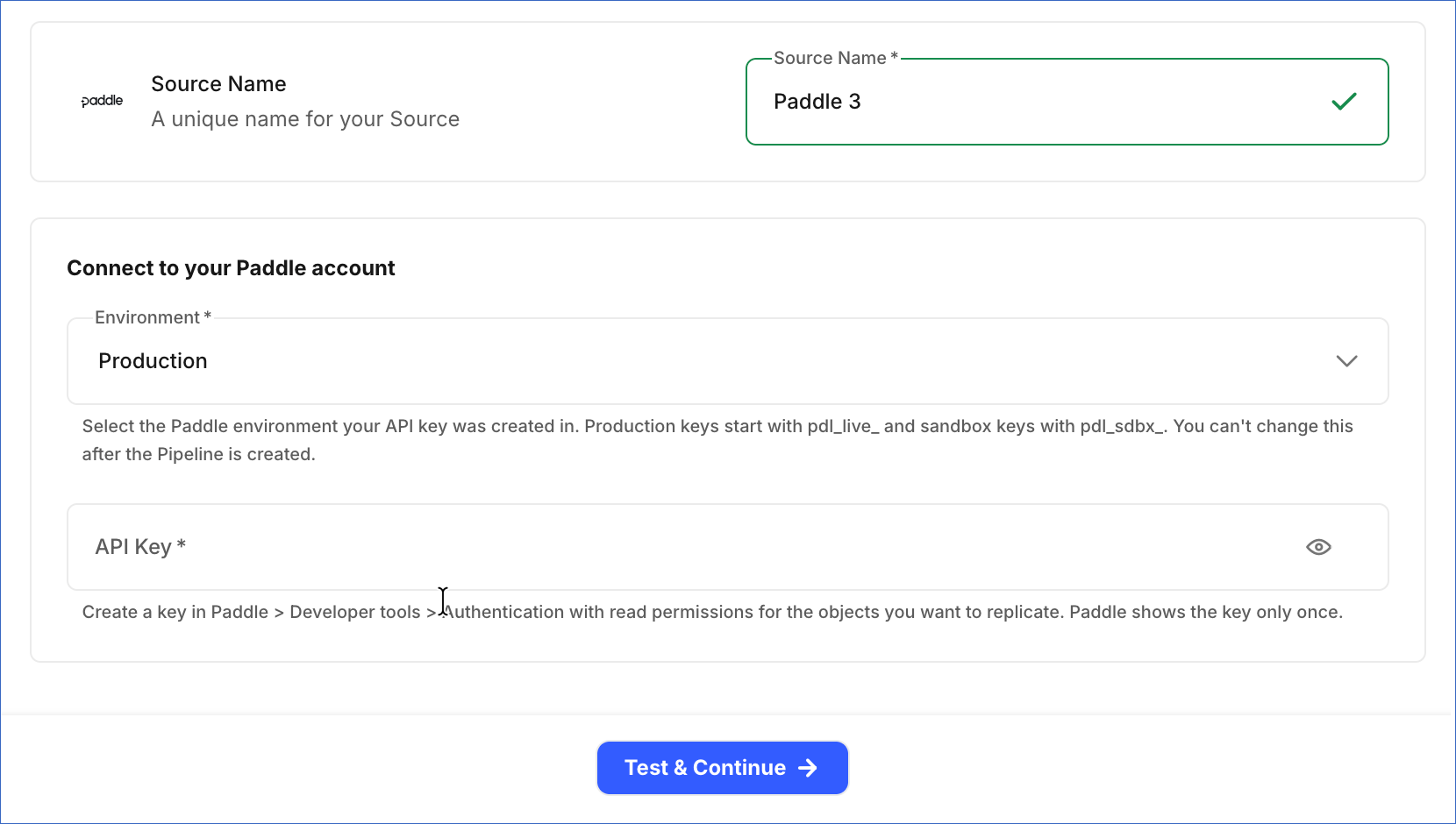
In the Configure Source screen, specify the following:
-
Source Name: A unique name for your Source, not exceeding 255 characters. For example, Paddle Source.
-
In the Connect to your Paddle account section, specify the following:
-
Environment: From the drop-down, select the Paddle environment from which you want Hevo to ingest data. This can be Production or Sandbox. The default value is Production. This value must match your API key, and you cannot change it after the Pipeline is created.
-
API Key: The API key that you obtained from your Paddle account. The value is masked in the UI.
-
-
-
Click Test & Continue to test the connection to your Paddle Source. Once the test is successful, you can proceed to set up your Destination.
Note: Hevo checks that the API key matches the selected Environment. If it doesn’t, the test fails.
Data Replication
Hevo replicates data for all the objects selected on the Configure Objects page during Pipeline creation. By default, all supported objects and their available fields are selected. However, you can modify this selection while creating or editing the Pipeline.
Selecting a parent object automatically includes all its associated child objects for replication. However, you can select or deselect the child objects individually.
Hevo ingests the following types of data from your Source objects:
-
Historical Data: The first run of the Pipeline ingests all available historical data for the selected objects and loads it into the Destination.
-
Incremental Data: Once the historical load is complete, new and updated records for objects are ingested as per the sync frequency.
For the following objects, Hevo ingests new and updated records in subsequent Pipeline runs:
-
Transaction
-
Transaction Line Item
-
Transaction Payment
Incremental changes are detected using the updated_at field.
For all the other objects, Hevo ingests only new records in subsequent Pipeline runs. Changes to existing records of these objects, such as a renamed product, a canceled subscription, or an approved adjustment, are picked up by a full re-read of the object that Hevo runs once every 7 days. Until then, the Destination shows the earlier values. Events ingested through data refresh are not billable.
If you add a business to an existing customer, Hevo ingests it at the next 7-day re-read, not on the next Pipeline run.
Paddle currently enforces a rate limit of 240 requests per minute per IP address. If this limit is exceeded, a rate limit exception occurs. To understand how Hevo handles such scenarios, read Handling Rate Limit Exceptions.
Note: You can create a Pipeline with this Source only using the Merge load mode. The Append mode is not supported for this Source.
Schema and Primary Keys
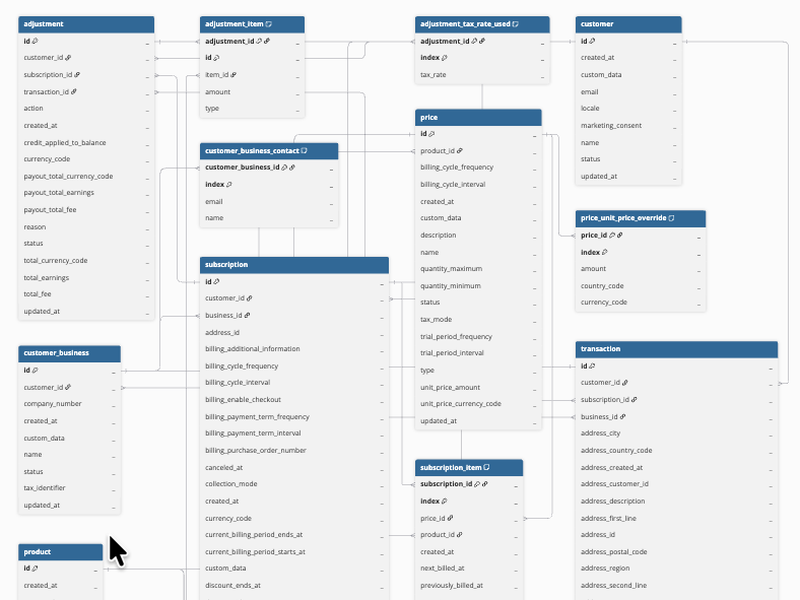
Hevo uses the following schema to upload the records in the Destination. For a detailed view of the objects, fields, and relationships, click the ERD.
Data Model
The following is the list of tables (objects) that are created at the Destination when you run the Pipeline:
| Object | Description |
|---|---|
| Adjustment | Contains details of adjustments, such as refunds and credits, made to billed transactions. This includes the customer, subscription, and transaction the adjustment applies to, the action, reason, and status of the adjustment, and its total, fee, earnings, and payout amounts. It includes the following child objects: - Adjustment Item - Adjustment Tax Rate Used |
| Customer | Contains details of customers, including name, email address, locale, marketing consent, and status. |
| Customer Business | Contains details of the businesses associated with customers, including business name, company number, and tax identifier. It includes a child object, Customer Business Contact. |
| Price | Contains details of prices for products, including the unit price, currency, billing cycle, trial period, tax mode, and quantity limits. It includes a child object, Price Unit Price Override. |
| Product | Contains details of products in your catalog, including name, description, type, tax category, image, and status. |
| Subscription | Contains details of customer subscriptions, including the customer, address, and business, billing cycle and billing period, collection mode, discount, scheduled change, and status. It includes a child object, Subscription Item. |
| Transaction | Contains details of transactions, including the customer, subscription, address, billing details, totals, fees, earnings, and payout amounts, and status. It includes the following child objects: - Transaction Line Item - Transaction Payment |
Additional Information
Read the detailed Hevo documentation for the following related topics:
Handling of Deletes
Paddle does not delete products, prices, customers, or businesses. It archives them. Hevo handles archived and removed records as follows, based on the object.
For the following objects, an archived record is marked as deleted in the Destination by setting the value of the metadata column __hevo__marked_deleted to True:
-
Product
-
Price
-
Customer
-
Customer Business
Because archiving is a change to an existing record, it is reflected in the Destination at the next 7-day re-read of the object, and not on the next Pipeline run.
For child objects, each time the parent record is loaded, Hevo replaces its child rows in full. As a result, if a row is removed in Paddle, it is also removed from the Destination. This applies to the following objects:
-
Price Unit Price Override
-
Customer Business Contact
-
Subscription Item
-
Transaction Line Item
For the Transaction Payment, Adjustment Item, and Adjustment Tax Rate Used objects, Hevo only adds or updates rows, as Paddle does not remove these records.
When an archived price or business is marked as deleted, its overrides or contacts are removed from the Destination.
Paddle does not delete subscriptions, transactions, or adjustments. Subscriptions and transactions change status instead, and adjustments cannot be changed or deleted once they are created. Hence, Hevo does not capture deletes for these objects.
Source Considerations
- If you replace the API key in an existing Pipeline with a key from a different Paddle account, you must resync the Pipeline. Until then, most objects fail with a Paddle server error, because the saved offset does not exist in the new account.