Lob is a direct mail automation platform that businesses use to send letters, postcards, self mailers, and checks through APIs and campaigns, and to verify the mailing addresses of their recipients.
Hevo uses the Lob API to replicate the addresses, bank accounts, billing groups, campaigns, checks, letters, postcards, QR code analytics, self mailers, and templates of your Lob account to the Destination of your choice. To ingest data, you must provide Hevo with a secret API key of your Lob account.
Supported Features
| Feature Name | Supported |
|---|---|
| Capture deletes | Yes, except for the Addresses object |
| History mode | No |
| Custom data (user-configured tables & fields) | No |
| Data blocking (skip objects and fields) | Yes |
| Resync (objects and Pipelines) | Yes |
| API configurable | Yes |
Prerequisites
-
An active Lob account from which data is to be ingested.
-
A payment method on file in your Lob account, to replicate the data of your live environment. Read Live and test environments.
-
A secret API key of your Lob account. Read Obtain the Secret API Key.
Obtain the Secret API Key
Hevo connects to your Lob account using a secret API key. Lob provides a secret API key for each of its two environments, live and test. Hevo replicates the data of the environment that the key belongs to. For example, if you provide the key of the test environment, Hevo replicates only the mail pieces and other records that you created in test mode.
Perform the following steps to obtain the secret API key:
-
Log in to your Lob Dashboard.
-
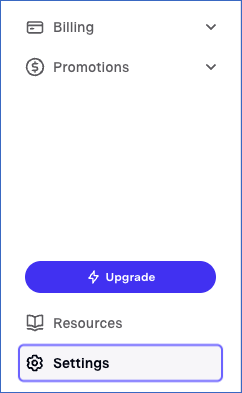
In the left navigation pane, click Settings.
-
On the Settings page, click the API Keys tab.

-
In the Secret API Keys section, click Copy next to the key of the environment from which you want to ingest data. Save the key securely like any other password.
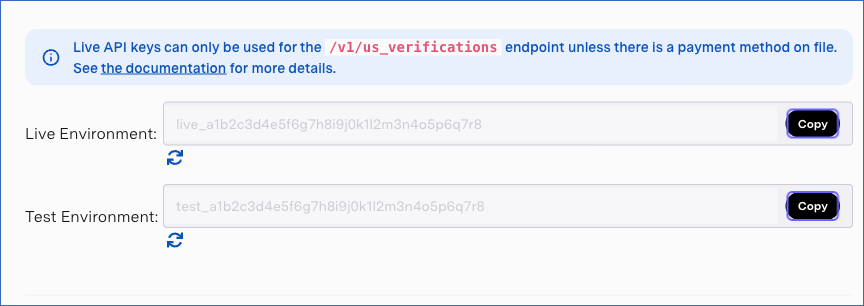
Read API Keys for more information.
You can copy the secret API key from the API Keys tab at any time. If the key is regenerated in Lob, Hevo cannot connect to your account, and the Pipeline fails. To resume data ingestion, modify the Source configuration with the new key.
Configure Lob as a Source in your Pipeline
Perform the following steps to configure your Lob Source:
-
Click Pipelines in the Navigation Bar.
-
Click + Create Pipeline in the Pipelines List View.
-
On the Select Source Type page, select Lob.
-
On the Select Destination Type page, select the type of Destination you want to use.
-
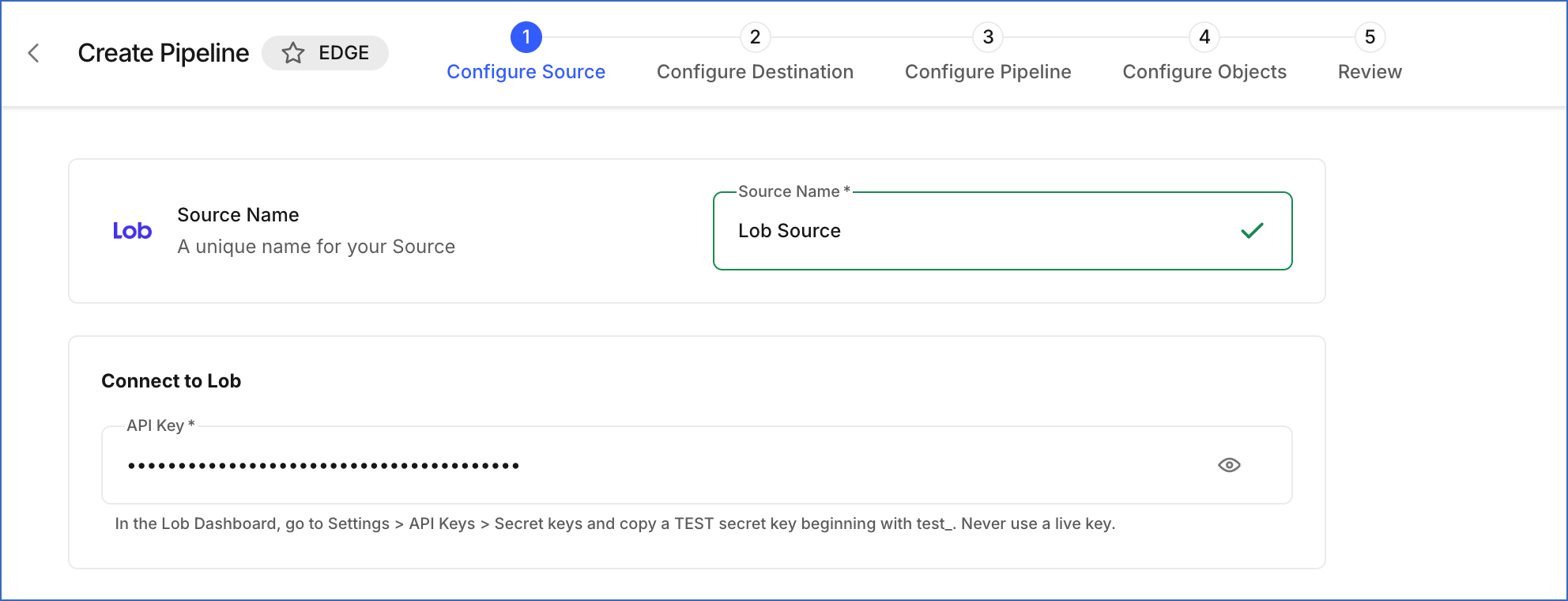
On the Configure Source page, specify the following:
-
Source Name: A unique name for your Source, not exceeding 255 characters. For example, Lob Source.
-
In the Connect to Lob section:
- API Key: The secret API key that you copied from your Lob Dashboard.
-
-
Click Test & Continue to test the connection to your Lob Source. Hevo checks that it can read the addresses of your Lob account with the key. Once the test is successful, you can proceed to set up your Destination.
Data Replication
Hevo replicates data for all the objects selected on the Configure Objects page during Pipeline creation. By default, all supported objects and their available fields are selected. However, you can modify this selection while creating or editing the Pipeline.
The first run of the Pipeline ingests all the data of the selected objects. In the subsequent runs, as per the sync frequency, Hevo ingests data as follows:
| Ingestion | Objects |
|---|---|
| New records, based on the time each record was created | Addresses, Bank Accounts, Checks, Letter, Postcard, Self Mailers, Template, and their child objects |
| All the records, in each run | Billing Groups, Campaigns, QR Code, and their child objects |
Lob does not provide the time at which a record was last updated in its list APIs. As a result, changes to existing records, such as the status of a letter or the description of a template, are not ingested in the regular runs. To capture these changes, Hevo reads all the records of the following objects at a fixed interval:
-
Letter: Once a day.
-
Bank Accounts, Checks, Postcard, Self Mailers, and Template: Once every seven days.
You can resync any object to ingest its latest data before the next scheduled read. Records of the Addresses object cannot be changed in Lob. Hevo does not read them again after they are ingested.
Note: You can create a Pipeline with this Source only using the Merge load mode. The Append mode is not supported for this Source.
Schema and Primary Keys
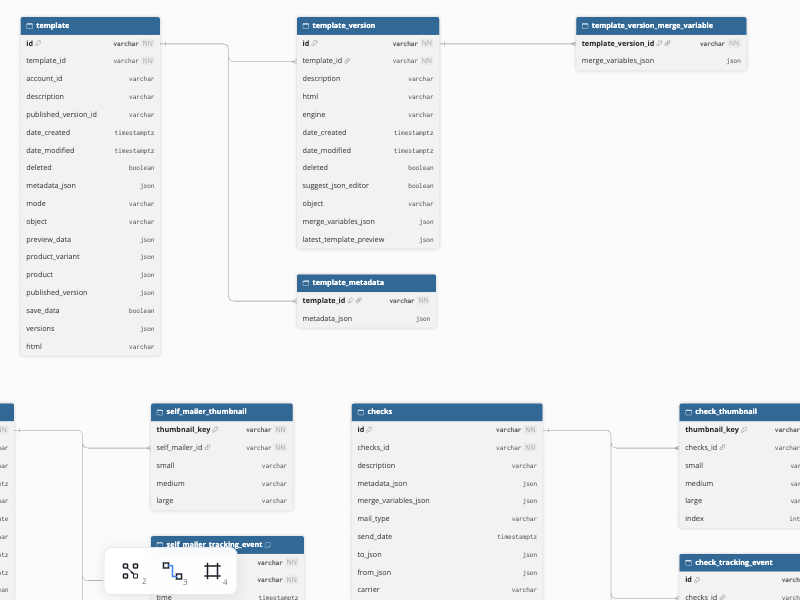
Hevo uses the following schema to upload the records in the Destination. For a detailed view of the objects, fields, and relationships, click the ERD.
Data Model
The following is the list of tables (objects) that are created at the Destination when you run the Pipeline:
| Object | Description |
|---|---|
| Addresses | Contains the addresses saved in your Lob address book, including the name, company, phone number, email address, and the postal address of each recipient or sender. It includes a child object, Address Metadata. |
| Bank Accounts | Contains the bank accounts from which you send checks, including the bank name, routing number, account number, account type, signatory, and whether each account is verified. It includes a child object, Bank Account Metadata. |
| Billing Groups | Contains the billing groups that you use to group your mail pieces for billing, including the name and description of each group. |
| Campaigns | Contains the direct mail campaigns of your account, including the name, schedule type, send date, billing group, use type, and whether each campaign is a draft. It includes the following child objects: - Campaign Creative, which includes the Campaign Creative Template Preview child object - Campaign Upload |
| Checks | Contains the checks that you send, including the amount, check number, memo, bank account, status, carrier, tracking number, expected delivery date, and the templates used for each check. It includes the following child objects: - Check From Address - Check Merge Variable - Check Metadata - Check Thumbnail - Check To Address - Check Tracking Event |
| Letter | Contains the letters that you send, including the status, mail type, send date, carrier, tracking number, expected delivery date, the print and envelope options, and the template and campaign of each letter. It includes the following child objects: - Letter From Address - Letter Merge Variable - Letter Metadata - Letter Thumbnail - Letter To Address - Letter Tracking Event |
| Postcard | Contains the postcards that you send, including the size, status, mail type, send date, carrier, expected delivery date, the front and back templates, the campaign, and the failure reason of each postcard. It includes the following child objects: - Postcard Failure Reason Error - Postcard From Address - Postcard Merge Variable - Postcard Metadata - Postcard Thumbnail - Postcard To Address - Postcard Tracking Event |
| QR Code | Contains the mail pieces that have a QR code, including the ID of each mail piece and the number of times its QR code was scanned. It includes a child object, QR Code Scan, which contains the date and location of each scan. |
| Self Mailers | Contains the self mailers that you send, including the size, status, mail type, send date, carrier, expected delivery date, the inside and outside templates, and the campaign of each self mailer. It includes the following child objects: - Self Mailer From Address - Self Mailer Merge Variable - Self Mailer Metadata - Self Mailer Thumbnail - Self Mailer To Address - Self Mailer Tracking Event |
| Template | Contains the HTML templates that you use to create mail pieces, including the description, the published version, and the HTML of each template. It includes the following child objects: - Template Metadata - Template Version, which includes the Template Version Merge Variable child object |
Additional Information
Read the detailed Hevo documentation for the following related topics:
Handling of Deletes
Hevo captures the deletes of the Lob objects as follows:
| Deletes Captured | Objects |
|---|---|
| In each run, by comparing the data |
Billing Groups, Campaigns, QR Code, and their child objects. Hevo ingests all the records of these objects in each run, and marks the records that are no longer returned by Lob as deleted by setting the value of the metadata column _hevo_marked_deleted to True. |
| When Hevo reads all the records of the object |
Bank Accounts, Checks, Letter, Postcard, Self Mailers, and Template. Lob does not return the records that you cancel or delete, such as a canceled letter or a deleted template. Hevo marks these records as deleted when it next reads all the records of the object, or when you resync the object. |
| Not captured | Addresses. An address that you delete in Lob remains in the Destination. |
Source Considerations
-
Lob accepts the secret API key of the live environment only for address verification requests until you add a payment method to your Lob account. Without a payment method, the connection test fails with the message Check the API key. To replicate the data of your live environment, add a payment method in Lob before you create the Pipeline.
-
Lob creates campaigns only in the live environment. If you provide the secret API key of the test environment, the Campaigns object and its child objects remain empty.
-
If the billing groups or self mailers features are not available for your Lob account, Lob denies access to these objects. In this case, Hevo loads no records for the Billing Groups or Self Mailers objects, and the Pipeline continues to replicate the other objects.
-
The file URLs and thumbnail URLs of the mail pieces, such as the url field of a letter, are signed links that expire 30 days after Hevo ingests them. To get valid links, resync the object.
-
If Lob limits the rate of API requests from Hevo, Hevo waits and retries the request.