Instagram Business is Meta’s platform for content creators and businesses to manage Instagram professional accounts, publish posts, stories, and reels, and track engagement and performance metrics. It helps businesses understand how their content and accounts are performing so they can refine their marketing strategy and grow their audience.
Hevo uses the Instagram API with Facebook Login to replicate data from your Instagram Business account to the Destination of your choice. As Instagram Business accounts are managed through Facebook, Hevo authenticates using the Facebook account that manages the Facebook Page linked to your Instagram Business account.
Hevo supports the following authentication methods to connect to your Instagram Business account:
-
Open Authorization (OAuth): Allows Hevo to connect to your account through an authorization flow, where you sign in to Facebook and grant Hevo access to your account data. This is the recommended method for most users.
-
Using System User Token: Provide a system user access token generated in Meta Business Manager. This is the recommended method for agencies managing multiple Instagram Business accounts.
-
Using an OAuth app: Allows Hevo to connect to your account using the App ID, App Secret, and long-lived access token of a Meta app that you create in your developer account.
Note: To create a Pipeline with Instagram Business as the Source using an OAuth app, you must use the Create a Pipeline endpoint through the Hevo API. This method is not available in the Hevo UI. Read Creating a Pipeline with Hevo API for the steps to create the Pipeline.
Supported Features
| Feature Name | Supported |
|---|---|
| Capture deletes | No |
| History mode | No |
| Custom data (user-configured tables & fields) | No |
| Data blocking (skip objects and fields) | Yes |
| Resync (objects and Pipelines) | Yes |
| API configurable | Yes |
Prerequisites
-
An active Instagram Business account linked to a Facebook Page exists, from which data is to be ingested.
-
You have Admin access to the Facebook Page or Meta Business Manager account linked to your Instagram Business account to grant OAuth permissions or generate a system user access token.
-
(Optional) If you are authenticating using a system user token, the system user access token is available to provide Hevo access to your Instagram Business account data.
Obtain the System User Access Token (Optional)
A system user access token allows Hevo to access your Instagram Business account without requiring OAuth authorization. This is useful if you manage multiple Instagram Business accounts or use a shared Meta Business Manager account. To use this authentication method, generate a system user access token in Meta Business Manager and ensure it has the following scopes for your Instagram Business account(s):
-
instagram_basic
-
instagram_manage_insights
-
pages_show_list
-
pages_read_engagement
-
business_management
Use this token when configuring your Instagram Business Source in Hevo.
If the system user access token configured in the Pipeline is revoked manually from your Instagram Business account, Hevo cannot authenticate with the Source. As a result, all active jobs for the Pipeline fail, and no data is replicated. To resume data replication, modify the Source configuration in the Pipeline with a valid system user access token. Once the updated token is saved, Hevo re-authenticates the Source, and data ingestion resumes from the last saved offset.
Configure Instagram Business as a Source in your Pipeline
Perform the following steps to configure your Instagram Business Source:
-
Click Pipelines in the Navigation Bar.
-
Click + Create Pipeline in the Pipelines List View.
-
On the Select Source Type page, select Instagram Business.
-
On the Select Destination Type page, select the type of Destination you want to use.
-
On the Select Pipeline Type page, click Edge, and then click Continue.
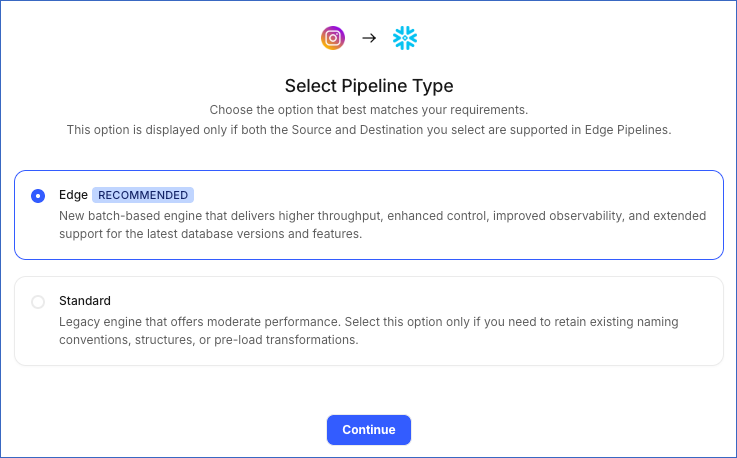
This page appears only if the selected Destination type is supported in Edge and your Team has an existing Instagram Business Pipeline with the same Destination type. Otherwise, you can proceed to create an Edge Pipeline.
-
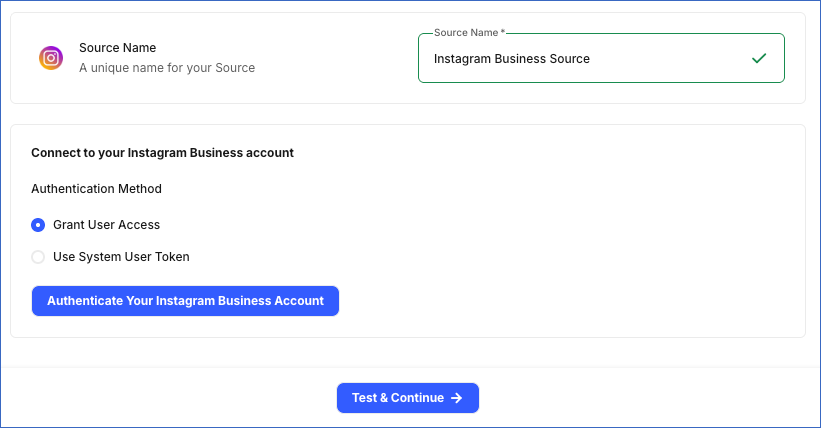
In the Configure Source screen, specify the following:
-
Source Name: A unique name for your Source, not exceeding 255 characters. For example, Instagram Business Source.
-
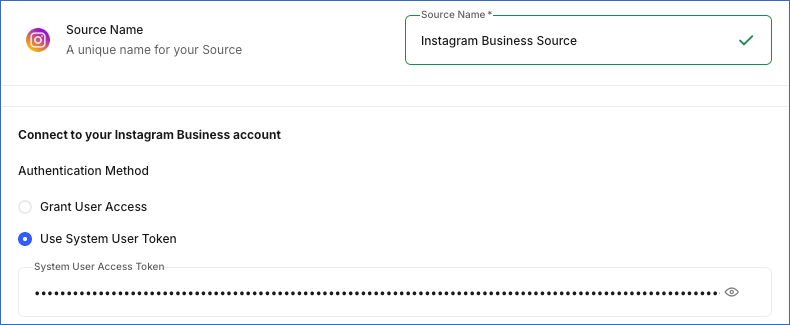
Authentication Method: Select how you want to authenticate your Instagram Business account:
-
Grant User Access: Recommended for most users. Click the Authenticate Your Instagram Business Account button to authenticate your Instagram Business account with Hevo using OAuth 2.0. In the pop-up window, log in to your Facebook account, review the permissions Hevo requests to access your Instagram Business account data, and grant the required permissions to complete the authorization.
-
Use System User Token: Recommended for agencies managing multiple Instagram Business accounts. Specify the access token generated from your Meta Business Manager account in the System User Access Token field.
-
-
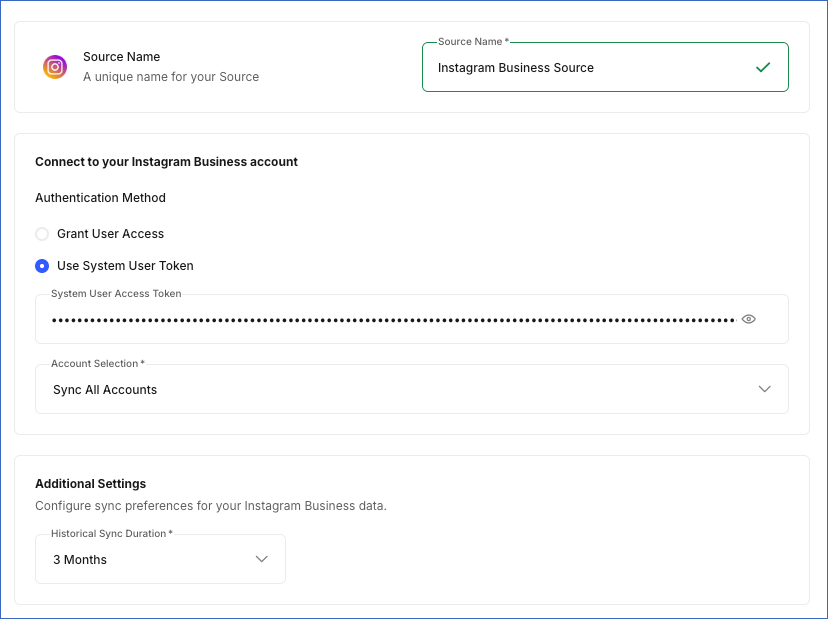
Account Selection: From the drop-down, select whether to sync all Instagram Business accounts accessible to your authenticated account or only specific ones. Default value: Sync All Accounts.
-
Sync All Accounts: Hevo syncs data for all Instagram Business accounts accessible to your authorized Facebook account, including any accounts added later.
-
Sync Specific Accounts: Select the accounts you want to sync from the Instagram accounts to sync drop-down.

-
-
Historical Sync Duration: The duration for which you want to ingest existing data from the Source. This cannot be changed after the Pipeline is created. Default value: 3 Months.
-
-
Click Test & Continue to test the connection to your Instagram Business Source.
Data Replication
Hevo replicates data for all the objects selected on the Configure Objects page during Pipeline creation. By default, all supported objects and their available fields are selected. However, you can modify this selection while creating or editing the Pipeline.
Hevo ingests the following types of data from your Source objects:
-
Historical Data: The first run of the Pipeline ingests historical data for the selected objects based on the Historical Sync Duration specified when configuring the Source, and loads it into the Destination.
-
Incremental Data: Once the historical load is complete, new and updated records for objects are ingested as per the sync frequency.
For the following objects, Hevo ingests only the incremental data in subsequent Pipeline runs:
-
Media Comment
-
Media History
-
Media Insights
-
User Insights
For the Media Comment object, Hevo fetches comments for all media during the initial sync. During subsequent Pipeline runs, Hevo incrementally syncs comments for posts from the last 30 days. Once a week, Hevo also syncs comments for posts from the last 2 years to capture comments on older posts.
For all other objects, Hevo ingests the entire data during each Pipeline run.
Instagram API currently enforces a rate limit on the number of calls that can be made in a given time period. If this limit is exceeded, a rate limit exception occurs. To understand how Hevo handles such scenarios, read Handling Rate Limit Exceptions.
Note: You can create a Pipeline with this Source only using the Merge load mode. The Append mode is not supported for this Source.
Schema and Primary Keys
Hevo uses the following schema to upload the records to the Destination. For a detailed view of the objects, fields, and relationships, click the ERD.

Data Model
The following is the list of tables (objects) that are created at the Destination when you run the Pipeline:
| Object | Description |
|---|---|
| Media Comment | Contains details about comments posted on your Instagram media, including the comment text, like count, and the commenting user’s information. |
| Media History | Contains details about the photos, videos, carousel albums, and stories posted on your Instagram Business account, including the caption, media type, and media URLs. |
| Media Insights | Contains performance metrics for your Instagram media, including impressions, reach, likes, saves, and shares, broken down by media type, such as photo, video, carousel album, story, and reel. |
| Page Detail | Contains details about the Facebook Page linked to your Instagram Business account, including the Page name and category. |
| User History | Contains details about your Instagram Business account profile, including follower, following, and media counts, as well as profile information such as username, website, and profile picture. |
| User Insights | Contains daily aggregated insights for your Instagram Business account, such as reach, follower, unfollower counts, and engagement metrics such as likes, comments, saves, and shares. |
| User Lifetime Insights | Contains lifetime information about your Instagram Business account, including the age, gender, country, and city of your followers and engaged audience. |
Additional Information
Read the detailed Hevo documentation for the following related topics:
Source Considerations
-
Instagram allows you to fetch data from up to 2 years before the current date.
-
The Instagram API returns only the 10,000 most recently created media items for an account. Therefore, when Hevo ingests the Media History object, media items older than the latest 10,000 cannot be fetched.
-
Story insights are available for only 24 hours after a story is posted. After that, Instagram no longer provides insights for the story.
-
Instagram may take up to 48 hours to make insights data available through the API. As a result, Hevo may not immediately ingest the latest insights data.