Infobip is a cloud communications platform that businesses use to engage with their customers over channels such as SMS, WhatsApp, voice, email, and live chat. Its Conversations product is a cloud contact center that agents use to handle customer conversations across these channels, and its People product stores the profiles of the persons and companies that the business interacts with.
Hevo uses the Infobip Conversations API and People API to replicate data from your Infobip account to the Destination of your choice. To ingest data, you must provide Hevo with an API key of your Infobip account and the Base URL host of the account.
Supported Features
| Feature Name | Supported |
|---|---|
| Capture deletes | Yes (for some objects) |
| History mode | No |
| Custom data (user-configured tables & fields) | No |
| Data blocking (skip objects and fields) | Yes |
| Resync (objects and Pipelines) | Yes |
| API configurable | Yes |
Prerequisites
-
An active Infobip account from which data is to be ingested.
-
Access to the Infobip web interface with permission to create API keys, to obtain the API key. You can assign only the API scopes that your own user role has.
Obtain the API Key and Base URL
Hevo connects to Infobip using an API key of your account and the Base URL of the account. Each Infobip account has its own Base URL, of the form xxxxx.api.infobip.com.
The API key must have the conversations:read and people:read scopes, so that Hevo can read the data of the Conversations and People APIs.
Perform the following steps to create the API key and obtain the Base URL:
-
Log in to the Infobip web interface.
-
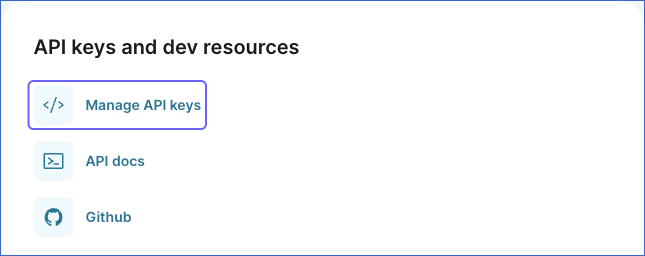
On the Homepage, in the API keys and dev resources section, click Manage API keys. Alternatively, in the left navigation pane, click Developer Tools, and then click API Keys.
-
On the API keys page, click CREATE API KEY.

-
On the Create API key page, do the following:
-
In the Name field, specify a name for the key. For example, Hevo.
-
Optionally, change the Expiration date of the key. By default, the key expires one year after it is created.
-
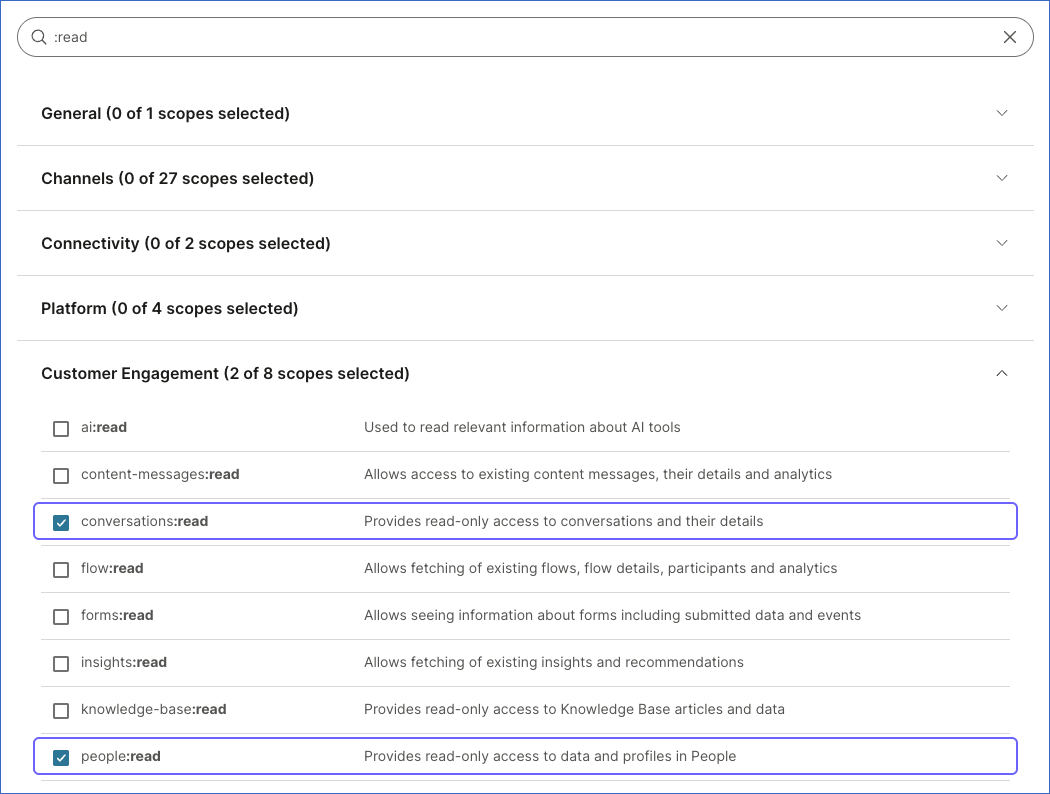
Under API Scopes, search for and select the conversations:read and people:read scopes. Both scopes are listed under Customer Engagement.
-
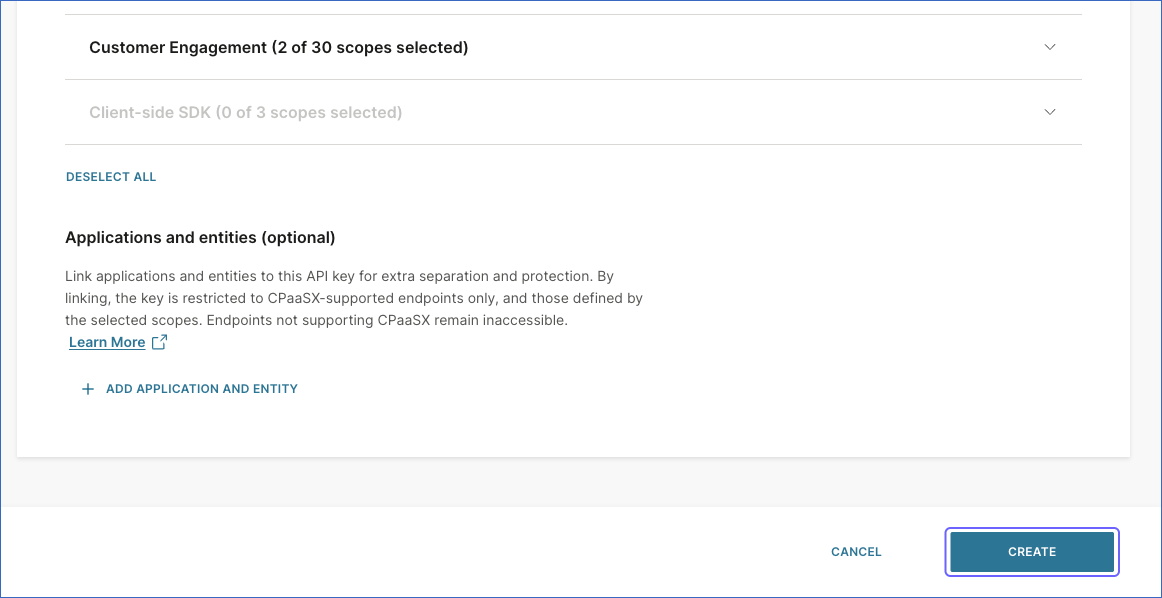
Click CREATE.
-
-
On the API keys page, do the following:
-
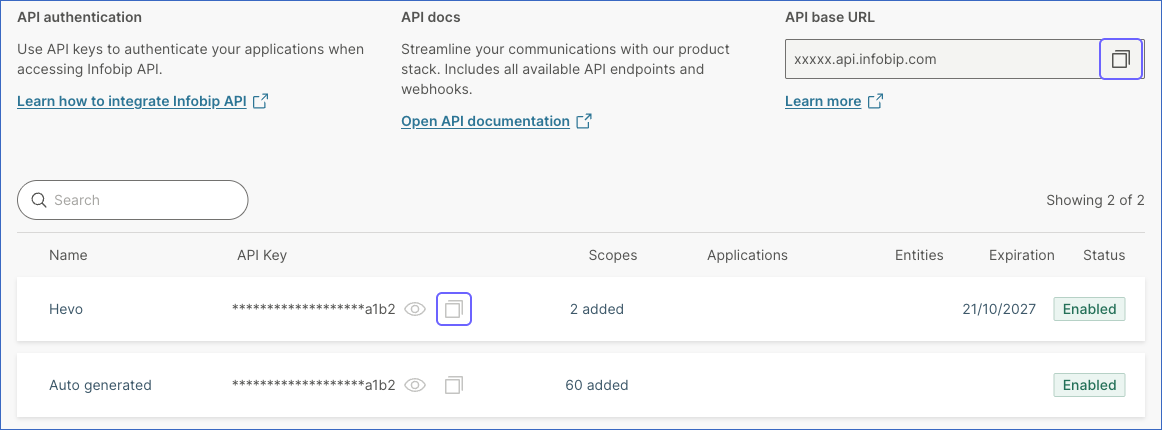
In the row of the key that you created, click the Copy icon next to the API key, and save it securely like any other password.
-
In the API base URL section, click the Copy icon to copy the Base URL of your account. For example, xxxxx.api.infobip.com.
Note: For security reasons, Infobip displays an API key for 2 days after it is created. After that, you cannot copy the key, and you must create a new one.
-
Use the API key and the Base URL while configuring your Infobip Source in Hevo.
Note: If the API key expires or is revoked, Hevo cannot connect to Infobip, and the Pipeline stops ingesting data. To resume, modify the Source configuration with a valid API key.
Configure Infobip as a Source in your Pipeline
Perform the following steps to configure your Infobip Source:
-
Click Pipelines in the Navigation Bar.
-
Click + Create Pipeline in the Pipelines List View.
-
On the Select Source Type page, select Infobip.
-
On the Select Destination Type page, select the type of Destination you want to use.
-
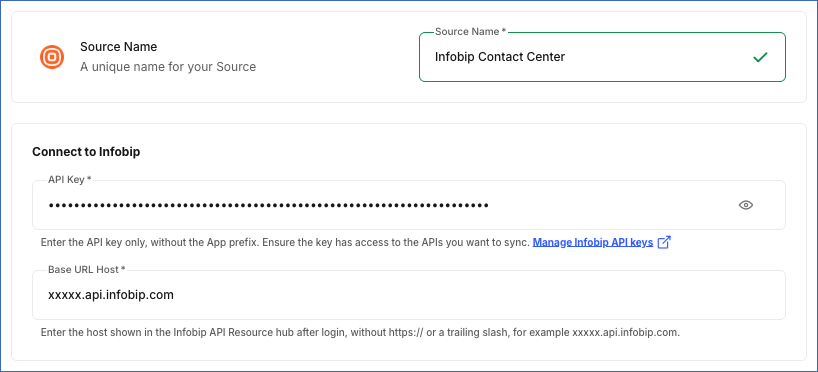
In the Configure Source screen, specify the following:
-
Source Name: A unique name for your Source, not exceeding 255 characters. For example, Infobip Contact Center.
-
In the Connect to Infobip section, specify the following:
-
-
Click Test & Continue to test the connection to your Infobip Source. Hevo verifies the API key and the Base URL host by reading one agent of your account through the Conversations API. Once the test is successful, you can proceed to set up your Destination.
Data Replication
Hevo replicates data for all the objects selected on the Configure Objects page during Pipeline creation. By default, all supported objects and their available fields are selected. However, you can modify this selection while creating or editing the Pipeline.
For the Company, Conversation, and Person objects, Hevo ingests new and updated records in each Pipeline run, as per the sync frequency. For the Conversation object, changes are identified using the time at which a record was last updated. For the Company and Person objects, changes are identified using the time at which a record was last modified. In the first run, Hevo ingests all the records of these objects.
For the child objects of Agent, Company, Conversation, and Person, Hevo ingests the records of each parent record that is ingested in the run. For example, the messages and notes of a conversation are ingested each time the conversation is ingested, and the conversations of each agent are ingested in every run.
For all the other objects, Hevo ingests the entire data during each Pipeline run.
You can resync only the parent objects. When you resync a parent object, Hevo also resyncs its child objects.
Infobip limits the number of API requests that can be made to each endpoint within a time period. If this limit is exceeded, a rate limit exception occurs. To understand how Hevo handles such scenarios, read Handling Rate Limit Exceptions.
Note: You can create a Pipeline with this Source only using the Merge load mode. The Append mode is not supported for this Source.
Schema and Primary Keys
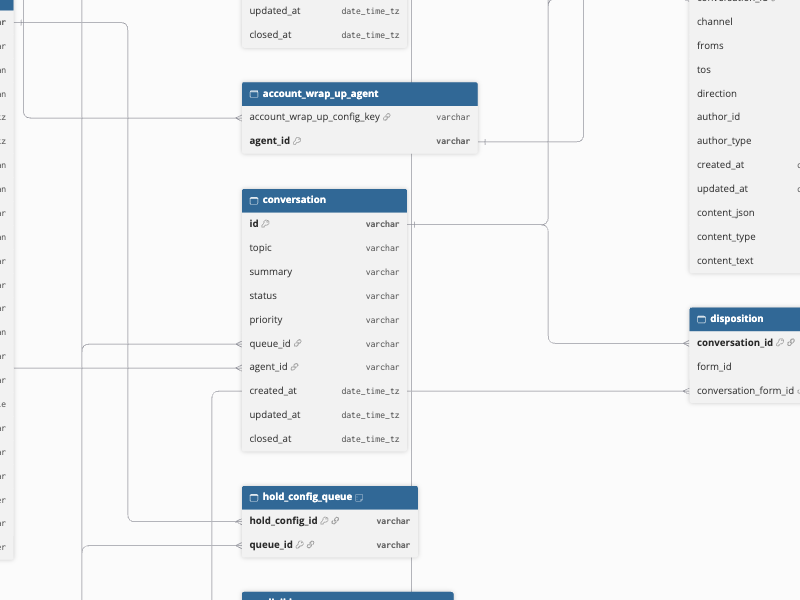
Hevo uses the following schema to upload the records in the Destination. For a detailed view of the objects, fields, and relationships, click the ERD.
Data Model
The following is the list of tables (objects) that are created at the Destination when you run the Pipeline:
| Object | Description |
|---|---|
| Account Recording | Contains the call recording settings of your account, such as whether inbound and outbound calls are recorded and the media type of the recordings. |
| Account Wrap Up | Contains the wrap-up settings of your account, such as the wrap-up time after a call and whether agents can extend it. It includes a child object, Account Wrap Up Agent, which contains the agents of your account. Account Wrap Up Agent includes a child object, Agent Wrap Up, which contains the wrap-up time and background blur settings of each agent. |
| Agent | Contains the agents of your account, including their display name, role, status, and availability. It includes a child object, Agent Conversation, which contains the conversations assigned to each agent. |
| Agent Recording | Contains the call recording settings of each agent, including whether the agent uses the recording settings of the account. |
| Bot | Contains the bots connected to your account, including their channel, destination, webhook URL, and session timeout. |
| Company | Contains the company profiles in People, including their name, industry, country, account manager, and customer stage. It includes the following child objects: - Company Domain: The domains of each company. - Company Tag: The tags assigned to each company. |
| Conversation | Contains the conversations in your account, including their topic, status, priority, queue, and assigned agent. It includes the following child objects: - Disposition: The conversation form submitted for each conversation. It includes a child object, Disposition Field Name, which contains the value of each field of the form. - Message: The messages of each conversation, including their channel, direction, sender, recipient, and content. - Note: The notes that agents added to each conversation. |
| Conversation Form | Contains the conversation forms defined in your account, including their title and fields. |
| Eligible Queue | Contains the queues to which agents can transfer calls, including whether automatic assignment is enabled for each queue. |
| Field | Contains the fields that you can add to conversation forms, including their title, type, and validation pattern. It includes the following child objects: - Field Operator: The operators available for each field. - Field Options: The options available for each field. |
| Hold Config | Contains the hold configurations of your account, including the music and announcement played to callers on hold. It includes a child object, Hold Config Queue, which contains the queues that each hold configuration applies to. |
| Person | Contains the person profiles in People, including their name, type, address, gender, and date of birth. The custom attributes of each person are stored as JSON in the custom_attributes_json field. It includes the following child objects:- Person Email: The email addresses of each person. - Person Phone: The phone numbers of each person. - Person Push: The push notification contacts of each person. - Person Shopping Cart List: The items in the ShoppingCartList custom attribute of each person. - Person Social Account Apple Business Chat - Person Social Account Facebook - Person Social Account Instagram - Person Social Account Instagram DM - Person Social Account Kakao Sangdam - Person Social Account Kakao Talk - Person Social Account LINE - Person Social Account Live Chat - Person Social Account Open Channel - Person Social Account Telegram - Person Social Account TikTok BM - Person Social Account Twitter - Person Social Account Viber Bots - Person Social Account WhatsApp - Person Social Account Zalo Follower - Person Tag: The tags assigned to each person. The Person Social Account objects contain the accounts of each person on the respective channel. |
| Queue | Contains the queues in your account, including their name, working hours, and automatic assignment settings. |
| Routings | Contains the routing rules of your account, including their priority, order, conditions, and the queue to which each rule routes conversations. |
| Trigger | Contains the triggers that determine when a conversation form is shown to agents, including their conditions and the number of times each trigger fired. |
| Waiting Strategy | Contains the waiting strategies of your account, including the greeting, music on hold, and announcement messages played to callers waiting in a queue, and the maximum wait time. It includes the following child objects: - Waiting Strategy Announcement Collectable: The input that callers can provide during the announcement message of each strategy. - Waiting Strategy Client Type: The client types to which each strategy applies. - Waiting Strategy Sender: The senders to which each strategy applies. |
| Working Hour | Contains the working hours defined in your account, including their time zone, work week, and away message. It includes a child object, Working Hour Holidays, which contains the holidays of each working hours schedule. |
Additional Information
Read the detailed Hevo documentation for the following related topics:
Handling of Deletes
Hevo handles deleted records differently based on how data is ingested for an object.
For the Account Wrap Up and its child objects, Agent, Agent Recording, Bot, Conversation Form, Field, Hold Config and its child object, Queue, Routings, Trigger, Waiting Strategy and its child objects, and Working Hour and its child object, Hevo uses a full data refresh approach to capture deletes. During each Pipeline run, Hevo compares the data fetched from the Source object with the data present in the Destination table. If a record exists in the Destination but is no longer returned by the Source, the record is marked as deleted by setting the value of the metadata column __hevo__marked_deleted to True.
For the Company, Conversation, and Person objects, which are ingested incrementally, Hevo marks the records deleted in Infobip as deleted in the Destination when you resync the object. Until then, records deleted in Infobip remain in the Destination.
For the child objects of Agent, Company, Conversation, and Person, Hevo replaces the records of a parent record each time it ingests the parent record. As a result, a record deleted in Infobip is removed from the Destination the next time its parent record is ingested.
For the Account Recording, Eligible Queue, Field Operator, and Field Options objects, Hevo replaces the records in each Pipeline run. Records deleted in Infobip are removed from the Destination.
Source Considerations
-
Hevo reads data with the scopes of the API key that you provide. The connection test reads data only through the Conversations API. If the API key does not have the people:read scope, the test succeeds, but ingestion fails for the Company and Person objects. To avoid this, add the scope to the API key, or deselect these objects in the Pipeline.
-
Some objects, such as Account Recording, Agent Recording, Hold Config, Waiting Strategy, and Eligible Queue, contain the settings of calls in Conversations. If you do not use a feature in your Infobip account, the related objects are created in the Destination without any records.
-
The custom attributes of companies and persons are stored as JSON in the
custom_attributesfield of the Company object and thecustom_attributes_jsonfield of the Person object. The Person Shopping Cart List object contains records only if your account has a custom attribute named ShoppingCartList of the list type. Other list attributes are available only in thecustom_attributes_jsonfield.
Limitations
- Hevo replicates data only from the Infobip account to which the API key belongs. To replicate data from more than one account, create a separate Pipeline for each account.