HubSpot is a cloud-based Customer Relationship Management (CRM) platform that enables businesses to manage customer interactions, handle sales and marketing processes, and analyze customer data. It also allows you to create and customize properties based on your business requirements to improve customer engagement and relationships.
Hevo uses HubSpot REST APIs and webhooks to replicate data from your account into the Destination of your choice.
Hevo supports the following authentication methods to connect to your HubSpot account:
-
Open Authorization (OAuth): Allows Hevo to connect to your account through an authorization flow, where you sign in to HubSpot and grant Hevo access to your account data. During authorization, Hevo installs an app in your account that registers the webhook subscriptions required to capture delete events for the company, contact, and deal objects. This method is easier to set up, as it does not require creating an app, managing credentials, or configuring webhooks.
-
Private app access token: Allows Hevo to connect to your account using the access token and client secret of a private app that you create in HubSpot.
-
OAuth app: Allows Hevo to connect to your account using the client ID, client secret, and refresh token of an OAuth app that you create in HubSpot.
Note: To create a Pipeline with HubSpot as the Source using an OAuth app, you must use the Create a Pipeline endpoint through the Hevo API. This method is not available in the Hevo UI. Read Creating a Pipeline with Hevo API for the steps to create the Pipeline.
The private app access token and the OAuth app methods require additional setup, such as creating the app in HubSpot, granting it the required scopes, and configuring webhooks to capture delete events for the company, contact, and deal objects.
Supported Features
| Feature Name | Supported |
|---|---|
| Capture deletes | Yes |
| History mode | Yes |
| Custom data (user-configured objects & fields) | Yes |
| Data blocking (skip objects and fields) | Yes |
| Resync (objects and Pipelines) | Yes |
| API configurable | Yes |
Prerequisites
-
An active HubSpot account exists from which data is to be ingested.
-
You must be logged in as a Super Admin to access all data in your HubSpot account.
-
If you are authenticating using a private app, ensure that the access token and client secret of the app are available to provide Hevo access to your HubSpot account data.
Obtain the Access Token and Client Secret
To connect Hevo to your HubSpot account using a private app, you must provide the access token and client secret associated with the app. You can either use an existing private app or create one if required. In both cases, the app must be granted the scopes required by Hevo to read data from your HubSpot account.
Perform the following steps to obtain the access token and client secret:
-
Log in to your HubSpot account as a user with permissions to create a legacy app, such as a Super Admin.
-
In the top navigation bar, click the Settings (
 ) icon.
-
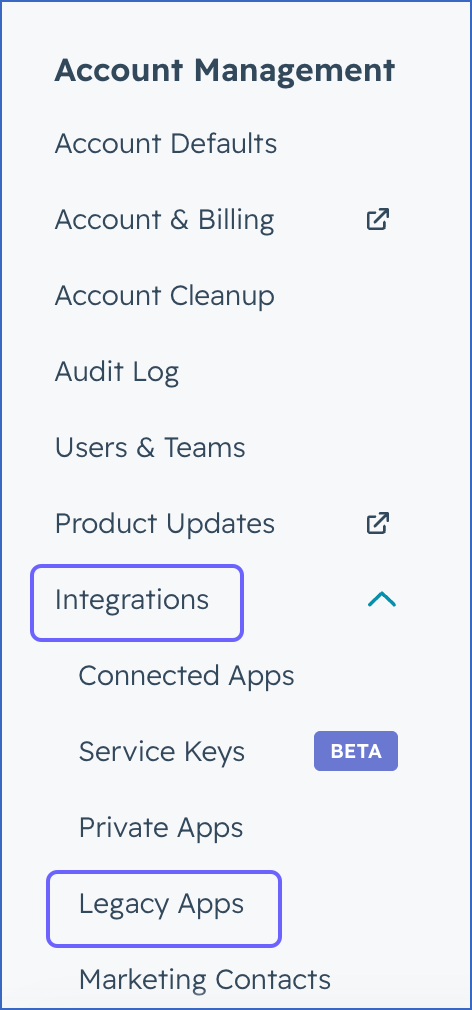
In the left navigation pane, under Account Management, click Integrations, and then click Legacy Apps.
-
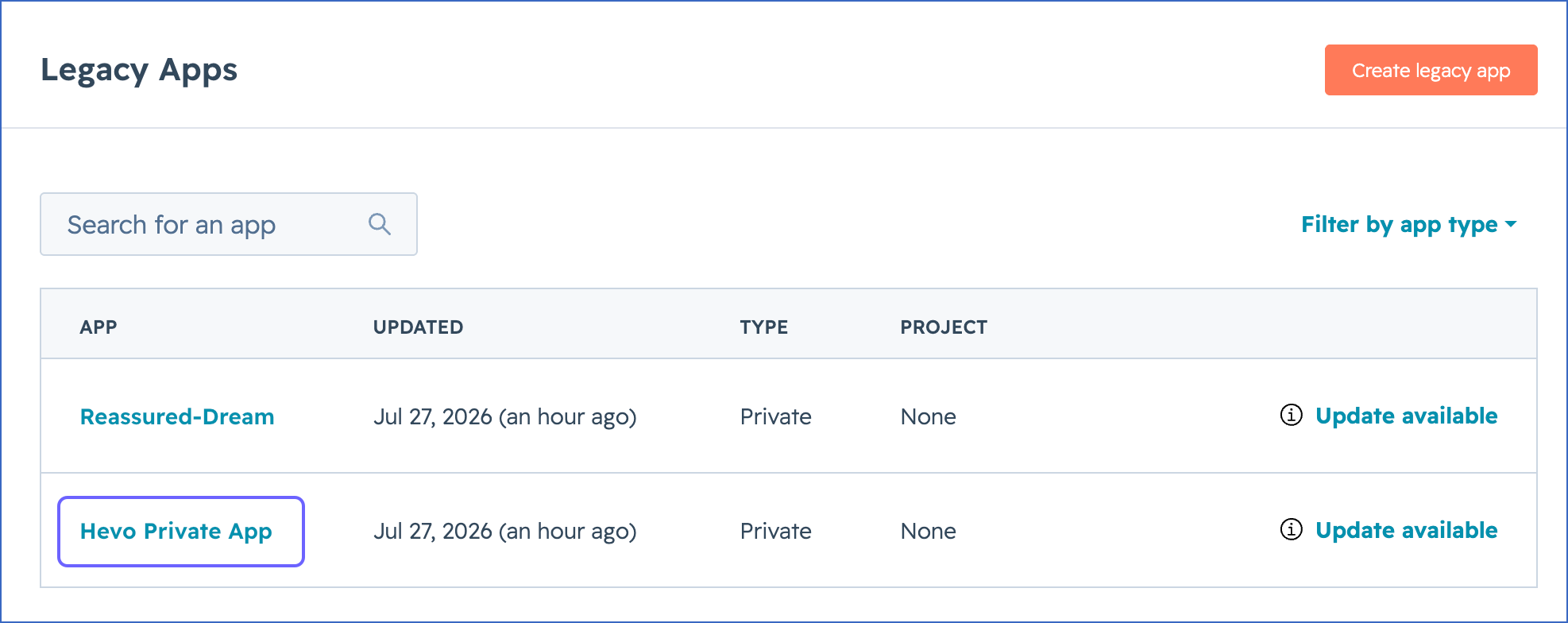
On the Legacy Apps page, do one of the following:
-
To use an existing private app, perform the following steps:
-
Click the app that you want to connect to Hevo.
-
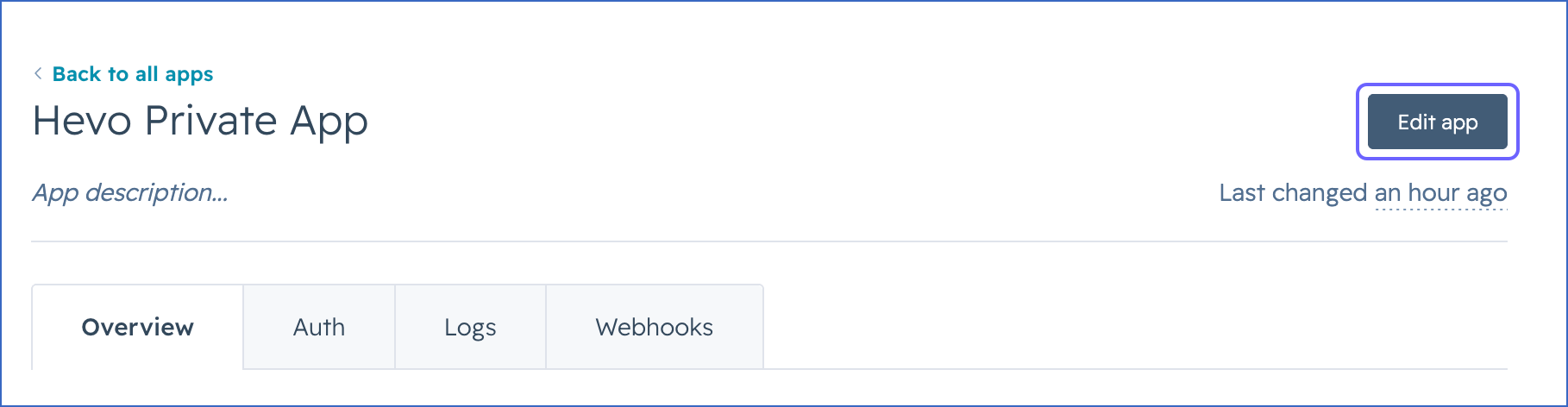
On the <Your Private App Name> page, click Edit app in the top right corner.
-
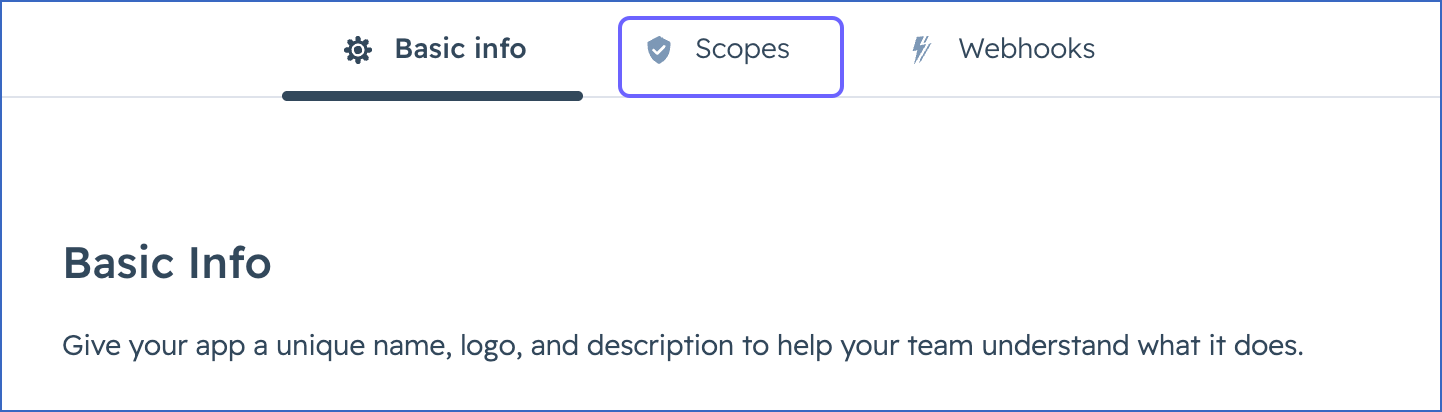
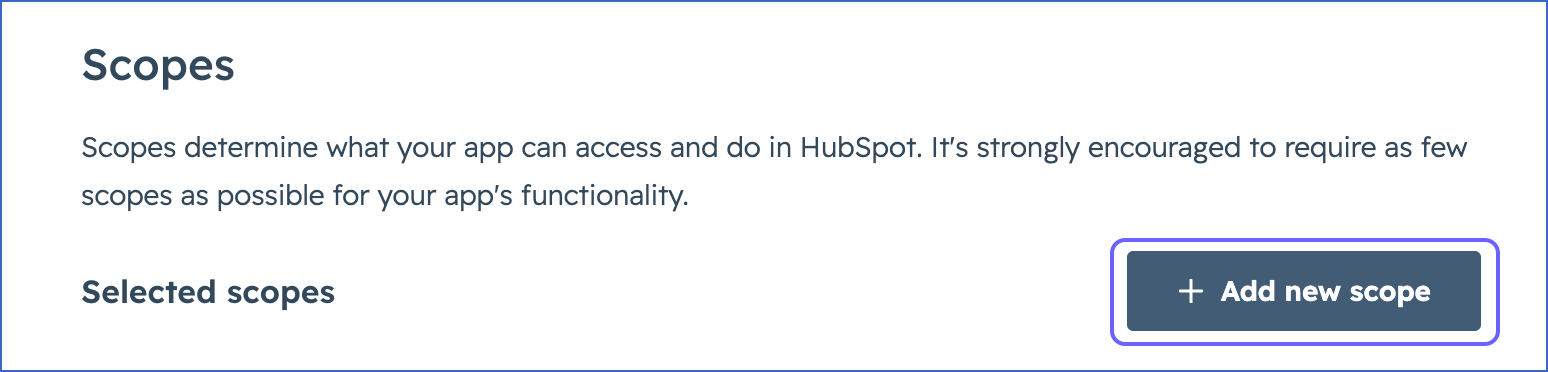
Click the Scopes tab and ensure that all the scopes required by Hevo are selected. If any of the scopes are missing, do the following:
-
Click + Add new scope.
-
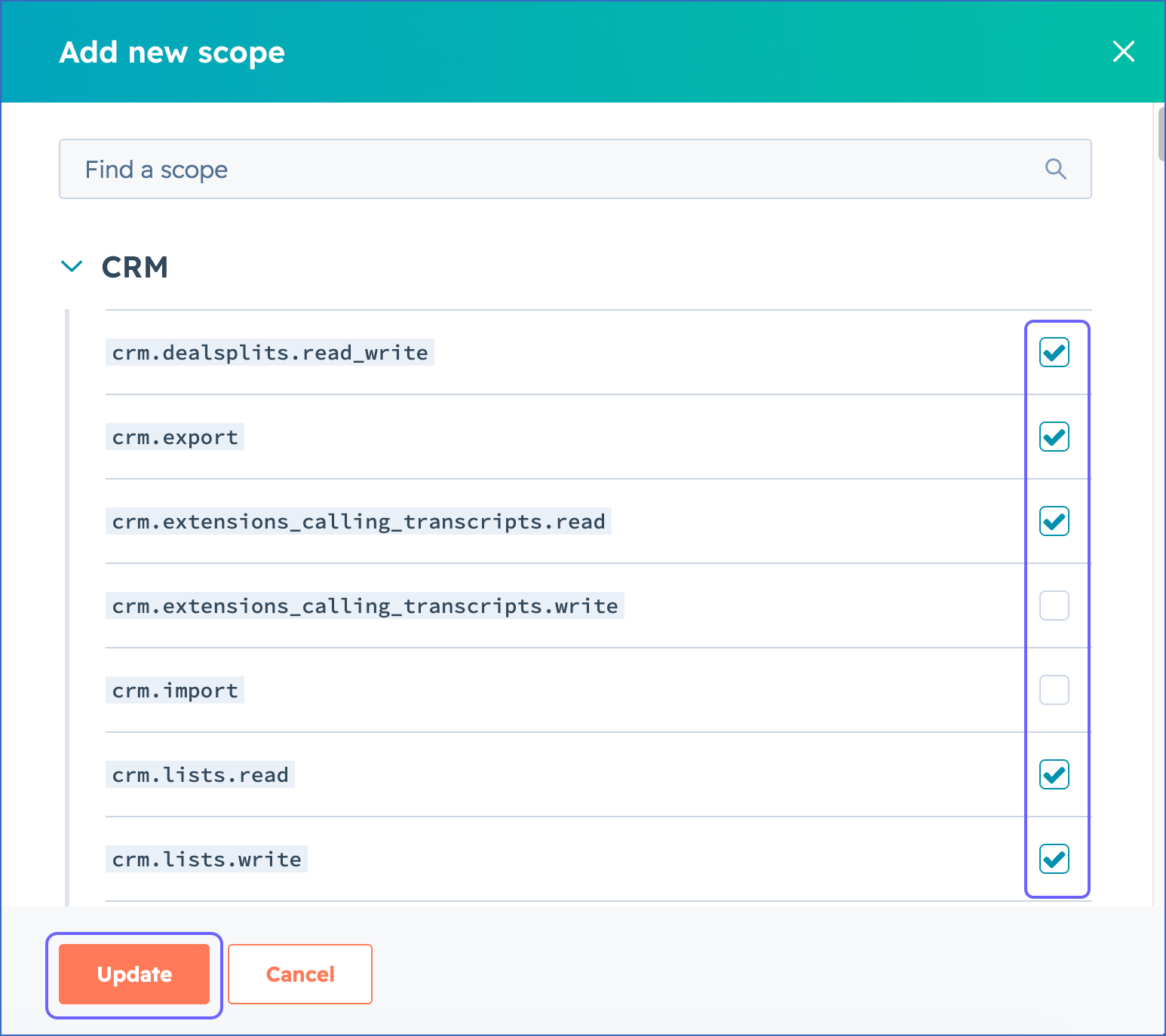
In the Add new scope slide-in page, select the check box next to each missing scope, and then click Update.
-
-
Click Commit changes in the top right corner.
-
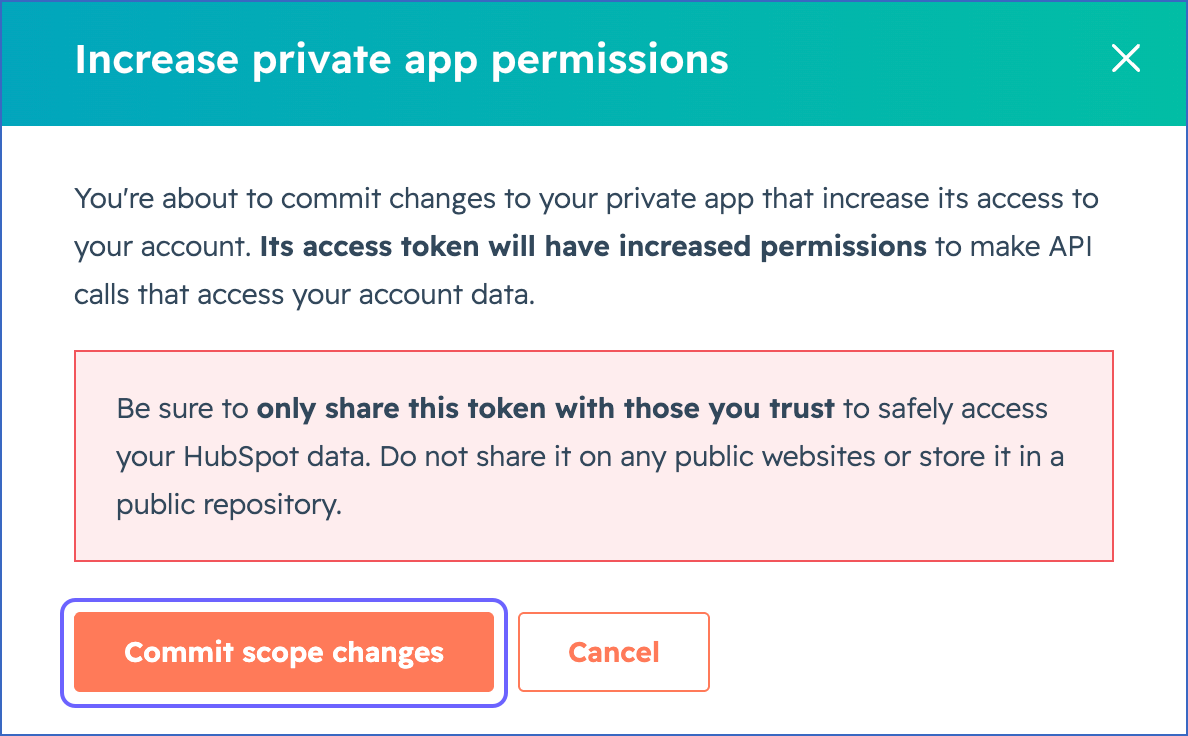
In the Increase private app permissions pop-up window, click Commit scope changes.
-
-
To create a private app, perform the following steps:
-
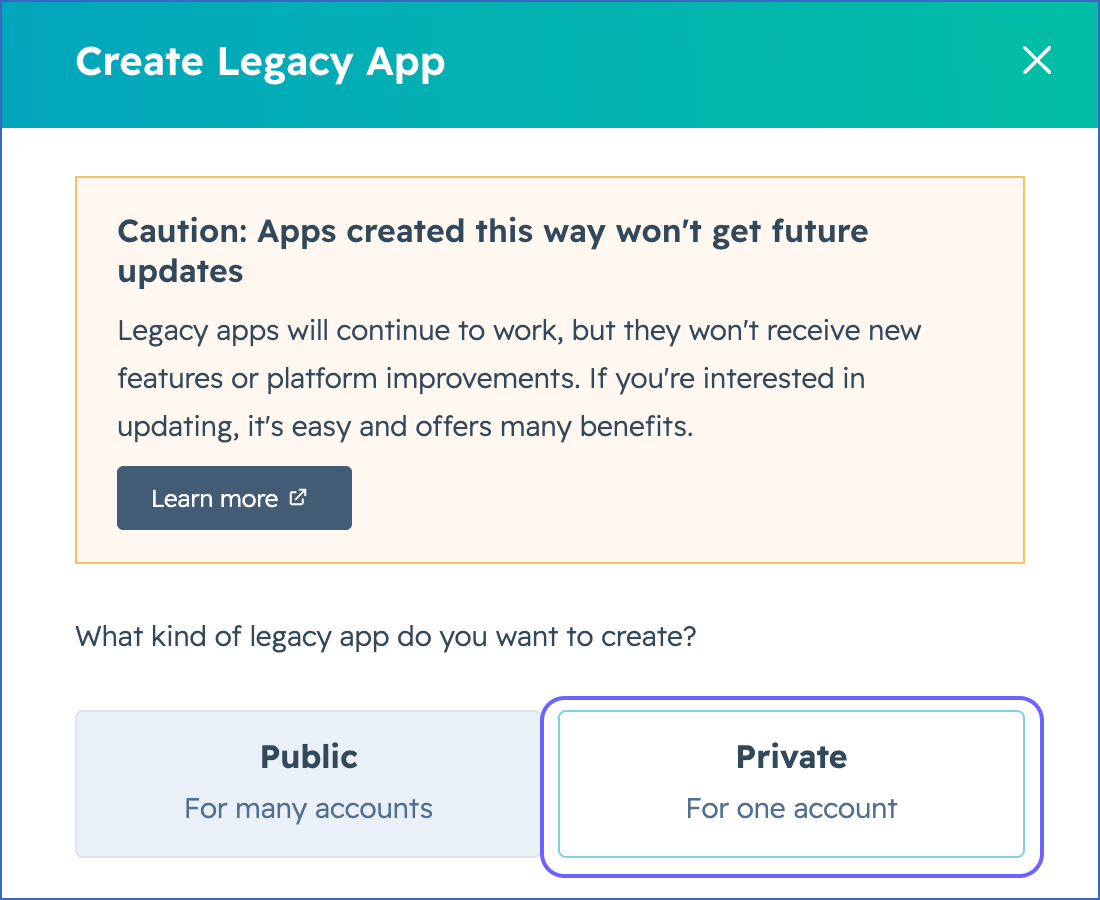
Click Create legacy app.
-
In the Create Legacy App pop-up window, click Private.
-
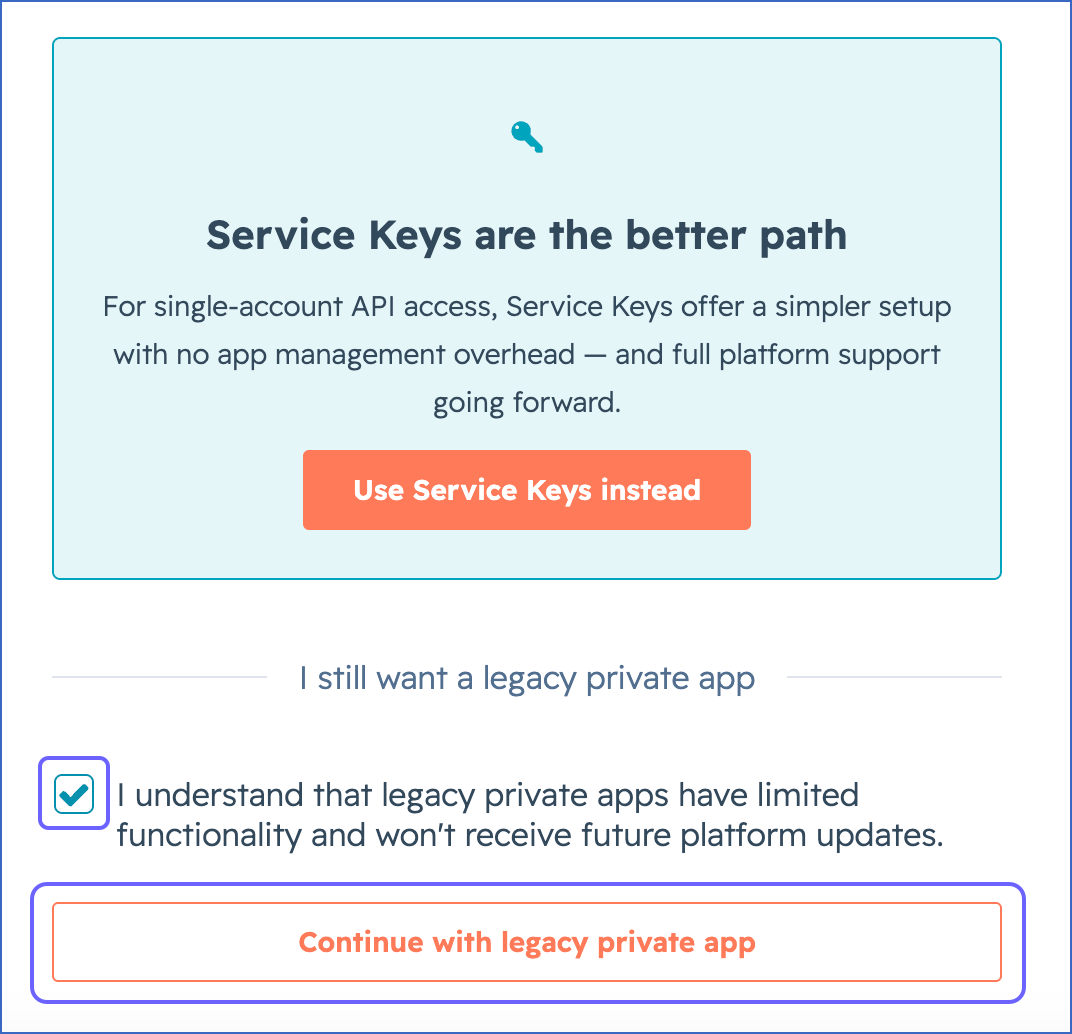
Select the acknowledgment check box, and then click Continue with legacy private app.
-
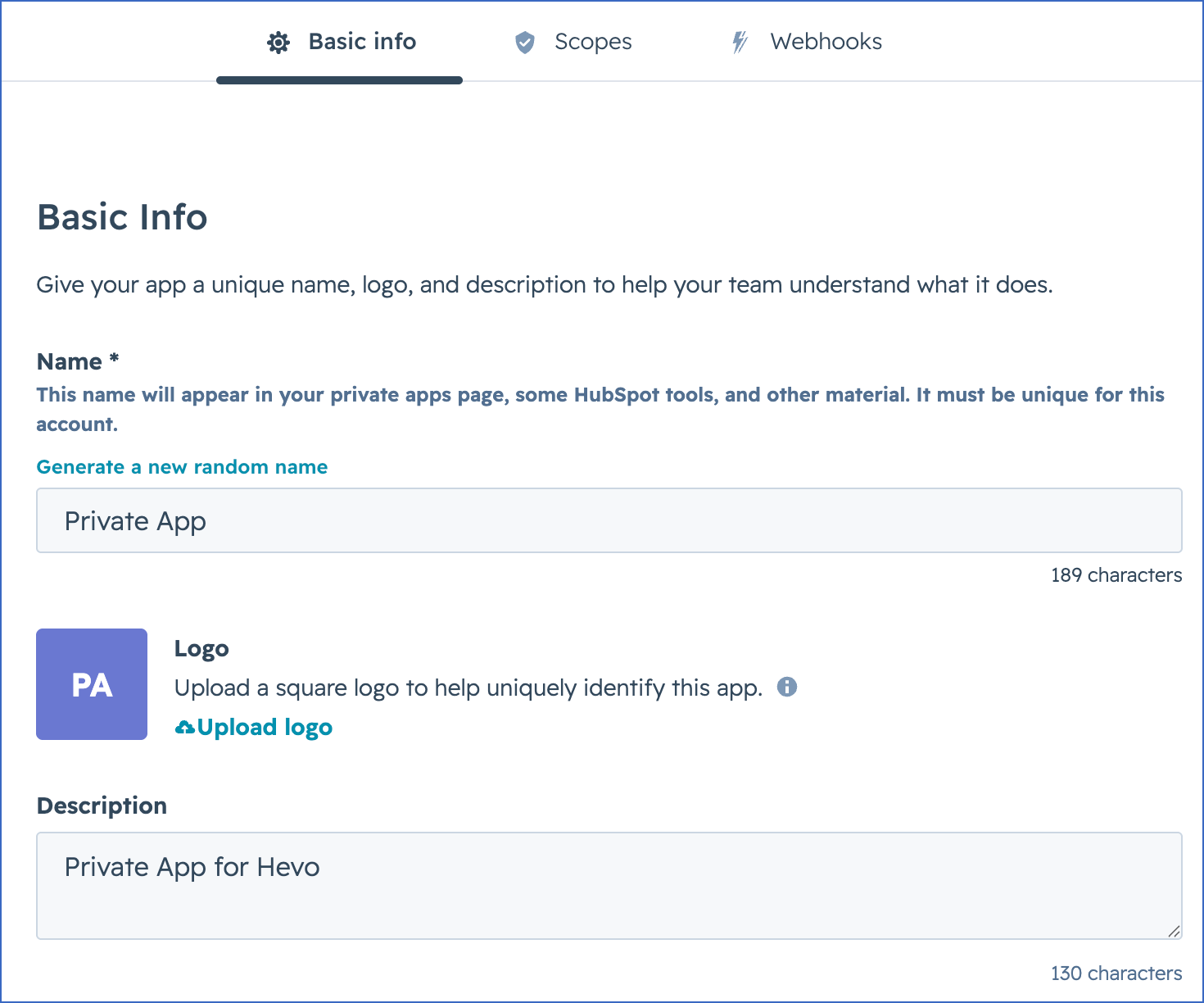
In the Basic info tab, specify the following:
-
Name: A unique name to identify the legacy app.
-
Description: A suitable text to describe the purpose of the app.
-
-
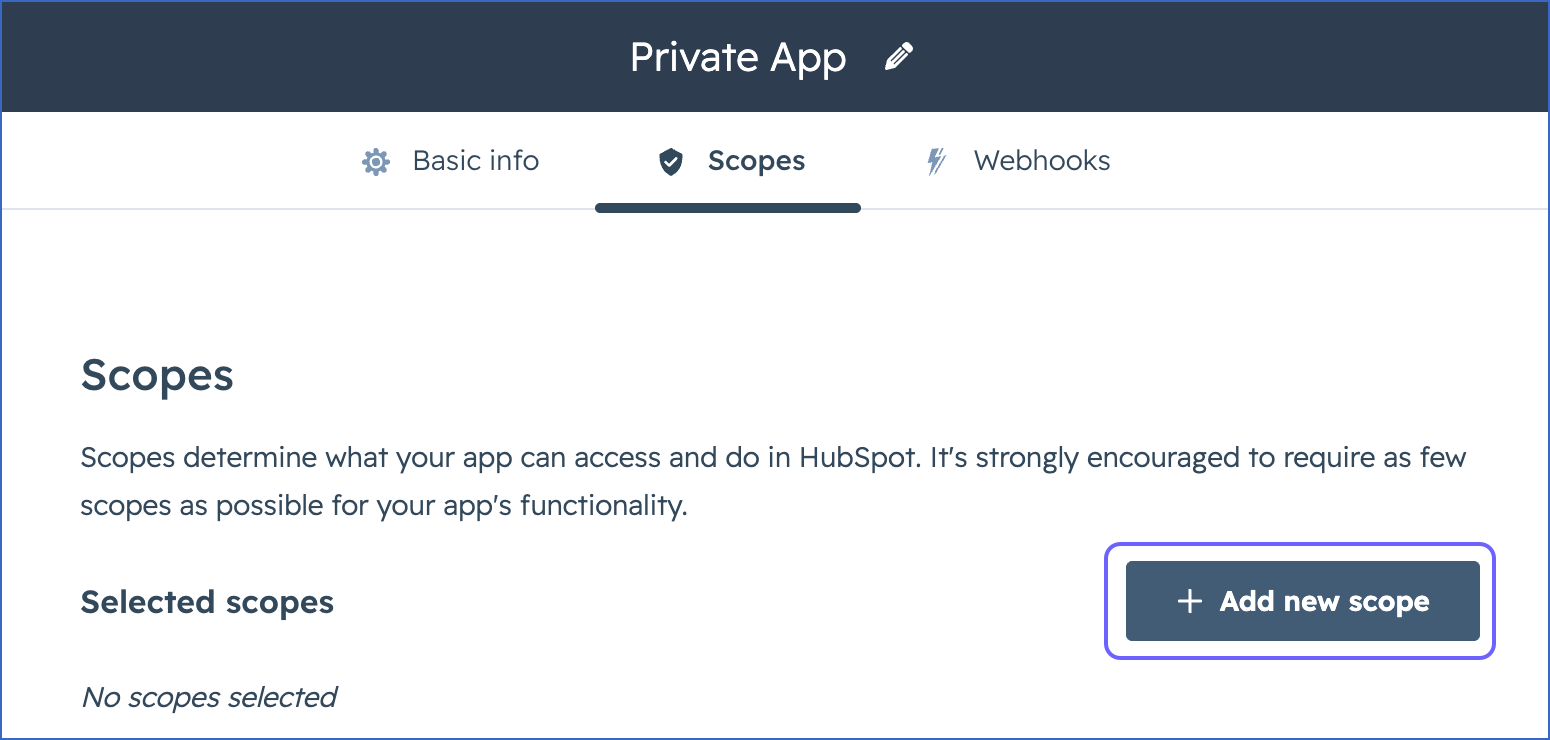
Click the Scopes tab.
-
Click + Add new scope.
-
In the Add new scope slide-in page, select the check box next to each scope required by Hevo, and then click Update.
-
Click Create app in the top right corner.
-
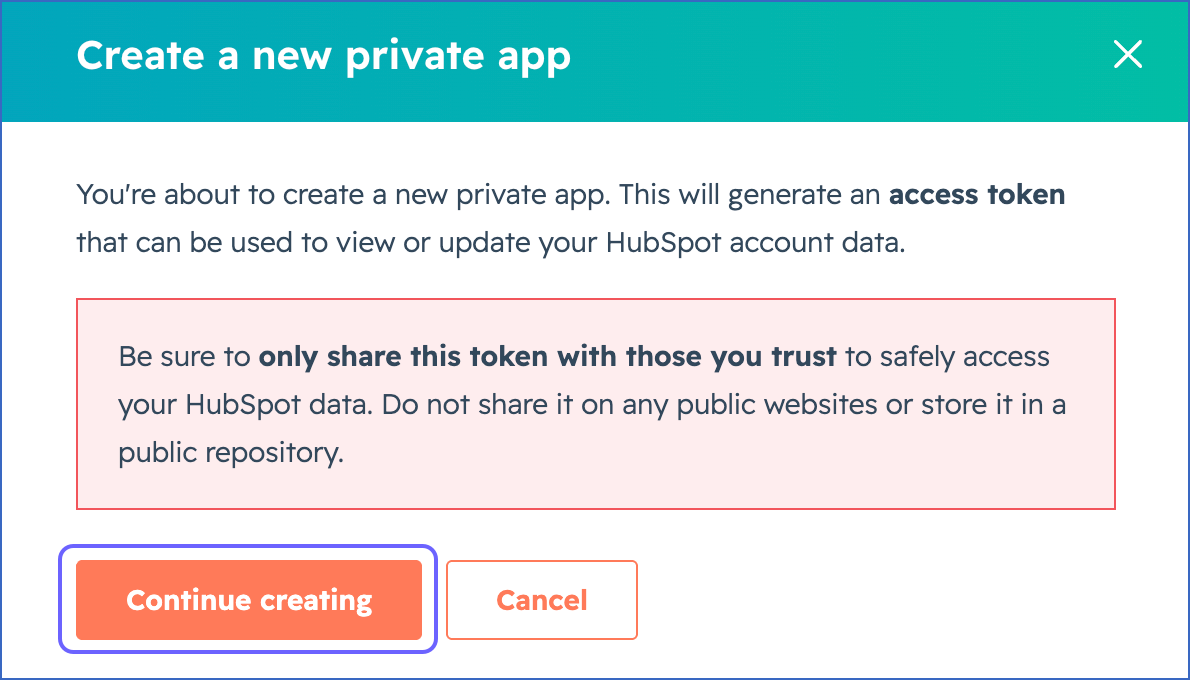
In the Create a new private app pop-up window, click Continue creating.
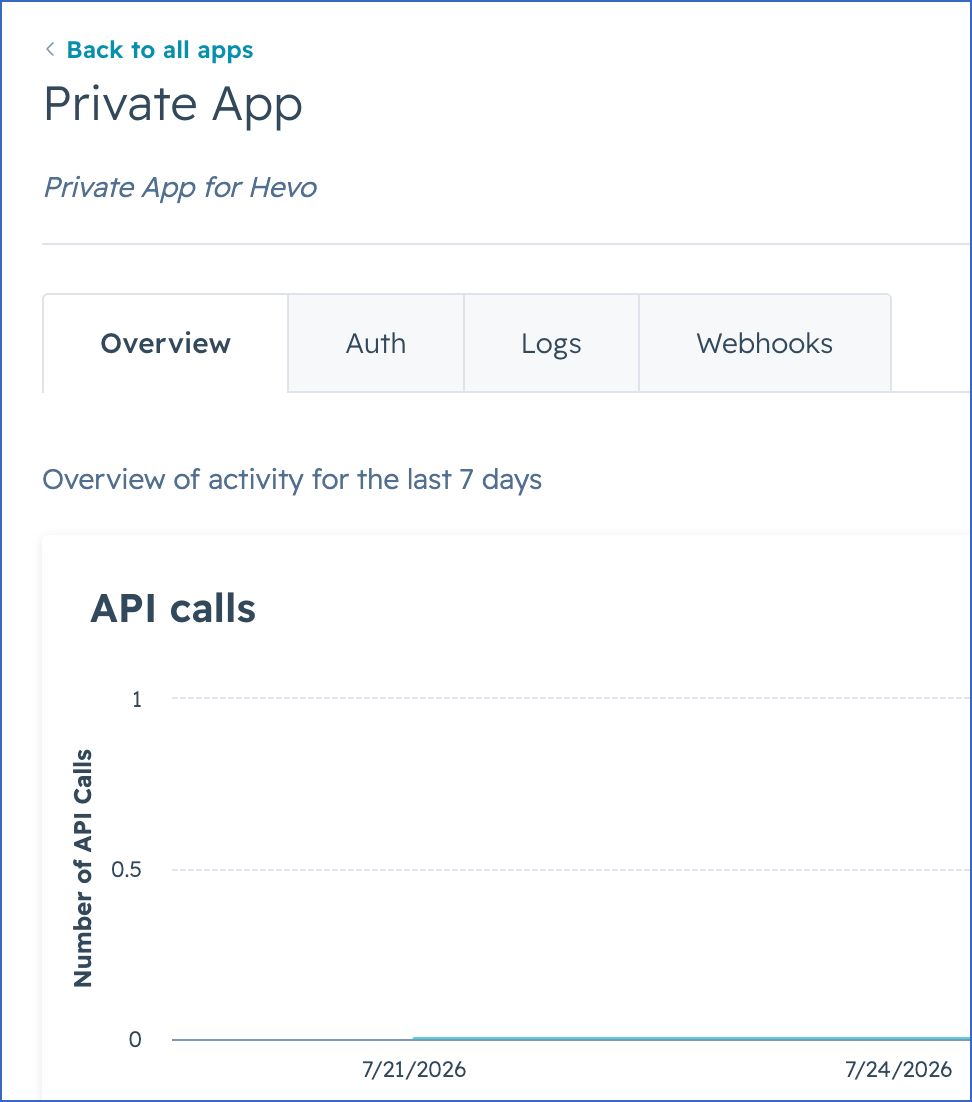
You are redirected to the newly created legacy app page.
-
-
-
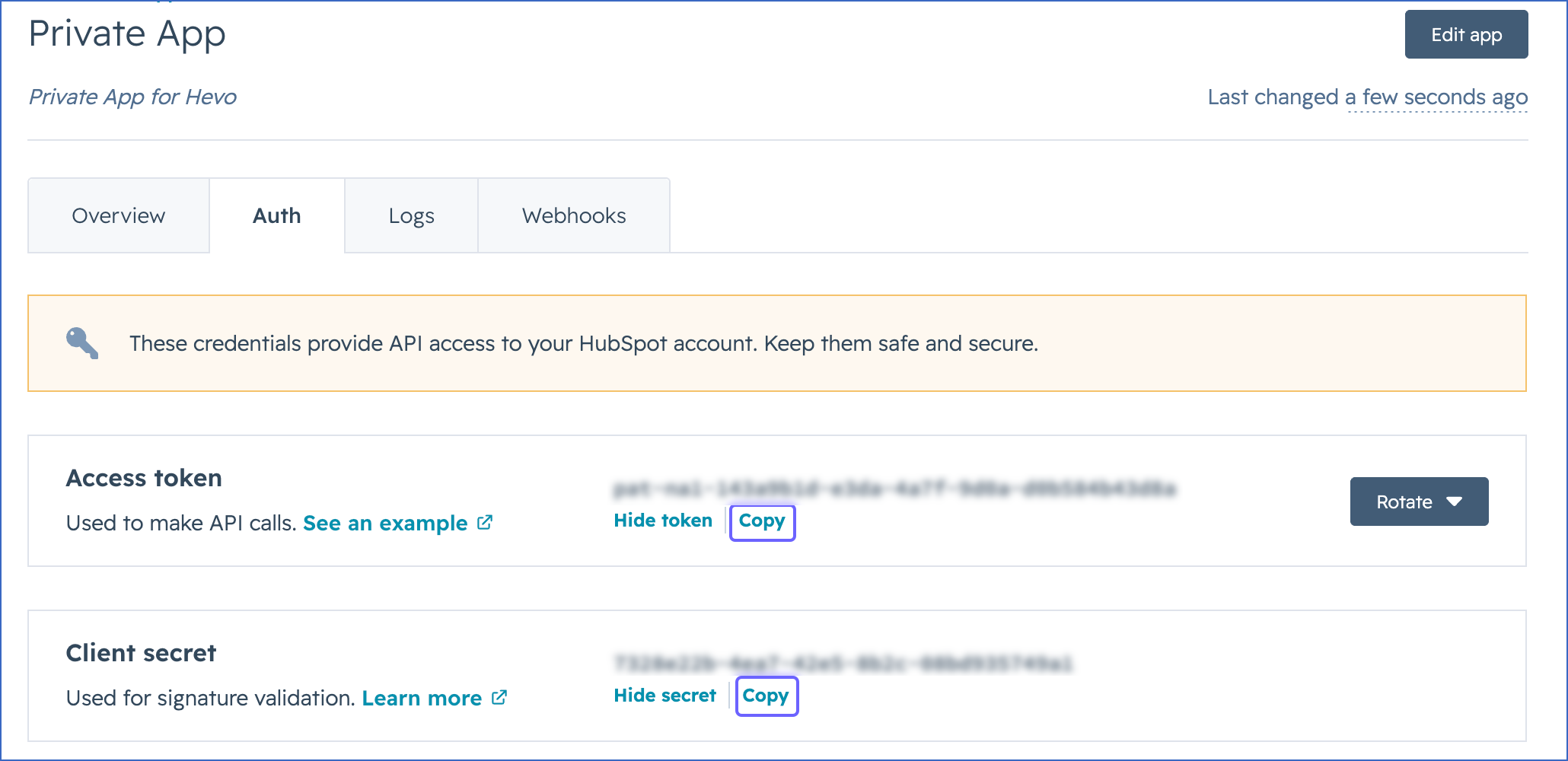
Click the Auth tab, and then do the following:
-
In the Access token section, click Show token, and then click Copy to copy the access token and save it securely like any other password.
-
In the Client secret section, click Show secret, and then click Copy to copy the client secret and save it securely like any other password.
Use these values while configuring your HubSpot Source in the Hevo Pipeline.
-
Note: To capture delete events for the company, contact, and deal objects, you must also configure webhooks in this app.
If the access token or client secret configured in the Pipeline is revoked manually from your HubSpot account, Hevo cannot authenticate with the Source. As a result, all active jobs for the Pipeline fail, and no data is replicated. To resume data replication, modify the Source configuration in the Pipeline with valid credentials. Once the updated credentials are saved, Hevo re-authenticates the Source, and data ingestion resumes from the last saved offset.
Scopes Required by Hevo
Your private app must be granted the scopes that allow Hevo to read data from your HubSpot account. Hevo requires the following types of scopes:
-
Mandatory scopes: Allow Hevo to establish a connection with your HubSpot account.
-
Optional scopes: Allow Hevo to ingest data from the corresponding objects in your HubSpot account.
Mandatory Scopes
Your private app must be granted the following scopes for Hevo to connect to your HubSpot account. If any of these scopes are not granted, the connection test fails when you click Test & Continue while configuring your Source.
| Category | Scopes |
|---|---|
| CRM objects | - crm.objects.companies.read- crm.objects.contacts.read- crm.objects.deals.read
|
| CRM schemas | - crm.schemas.companies.read- crm.schemas.contacts.read- crm.schemas.deals.read
|
| Other | - business-intelligence
|
Optional Scopes
Grant the following scopes based on the objects for which you want Hevo to ingest data. If a scope is not granted, Hevo does not ingest data for the objects associated with it, and marks those objects as Inaccessible on the Configure Objects page.
| Category | Scopes |
|---|---|
| Automation | - automation- automation.sequences.read
|
| Communication preferences | - communication_preferences.read- communication_preferences.statuses.batch.read
|
| CRM objects | - crm.objects.appointments.read- crm.objects.carts.read- crm.objects.commercepayments.read- crm.objects.courses.read- crm.objects.custom.read- crm.objects.feedback_submissions.read- crm.objects.goals.read- crm.objects.invoices.read- crm.objects.leads.read- crm.objects.line_items.read- crm.objects.listings.read- crm.objects.marketing_events.read- crm.objects.marketing_events.write- crm.objects.orders.read- crm.objects.owners.read- crm.objects.partner-clients.read- crm.objects.partner-services.read- crm.objects.projects.read- crm.objects.quotes.read- crm.objects.services.read- crm.objects.subscriptions.read
|
| CRM schemas | - crm.schemas.custom.read
|
| CRM (other) | - crm.dealsplits.read_write- crm.export- crm.lists.read- crm.pipelines.orders.read- tickets
|
| Marketing | - marketing.campaigns.read- marketing.campaigns.revenue.read
|
| Settings | - settings.users.read- settings.users.teams.read
|
| Other | - account-info.security.read- behavioral_events.event_definitions.read_write- content- conversations.read- e-commerce- forms- sales-email-read
|
Configure HubSpot as a Source in your Pipeline
Perform the following steps to configure your HubSpot Source:
-
Click Pipelines in the Navigation Bar.
-
Click + Create Pipeline in the Pipelines List View.
-
On the Select Source Type page, select HubSpot.
-
On the Select Destination Type page, select the type of Destination you want to use.
-
On the Select Pipeline Type page, click Edge, and then click Continue.
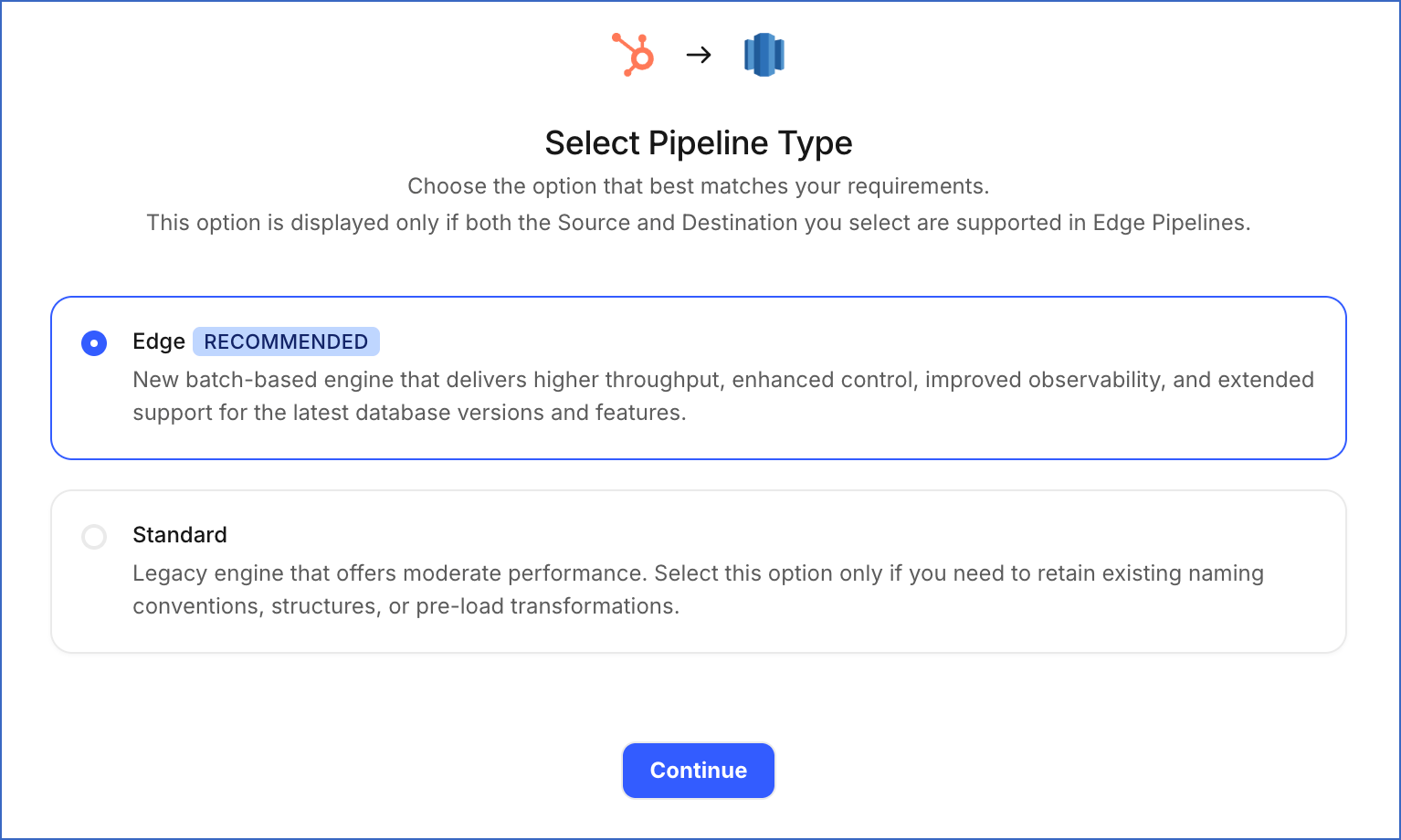
This page appears only if the selected Destination type is supported in Edge and your Team has an existing HubSpot Pipeline with the same Destination type. Otherwise, you can proceed to create an Edge Pipeline.
-
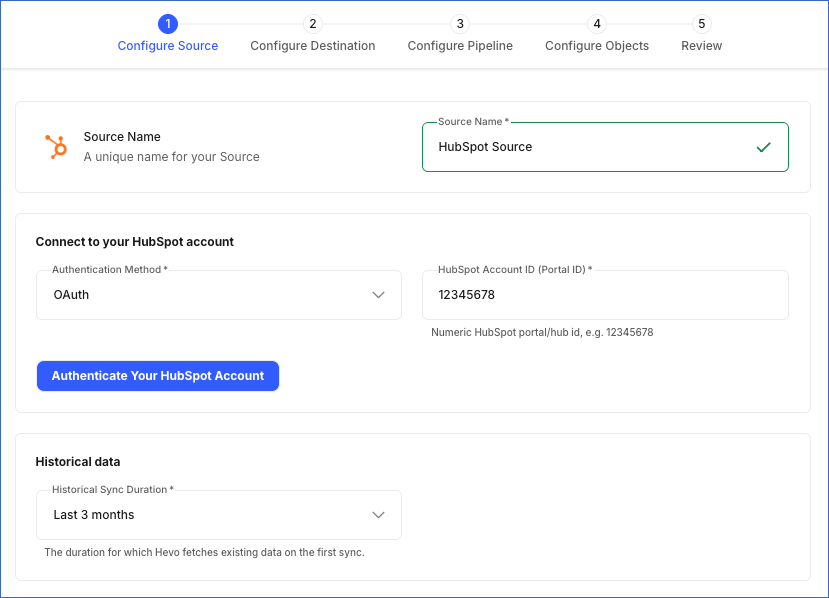
In the Configure Source screen, specify the following:
-
Source Name: A unique name for your Source, not exceeding 255 characters. For example, HubSpot Source.
-
In the Connect to your HubSpot account section:
-
HubSpot Account ID (Portal ID): The numeric ID of the HubSpot account from which you want Hevo to ingest data. To find this ID, click your account name in the top right corner of your HubSpot account, and then note the ID displayed under the Account section in the drop-down menu.
-
From the Authentication Method drop-down, select the method you want to use for authenticating Hevo’s connection to your HubSpot account:
-
OAuth: Connect to your HubSpot account using an authorization flow. Click Authenticate Your HubSpot Account, and then perform the following steps:
-
If you are not already signed in to your HubSpot account, sign in when prompted. Otherwise, proceed to step 2.
-
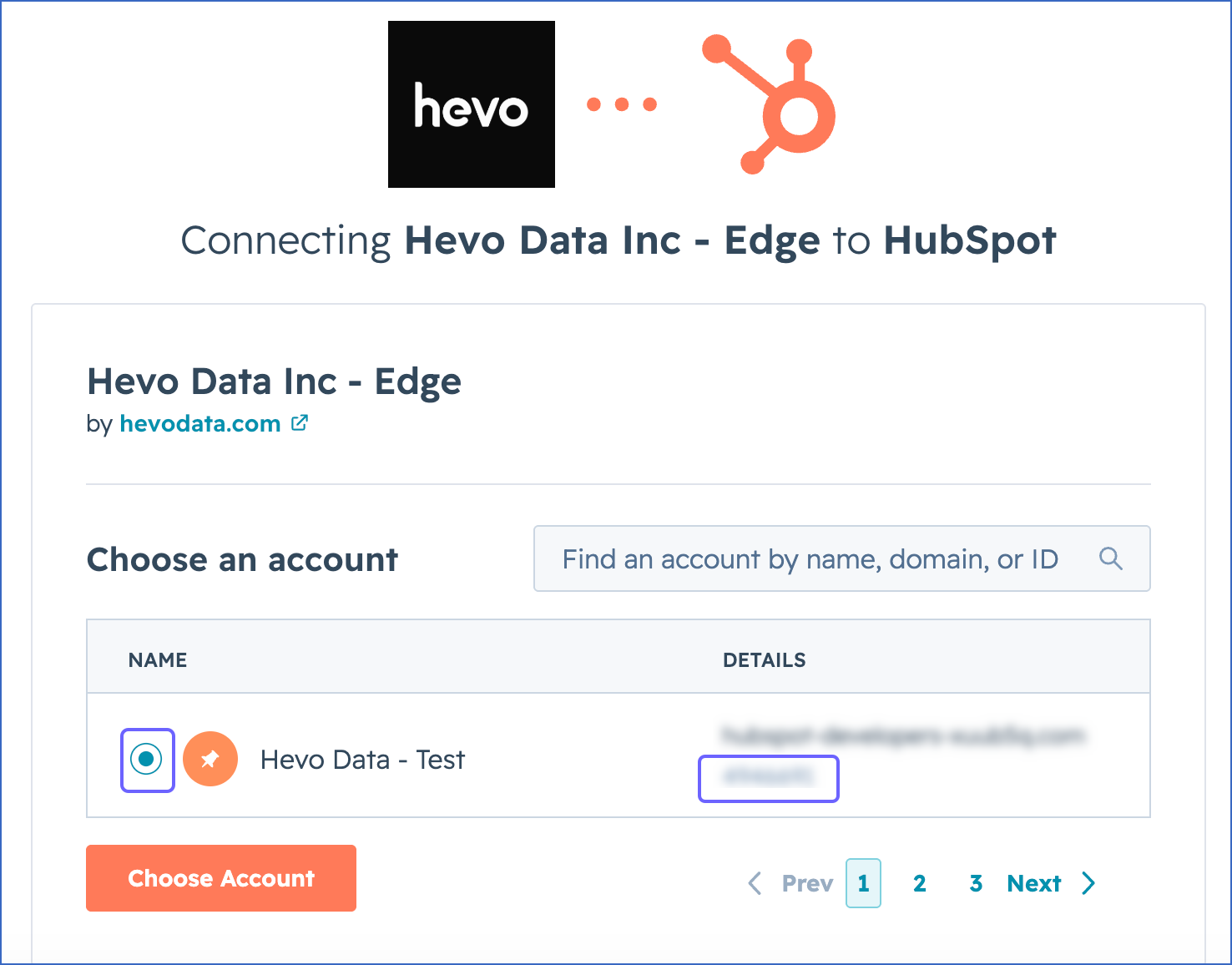
Select the HubSpot account from which you want Hevo to ingest data. The ID displayed here is your HubSpot Account ID.
-
Click Choose Account.
-
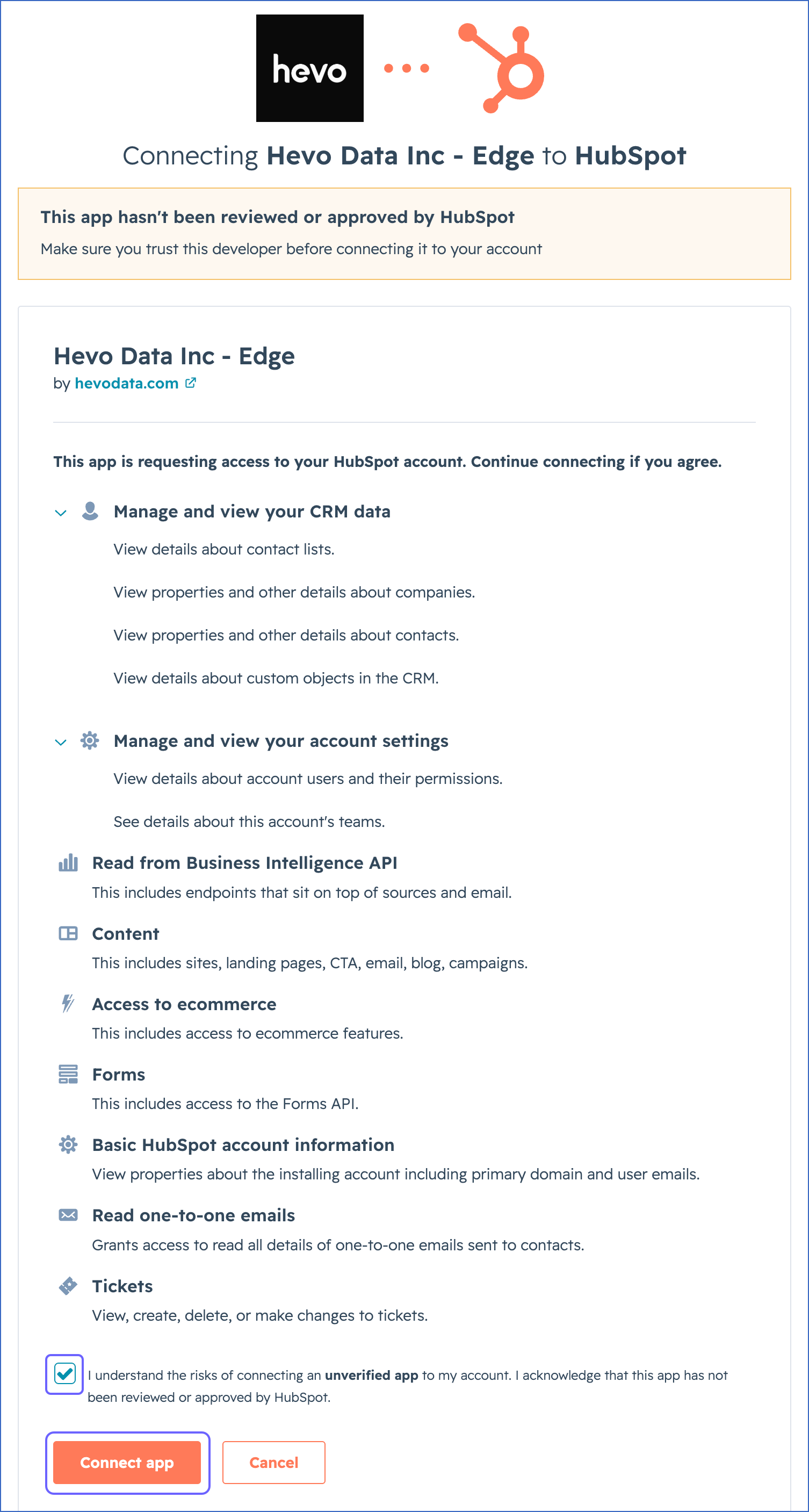
Select the acknowledgment check box, and then click Connect app to authorize Hevo to access your HubSpot account data.
You are redirected to the Configure Source screen.
-
-
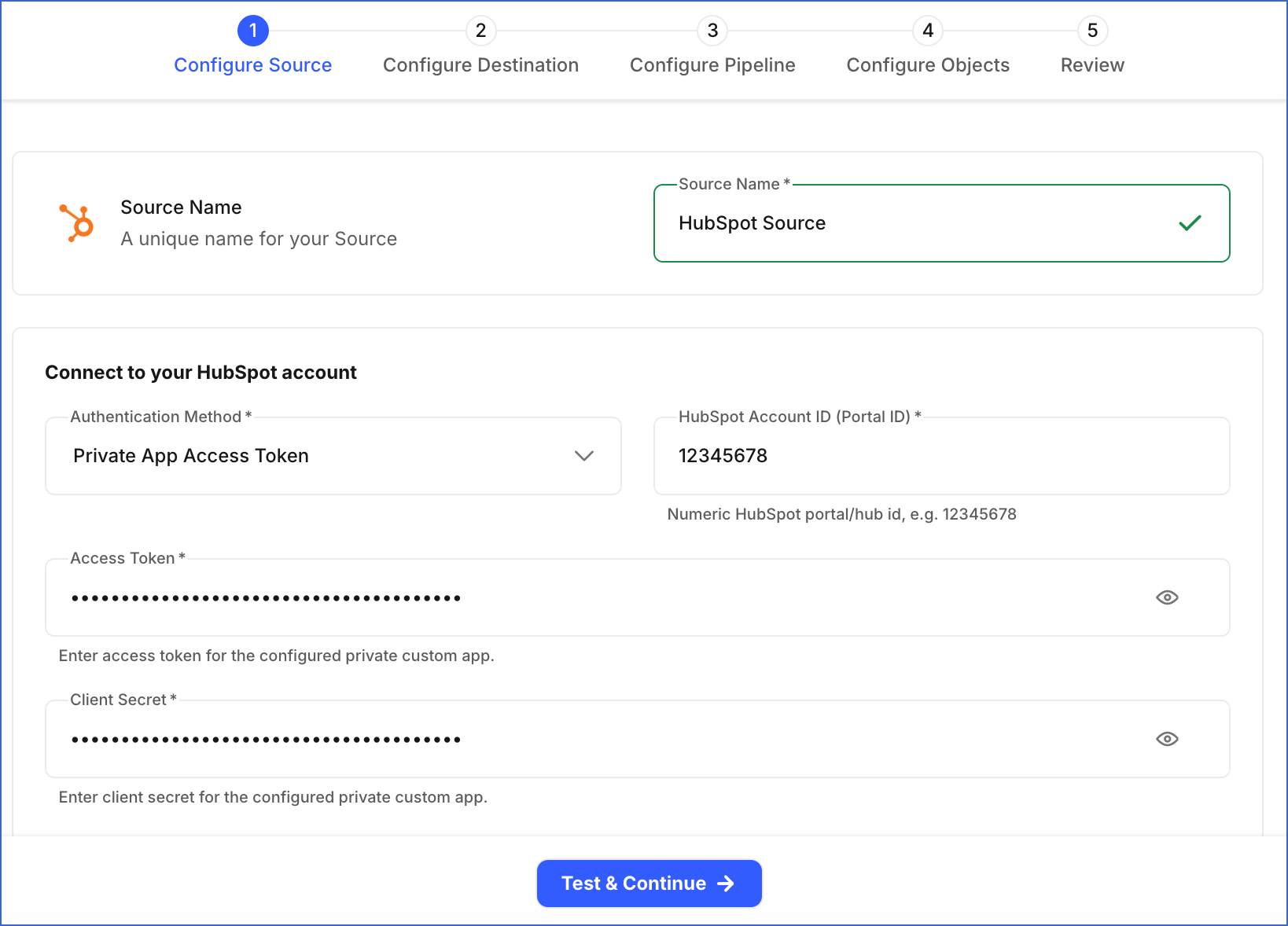
Private App Access Token: Connect to your HubSpot account using the credentials of a private app created in your HubSpot account.
-
Access Token: The access token of the private app that you obtained in the Obtain the Access Token and Client Secret section.
-
Client Secret: The client secret associated with the access token that you obtained in the Obtain the Access Token and Client Secret section.
-
-
-
-
Historical Sync Duration: The duration for which you want to ingest existing data from the Source. This can be changed after the Pipeline is created. Default value: Last 3 Months.
Note: If this duration is changed after Pipeline creation, you must resync the Pipeline to ingest historical data for the updated duration.
-
-
Click Test & Continue to test the connection to your HubSpot Source.
When you click this button, Hevo makes an API call to retrieve your HubSpot account details. If the API call is successful, it verifies that Hevo can access your account data, and the connection test is marked as successful. You can then proceed to set up your Destination.
Data Replication
Hevo replicates data for all the objects selected on the Configure Objects page during Pipeline creation. By default, all supported objects and their available fields are selected. However, you can modify this selection while creating or editing the Pipeline.
Hevo ingests the following types of data from your Source objects:
-
Historical Data: The first run of the Pipeline ingests historical data for the selected objects, based on the historical sync duration specified when creating the Pipeline, and loads the ingested data into the Destination.
-
Incremental Data: Once the historical load is complete, new and updated records for objects are ingested as per the sync frequency.
-
Refresher Data: Hevo ensures that your analytics and event data remain accurate and up to date by re-ingesting records for a defined duration and loading them into the Destination. The refresher task runs every 24 hours to maintain the accuracy and completeness of the data.
Hevo supports data refresh for the following objects:
Note: In the table below, * represents the specific analytics report, including Geolocation, Sessions, Sources, Totals, and Urchin Tracking Module (UTM).
Objects Purpose Data Refresh Duration *_analytics_daily_report Aggregates analytics data for the current day. 30 days *_analytics_weekly_report Provides a summarized view of analytics metrics for the week. 4 weeks *_analytics_monthly_report Provides an overview of monthly trends and traffic. 2 months For example, let us suppose the geolocation_analytics_daily_report data was ingested till 2025-05-18 during the last Pipeline run. In the current run, Hevo refreshes data for the past 30 days and ingests records from 2025-04-19 to 2025-05-19, ensuring that any updated analytics data within this period is captured correctly.
For the following objects, Hevo ingests the entire data during each Pipeline run:
| Object Category | Objects |
|---|---|
| CRM and Sales Hub | association_type, company_list, custom_event_definition, custom_event_definition_association, custom_event_definition_property, custom_event_definition_property_option, deal_pipeline, deal_pipeline_stage, lead_pipeline, lead_pipeline_stage, listing_pipeline, listing_pipeline_stage, order_pipeline, order_pipeline_stage, owner, owner_team, project_pipeline, project_pipeline_stage, property, property_option, role, team, team_user, users, <custom_object>_pipeline, <custom_object>_pipeline_stage |
| Marketing Hub | contact_list, email_subscription, form, marketing_campaign, marketing_campaign_asset, marketing_campaign_budget_item, marketing_campaign_contact, marketing_campaign_spend_item, marketing_event, marketing_event_custom_property, marketing_event_list, marketing_event_participant, submission_response |
| Service Hub | conversation_channel, conversation_channel_account, conversation_inbox |
| Web Analytics Reports | geolocation_analytics_overall_report, sessions_analytics_overall_report, sources_analytics_overall_report, utm_analytics_overall_report |
For all other objects, Hevo ingests only incremental data in subsequent Pipeline runs using timestamp fields such as hs_lastmodifieddate and lastmodifieddate.
Note:
-
HubSpot enforces a rate limit on the number of API calls that can be made within a specific time period. If this limit is exceeded, a rate limit exception occurs. To understand how Hevo handles such scenarios, read Handling Rate Limit Exceptions.
-
HubSpot objects support only the Merge and History load modes. The Append mode is not supported. The load mode for each object is predefined and cannot be changed.
Engagement Data
Hevo supports ingesting data for the following engagement types:
-
Publishing Tasks (marketing calendar tasks associated with HubSpot campaigns)
If HubSpot introduces a new engagement type that is not currently supported, Hevo does not ingest data for it.
Custom Objects
Hevo supports ingesting custom objects from your HubSpot account. For each custom object, a corresponding Destination object is created using the standard object naming convention.
Hevo also creates association objects to capture relationships:
-
Between different custom objects.
-
Between custom objects and standard HubSpot objects.
Associations between custom objects and the following objects are supported:
-
Company
-
Contact
-
Deal
-
Email
-
Engagement
-
Goal
-
Line Item
-
Product
-
Ticket
Note: In HubSpot, association changes for custom objects do not update the updatedAt timestamp field. Due to this limitation, some association changes may not be ingested immediately during incremental ingestion. Hevo ingests these changes when the custom object’s updatedAt value changes because of another property update.
Schema and Primary Keys
Hevo uses the following schema to upload the records in the Destination. Each schema has its own Entity-Relationship Diagram (ERD) that shows how the different HubSpot objects are structured and linked to each other in your Destination.
Note: In these ERDs, the property_ field in an object represents multiple fields that start with property_. Each of these fields stores a specific detail about the record. For example, property_createdate stores the creation time of the record, and property_content stores the content associated with the record. Instead of listing all such fields individually, these ERDs use the property_ field to represent all of them.
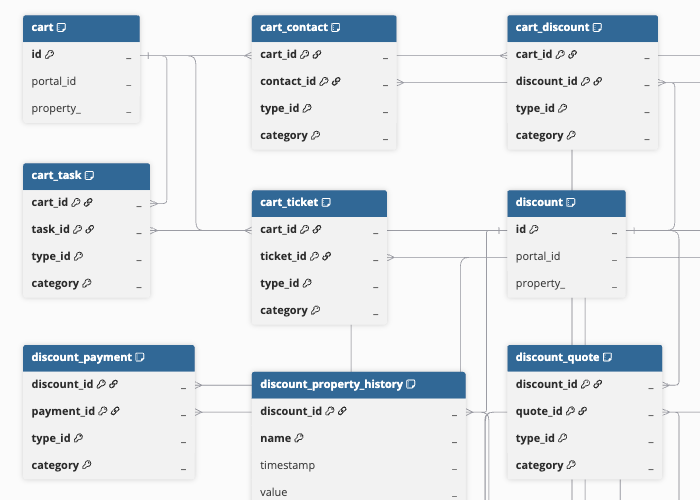
Commerce Hub Schema
This schema contains objects related to commerce transactions, such as carts, discounts, invoices, payments, fees, taxes, and subscriptions, along with their associations with other Customer Relationship Management (CRM) entities, such as deals, contacts, and companies. For a detailed view of the objects, fields, and relationships, click the ERD.
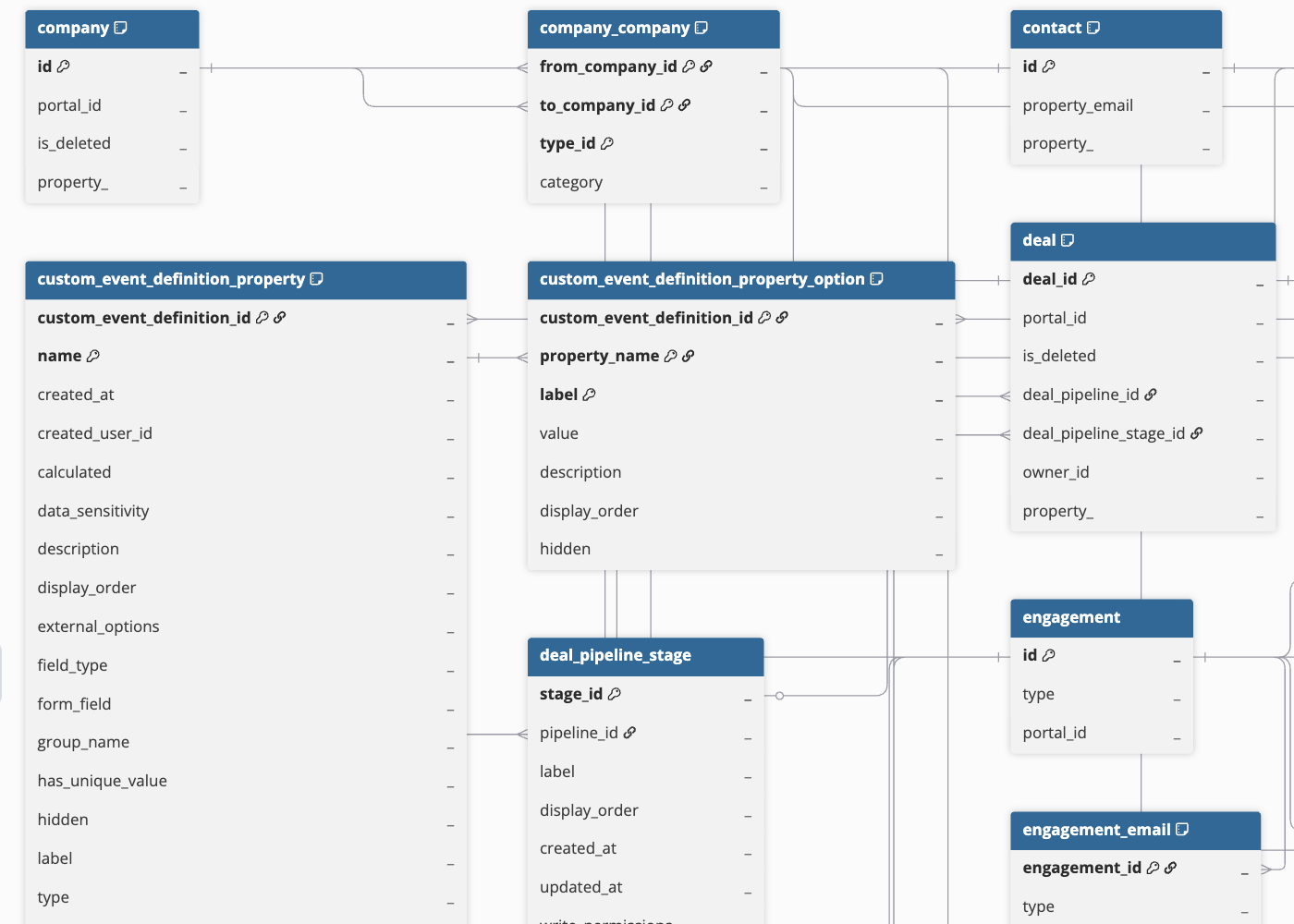
CRM and Sales Hub Schema
This schema contains objects related to core CRM entities, such as contacts, companies, deals, and leads, along with associated sales activities such as calls, meetings, tasks, and interactions. For a detailed view of the objects, fields, and relationships, click the ERD.
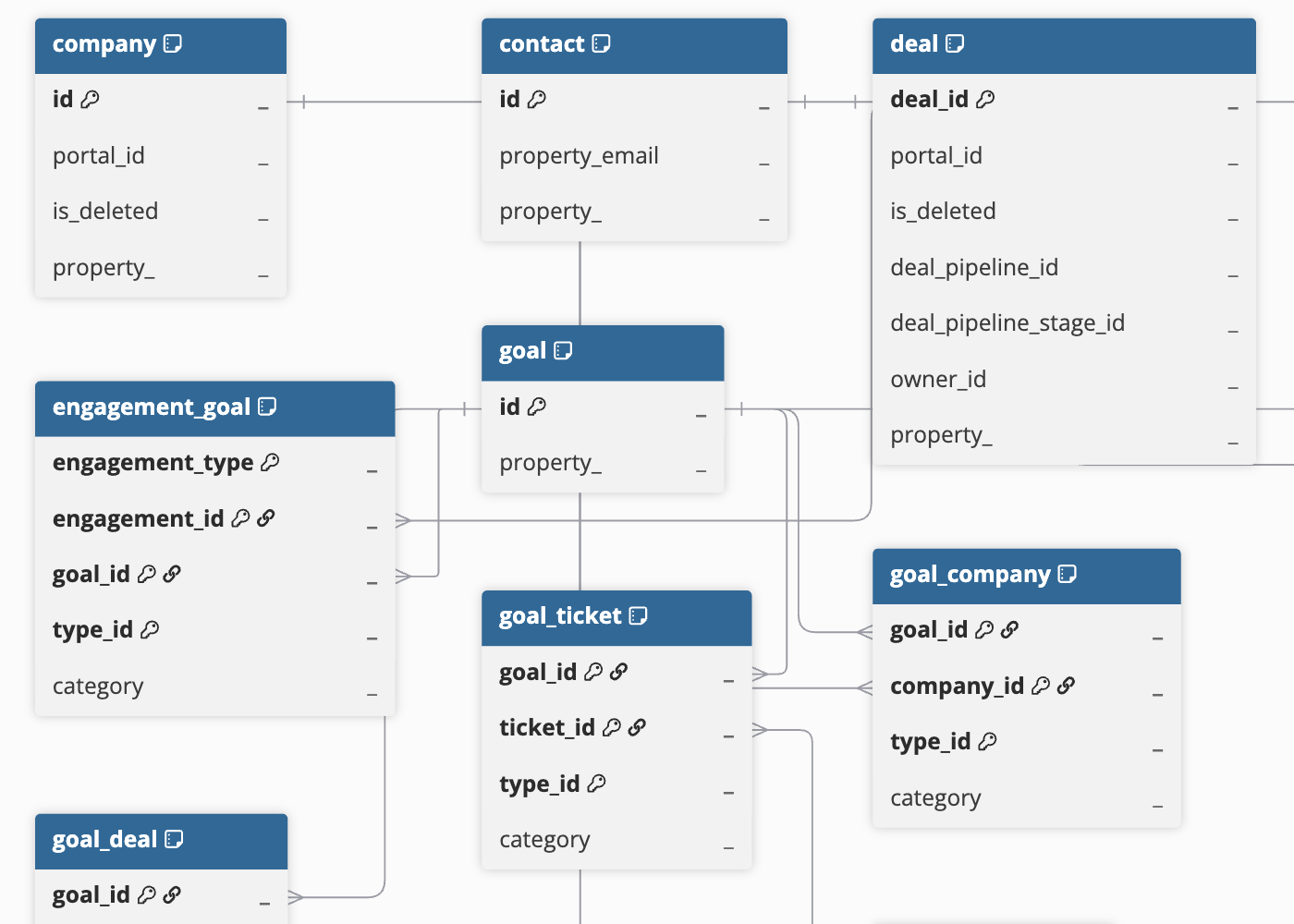
Goals Schema
This schema contains objects related to goal tracking and performance measurement across sales and service teams, along with their associations with CRM entities. For a detailed view of the objects, fields, and relationships, click the ERD.
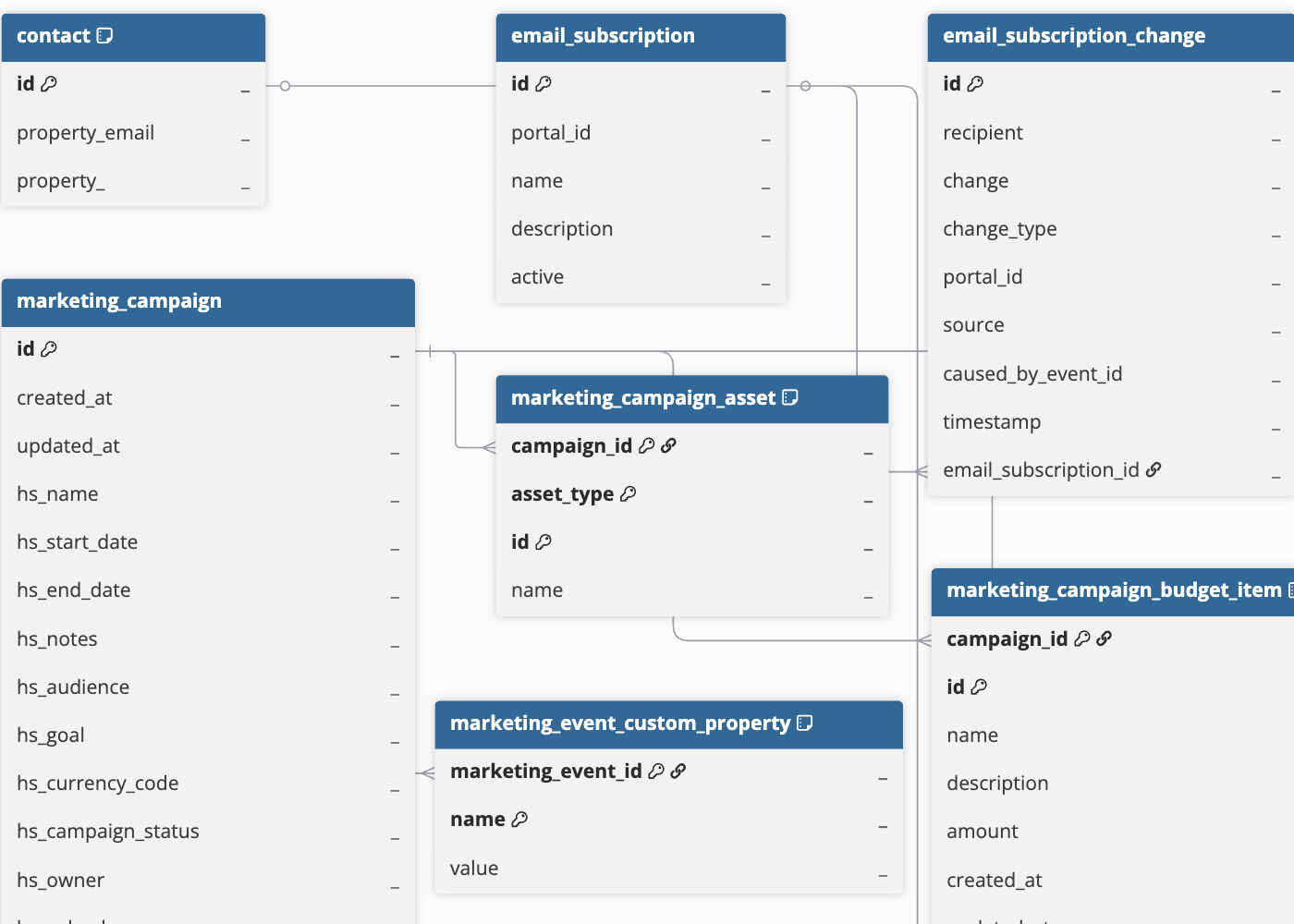
Marketing Hub Schema
This schema contains objects related to marketing campaigns, events, and email activities, along with details of user interactions with these activities, including registrations, cancellations, and attendance records. For a detailed view of the objects, fields, and relationships, click the ERD.
Service Hub Schema
This schema contains objects related to support tickets, conversations, and customer interactions, along with details of customer issues and support requests. For a detailed view of the objects, fields, and relationships, click the ERD.
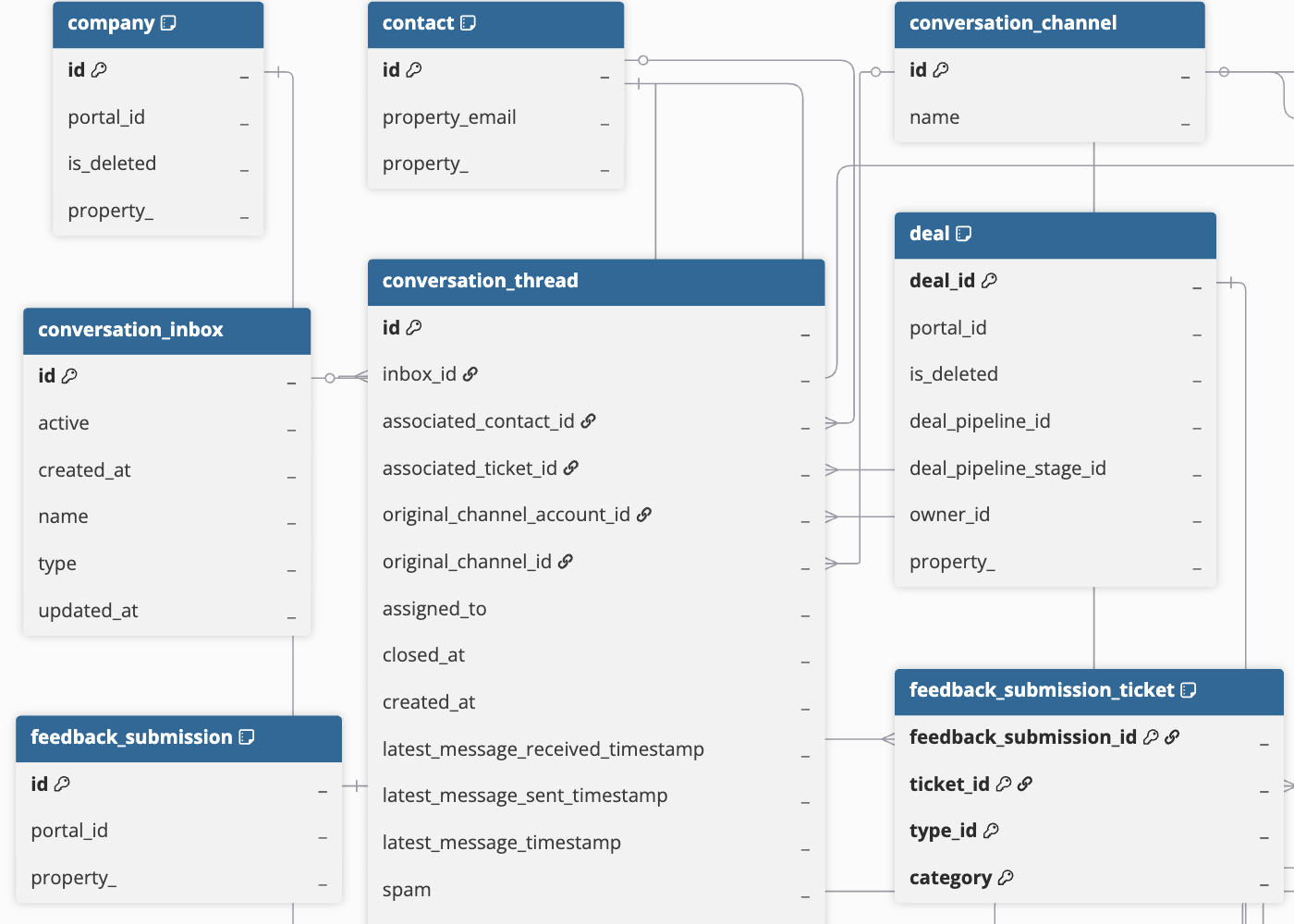
Web Analytics Reports Schema
This schema contains objects related to website visits, user sessions, and analytics reports, along with details of where users come from and their interactions with the website. For a detailed view of the objects, fields, and relationships, click the ERD.
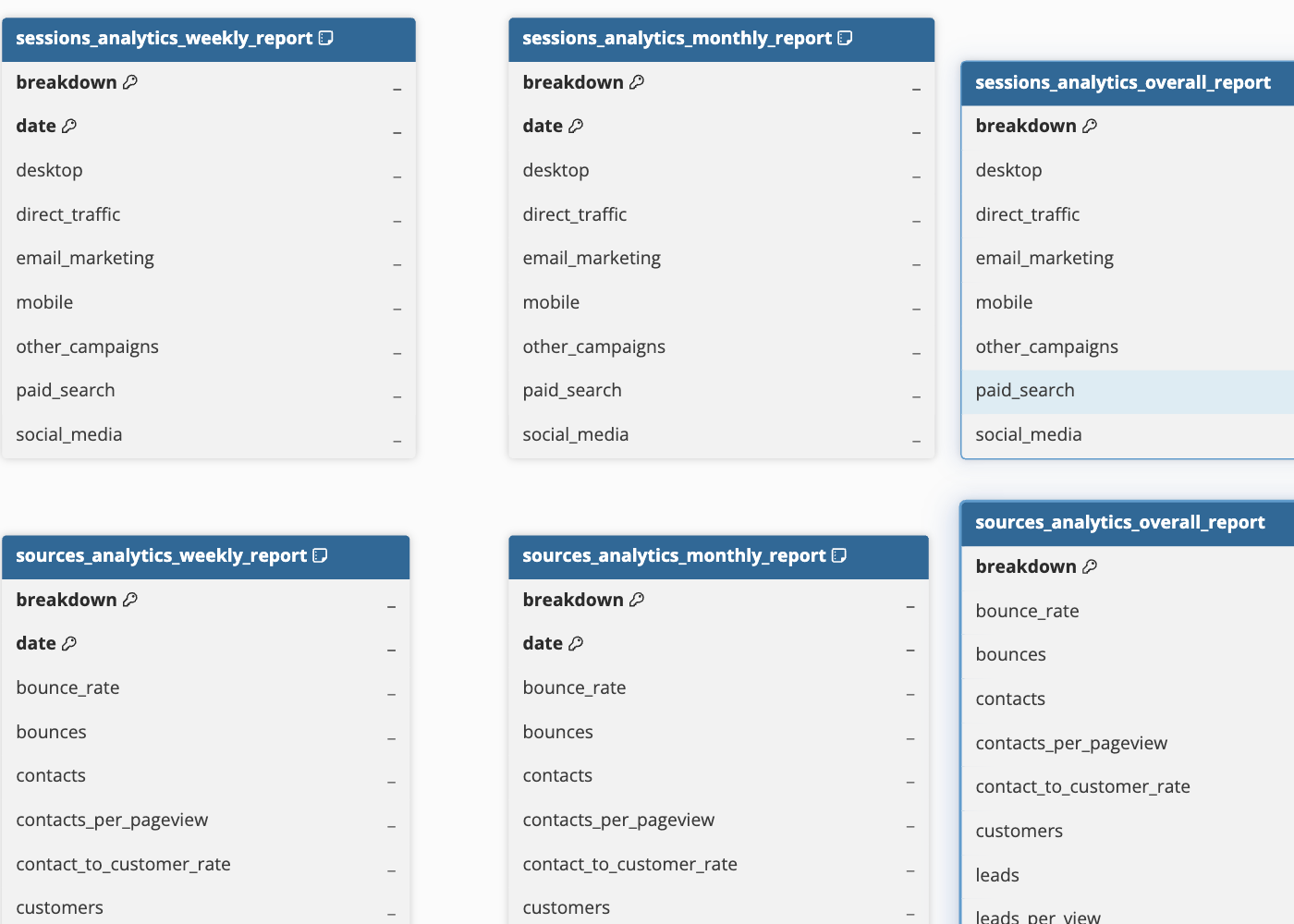
Note:
-
For weekly and monthly analytics reports, the date field represents the starting date of the week or month. For instance, a record in the weekly analytics report with a date of 2025-04-06 represents data from the week beginning on April 6, 2025, and ending on April 12, 2025.
-
The breakdown field in analytics reports is used to categorize data based on specific attributes, such as country code or traffic source.
For example, if the breakdown field contains values such as organic, paid, and referral, each value represents a different traffic source, and the report shows separate records with their corresponding metrics such as user sessions or visits.
-
In overall analytics reports, the totals value in the breakdown field indicates that the record contains the aggregated count across all breakdown values in the report.
For example, if the breakdown field includes traffic sources such as organic, paid, and referral with user session counts of 500, 200, and 300 respectively, the totals value shows a session count of 1000, representing the sum of sessions from all these sources.
-
In the geolocation analytics reports, if the breakdown field has the value
7081c5b2-d128-4ec1-a9be-cba29cfc540a, it means HubSpot could not identify the country code for those visits.
Data Model
Hevo ingests data from the following objects in your HubSpot account and creates corresponding tables in the Destination:
| Object | Description |
|---|---|
| Activity Login | Contains details of user sign-in attempts to your HubSpot account, including the user ID, email address, login timestamp, IP address, location, and authentication status. |
| Activity Security | Contains details of security actions performed in your HubSpot account, including password resets, two-factor authentication changes, the associated user ID, and timestamp. |
| Analytics Reports | Contains analytics data across the following categories: - Geolocation: Geographic breakdown of website visitors, including region and country. - Sessions: Number of times users visit and interact with the website. - Sources: Origin of website traffic from external sources, such as direct, referral, and paid. - Totals: Aggregated metrics, such as total visits and conversions. - Urchin Tracking Module (UTM): Campaign tracking data based on UTM parameters. |
| Associations | Defines relationships between different CRM objects in your account. These objects capture how entities such as contacts, companies, deals, line items, and engagements are linked to one another. This helps you understand how records are connected and analyze relationships across your HubSpot data. Association object names follow the format <primary_object>_<related_object>, where the first part is the object from which the relationship is defined and the second part is the object linked to it. For example, company_contact represents the contacts associated with a company. Note: When you resync an object, Hevo also re-ingests data from its associated objects. This may lead to higher Events quota consumption. |
| Audit Log | Contains a log of user and configuration activities, including CRM object changes, property updates, and security events, along with the user, action type, target object, and timestamp. |
| Carts | Contains details of shopping carts created by customers, including the cart status and products. It includes the following child objects: - Cart Contact - Cart Discount - Cart Line Item - Cart Order - Cart Property History - Cart Quote - Cart Task - Cart Ticket |
| Companies | Contains details of organizations your business interacts with, including name, domain, industry, revenue, and contact information. It includes the following child objects: - Company Company - Company Property History |
| Company Lists | Contains details of static and dynamic lists used to segment and group company records. It includes a child object, Company List Member. |
| Contact Lists | Contains details of static and dynamic lists used to segment and group contact records. It includes a child object, Contact List Member. |
| Contacts | Contains information about individuals your business interacts with, including name, email address, location, and the communication methods used to contact them. It includes the following child objects: - Contact Company - Contact Contact - Contact Form Submission - Contact Property History |
| Conversation Channels | Contains details of communication platforms used to interact with customers. It includes a child object, Conversation Channel Account. |
| Conversation Inboxes | Contains details of customer conversations, including communication type, current status, and timestamps indicating when the inbox was created and last updated. |
| Conversation Threads | Contains details of individual conversations between customers and your team, including the assigned team member and timestamps indicating when messages were sent and received. It includes the following child objects: - Conversation Actor - Conversation Message History - Conversation Message Recipient - Conversation Message Sender |
| Courses | Contains details of courses created in your HubSpot account. It includes the following child objects: - Course Company - Course Contact - Course Deal - Course Engagement - Course Project - Course Property History - Course Ticket |
| Course Pipeline | Represents the stages through which courses progress in your account. It includes a child object, Course Pipeline Stage. |
| Custom Event Definitions | Contains details of custom events created in your HubSpot account to track specific actions or activities. This includes event name, labels, rules, creation details, and the user who created the event. It includes the following child objects: - Custom Event Definition Association - Custom Event Definition Property - Custom Event Definition Property Option |
| Custom Objects | Contains records for each custom object type defined in your HubSpot account, including the object’s properties and its relationships with other CRM objects. It includes the following child objects: - Custom Object Property History - Custom Object to Object |
| Deals | Contains details of sales transactions associated with a contact or company. It includes the following child objects: - Deal Company - Deal Contact - Deal Deal - Deal Property History - Merged Deal |
| Deal Pipeline | Represents the stages through which deals progress in your sales process, from creation to closure. It includes a child object, Deal Pipeline Stage. |
| Discounts | Contains details of discounts applied to deals, invoices, line items, orders, payments, and quotes, including the discount type and amount. It includes the following child objects: - Discount Deal - Discount Invoice - Discount Line Item - Discount Order - Discount Payment - Discount Property History - Discount Quote |
| Email Campaigns | Contains information about marketing emails sent through your HubSpot account, including campaign and application identifiers, as well as engagement metrics such as sends, opens, clicks, bounces, and unsubscribes. |
| Email Events | Contains a record of each event generated during the lifecycle of a marketing email sent through your HubSpot account. It includes the following child objects: - Email Event Bounce - Email Event Click - Email Event Deferred - Email Event Delivered - Email Event Dropped - Email Event Forward - Email Event Open - Email Event Print - Email Event Sent - Email Event Spam Report - Email Event Status Change - Email Event Suppressed |
| Email Subscriptions | Contains subscription preferences for contacts, including their current subscription status and the categories of email communications they can subscribe to or opt out of. It includes a child object, Email Subscription Change. |
| Engagements | Contains details of interactions between your team and contacts via various modes of communication, such as emails, meetings, calls, and tasks. It includes the following child objects: - Engagement Call - Engagement Communication - Engagement Company - Engagement Contact - Engagement Deal - Engagement Email - Engagement Lead - Engagement Meeting - Engagement Note - Engagement Postal Mail - Engagement Property History - Engagement Task |
| Events | Contains details of system-generated events recorded in HubSpot, including when they occurred and their type. It also identifies the associated CRM object or record, helping track activities and interactions over time. |
| Feedback Submissions | Contains data related to the feedback received through survey responses, including the submission ID and portal ID. It includes the following child objects: - Feedback Submission Contact - Feedback Submission Property History - Feedback Submission Ticket |
| Fees | Contains details of fees applied to invoices, payments, and quotes in your HubSpot account. It includes the following child objects: - Fee Invoice - Fee Payment - Fee Property History - Fee Quote |
| Forms | Contains details of forms used to capture user information. This includes form name, submission method, follow-up actions, notifications, and timestamps indicating when the form was created and last updated. It includes the following child objects: - Contact Form Submission - Submission Response |
| Goals | Contains performance scores defined for sales and service teams, including goal type, target values, and the Key Performance Indicators (KPIs) used to track achievement. It includes the following child objects: - Engagement Goal - Goal Company - Goal Contact - Goal Deal - Goal Property History - Goal Ticket |
| Invoices | Contains details of bills generated for sales transactions. It includes the following child objects: - Invoice Company - Invoice Contact - Invoice Deal - Invoice Line Item - Invoice Property History - Invoice Ticket |
| Leads | Contains information about potential customers who have shown interest in your products or services. This includes the source of the lead and engagement metrics such as calls, emails, and webpage visits. It includes the following child objects: - Lead Company - Lead Contact - Lead Property History |
| Lead Pipeline | Represents the stages through which leads progress in your customer management process. It includes a child object, Lead Pipeline Stage. |
| Line Items | Contains details of individual products or services associated with a deal or quote. It includes the following child objects: - Line Item Deal - Line Item Property History |
| Listings | Represents items or offerings that are listed for sale or promotion. It includes the following child objects: - Listing Company - Listing Contact - Listing Deal - Listing Engagement - Listing Property History - Listing Ticket |
| Listing Pipeline | Represents the stages through which listings progress in your account. It includes a child object, Listing Pipeline Stage. |
| Marketing Campaigns | Contains details of marketing campaigns in your HubSpot account, including campaign name, start and end dates, target audience, goals, budget, and current status. It includes the following child objects: - Marketing Campaign Asset - Marketing Campaign Budget Item - Marketing Campaign Contact - Marketing Campaign Spend Item |
| Marketing Emails | Contains information about marketing email assets created in your HubSpot account, including the email name, subject line, template path, and creation and update timestamps. It includes the following child objects: - Marketing Email Campaign - Marketing Email Contact - Marketing Email Contact List |
| Marketing Events | Contains details of marketing activities such as webinars, conferences, and online or offline events. This includes participation metrics such as registrants, attendees, and cancellations, along with status information used to track event performance. It includes the following child objects: - Marketing Event Custom Property - Marketing Event List - Marketing Event Participant |
| Orders | Contains details of orders placed in your HubSpot account. It includes the following child objects: - Order Company - Order Contact - Order Deal - Order Engagement - Order Feedback Submission - Order Invoice - Order Line Item - Order Payment - Order Property History - Order Quote - Order Ticket |
| Order Pipeline | Represents the stages through which orders progress in your account. It includes a child object, Order Pipeline Stage. |
| Owners | Contains details of individuals responsible for managing and owning objects in your HubSpot account. It includes a child object, Owner Team. |
| Payments | Contains details of payments received for commerce transactions. It includes the following child objects: - Payment Company - Payment Contact - Payment Deal - Payment Invoice - Payment Line Item - Payment Property History - Payment Quote |
| Products | Contains information about items that your business sells, including billing details and pricing model. It includes a child object, Product Property History. |
| Projects | Contains details of projects created in your HubSpot account. It includes the following child objects: - Project Company - Project Contact - Project Deal - Project Engagement - Project Listing - Project Property History - Project Service - Project Ticket |
| Project Pipeline | Represents the stages through which projects progress in your account. It includes a child object, Project Pipeline Stage. |
| Properties | Contains information about fields defined for CRM objects in your HubSpot account, including the field name, label, data type, field type, group name, and whether the field is a default or custom field. It includes a child object, Property Option. |
| Quotes | Contains details of sales quotes shared with potential buyers, including pricing, product and service descriptions, and associated deal information. It includes the following child objects: - Quote Company - Quote Contact - Quote Deal - Quote Line Item - Quote Property History |
| Roles | Contains the user roles defined in your HubSpot account, including role name and billing permissions. |
| Sequences | Contains details of automated sales sequences configured in your HubSpot account, including the sequence name and the user who created it. It includes a child object, Sequence Enrollment. |
| Service | Contains details of customer service records, including the service name, associated pipeline, and current status. It includes the following child objects: - Service Company - Service Contact - Service Deal - Service Engagement - Service Property History - Service Ticket |
| Service Pipeline | Represents the stages through which services progress in your service management process. It includes a child object, Service Pipeline Stage. |
| Subscriptions | Contains details of recurring billing subscriptions in your HubSpot account. It includes the following child objects: - Subscription Company - Subscription Contact - Subscription Deal - Subscription Feedback Submission - Subscription Invoice - Subscription Line Item - Subscription Order - Subscription Payment - Subscription Property History - Subscription Quote - Subscription Ticket |
| Taxes | Contains details of taxes applied to invoices, payments, and quotes in your HubSpot account. It includes the following child objects: - Tax Invoice - Tax Payment - Tax Property History - Tax Quote |
| Teams | Contains information about teams in your HubSpot account, such as team name and ID. It includes a child object, Team User. |
| Tickets | Contains details of customer support requests, including issue content, current status, assignment information, and timestamps such as creation and closure dates. It includes the following child objects: - Ticket Company - Ticket Contact - Ticket Deal - Ticket Engagement - Ticket Property History - Ticket Ticket |
| Ticket Pipeline | Represents the stages through which support tickets progress in your service process, from creation to resolution. It includes a child object, Ticket Pipeline Stage. |
| Users | Contains information about individuals with access to your HubSpot account, including name, email address, assigned role, and associated team. |
Additional Information
Read the detailed Hevo documentation for the following related topics:
Configure Webhooks for Capturing Delete Events
For the company, contact, and deal objects, Hevo captures delete events through webhooks. If you authenticate using OAuth, Hevo installs an app in your account that registers these webhook subscriptions automatically, and no further action is required.
If you authenticate using a private app access token or an OAuth app, you must configure webhooks in your HubSpot account using Hevo’s webhook URL, https://global-webhook-service.hevodata.com/global/hubspot/events. Once configured, whenever records for these objects are deleted, Hevo sets the metadata column __hevo__marked_deleted to True for the corresponding records in the Destination.
Perform the following steps to subscribe to delete events for the company, contact, and deal objects in the app that you created for Hevo:
-
Log in to your HubSpot account as a user with permissions to edit a legacy app, such as a Super Admin.
-
In the top navigation bar, click the Settings (
) icon. -
In the left navigation pane, under Account Management, click Integrations, and then click Legacy Apps.
-
Click the private app that you created for Hevo.
-
On the <Your Private App Name> page, click Edit app in the top right corner, and then click the Webhooks tab.
-
In the Webhooks section, under Target URL, specify global-webhook-service.hevodata.com/global/hubspot/events, and then click Create subscription.
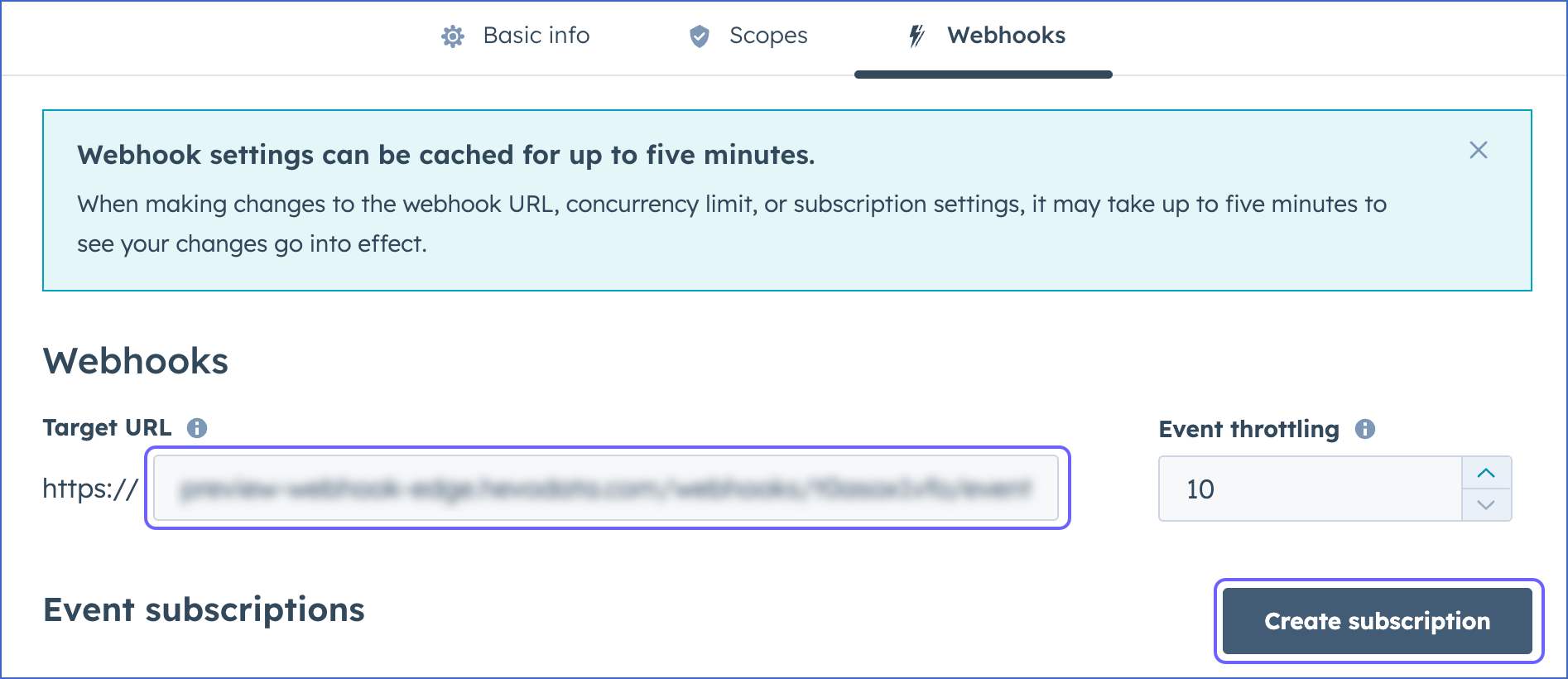
Note: HubSpot prefixes the target URL with https://, so you do not need to include it.
-
In the Create new webhook subscriptions slide-in page, do the following:
-
Click the Which object types? drop-down, and then select the check boxes next to the following objects:

-
Contact
-
Company
-
Deal
-
-
Click the Listen for which events? drop-down, and then select the check box next to Deleted.
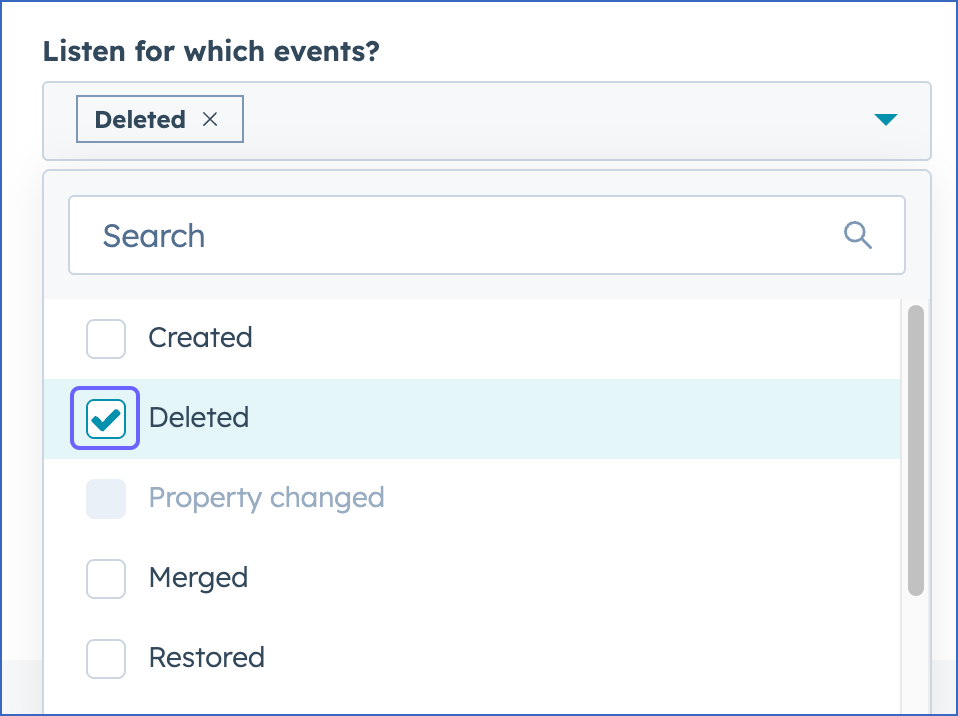
Note: If you select any additional events, HubSpot may send notifications for those events to the configured webhook URL. However, Hevo ignores these notifications, and they do not affect data ingestion.
-
Click Subscribe.
The subscribed events are displayed in the Event subscriptions section of the Webhooks tab.
-
-
Click Commit changes in the top right corner to save the subscription.
The webhook subscription is now active for the company, contact, and deal objects.
Handling of Deletes
Hevo uses the following methods to capture deleted records for your Source objects:
| Method | How it works | Applies to |
|---|---|---|
| Using the archived field | For most standard objects, HubSpot marks deleted records by setting the archived field to true. Hevo ingests these records and marks them as deleted in the Destination by updating the value of the metadata column __hevo__marked_deleted to True. | - cart - discount - fee - feedback_submission - goal - lead - line_item - payment - product - quote - tax - ticket Note: Hevo captures deleted records for these objects once every 24 hours through API calls. |
| Comparing Source and Destination data | For objects where the complete data is ingested during each Pipeline run, Hevo identifies deleted records by comparing the latest data fetched from the Source with the data present in the Destination. If a record exists in the Destination but is no longer returned by the Source, Hevo marks the record as deleted in the Destination. | - association_type - company_list - company_list_member - contact_list - contact_list_member - conversation_channel - conversation_channel_account - conversation_inbox - custom_event_definition - custom_event_definition_association - custom_event_definition_property - custom_event_definition_property_option - <custom_object>_pipeline - <custom_object>_pipeline_stage - deal_pipeline - deal_pipeline_stage - email_subscription - form - lead_pipeline - lead_pipeline_stage - listing_pipeline - listing_pipeline_stage - marketing_campaign - marketing_campaign_asset - marketing_campaign_budget_item - marketing_campaign_contact - marketing_campaign_spend_item - marketing_event - marketing_event_custom_property - marketing_event_list - marketing_event_participant - order_pipeline - order_pipeline_stage - owner - owner_team - project_pipeline - project_pipeline_stage - property - property_option - role - submission_response - team - team_user - ticket_pipeline - ticket_pipeline_stage - users |
| Capturing delete events through webhooks | HubSpot sends delete event notifications to Hevo for subscribed objects through webhooks. These events are then processed in the next Pipeline run to mark the corresponding records as deleted in the Destination. | - company - contact - deal |
Note: If deleted records are restored in the Source, Hevo ingests only the changes made to those records from the time they are restored. Changes made before deletion are not captured.