Customer.io is a customer engagement platform that helps businesses send targeted, personalized messages across email, SMS, push notifications, in-app messages, Slack, and WhatsApp. It enables marketing and product teams to build automated campaigns and one-time broadcasts, segment customers based on behavior and attributes, and track engagement across all channels from a single platform.
Hevo uses the App API to retrieve objects and uses the Reporting webhooks to receive message delivery and customer lifecycle events across channels such as email, SMS, push, in-app, Slack, and WhatsApp. To ingest data, you must provide Hevo with an API key for the region in which your Customer.io account is hosted.
Supported Features
| Feature Name | Supported |
|---|---|
| Capture deletes | Yes |
| History mode | No |
| Custom data (user-configured tables & fields) | Yes (for Customer object) |
| Data blocking (skip objects and fields) | Yes |
| Resync (objects and Pipelines) | Yes |
| API configurable | Yes |
| Authorization via API | Yes |
Prerequisites
-
An active Customer.io account from which data is to be ingested.
-
An App API key to provide Hevo access to your Customer.io account data.
-
A Reporting webhook configured in your Customer.io account, if you need to ingest event data across channels.
Obtain the App API Key
To connect Hevo to your Customer.io account, you must generate an App API key.
Perform the following steps to obtain the App API key:
-
Log in to your Customer.io account as a user with permission to manage API credentials.
-
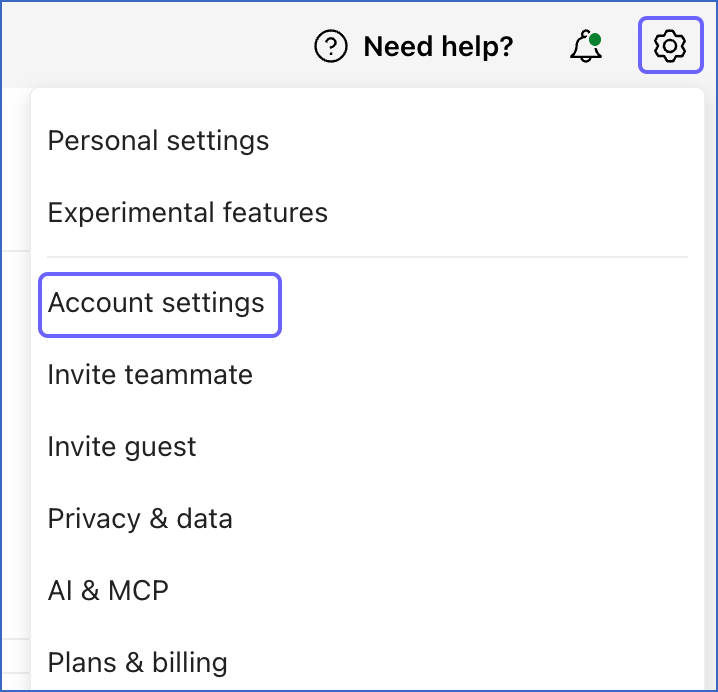
In the top right corner of the page, click the Settings icon, and then click Account settings.
-
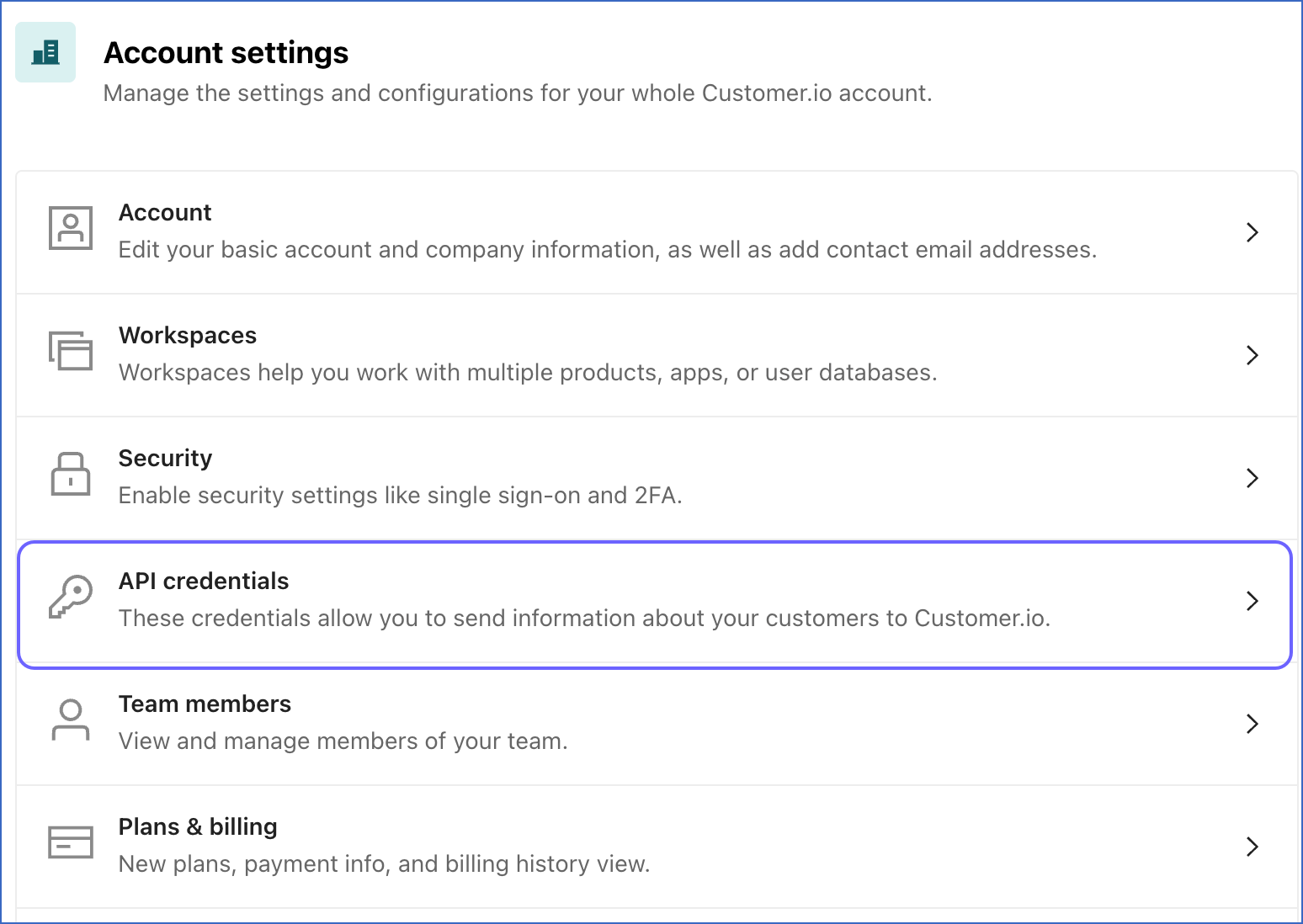
On the Account settings page, click API credentials.
-
On the Manage API credentials page, under the App API keys tab, click Create App API key.

-
Specify a name for the API key, and click Create App API key.

-
In the New API key pop-up window, copy the API key, save it securely like any other password, and then click Finish.
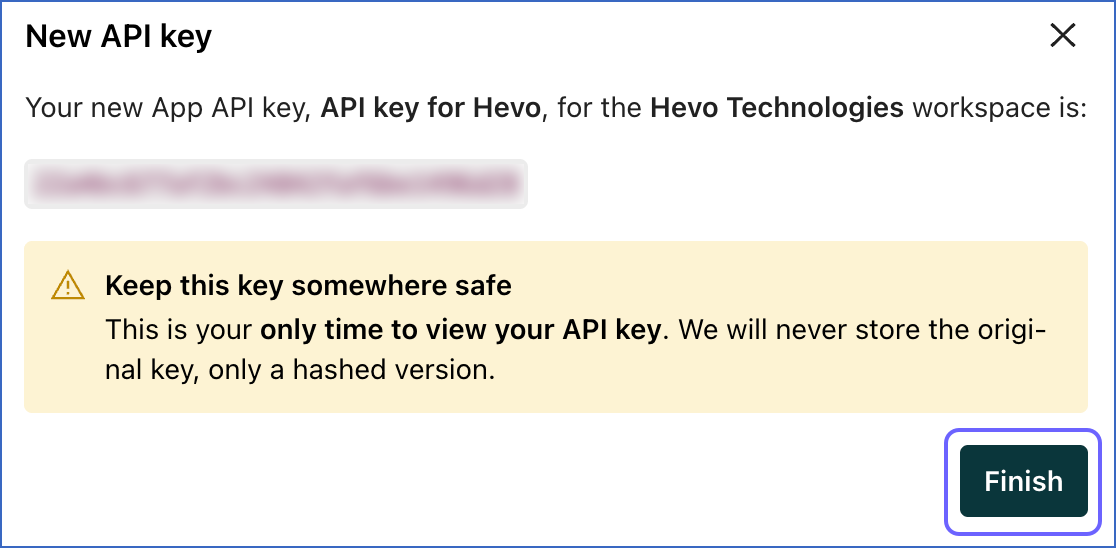
Note: Customer.io displays the App API key only once. Ensure that you copy and store it securely, as it cannot be retrieved later.
Use this App API key when configuring your Customer.io Source in Hevo. If the App API key configured in the Pipeline is revoked manually from your Customer.io account, Hevo cannot authenticate with the Source. As a result, all active jobs for the Pipeline fail, and no data is replicated. To resume data replication, modify the Source configuration in the Pipeline with a valid App API key. Once the updated key is saved, Hevo re-authenticates the Source, and data ingestion resumes from the last saved offset.
Configure Customer.io as a Source in your Pipeline
Perform the following steps to configure your Customer.io Source:
-
Click Pipelines in the Navigation Bar.
-
Click + Create Pipeline in the Pipelines List View.
-
On the Select Source Type page, select Customer.io.
-
On the Select Destination Type page, select the type of Destination you want to use.
-
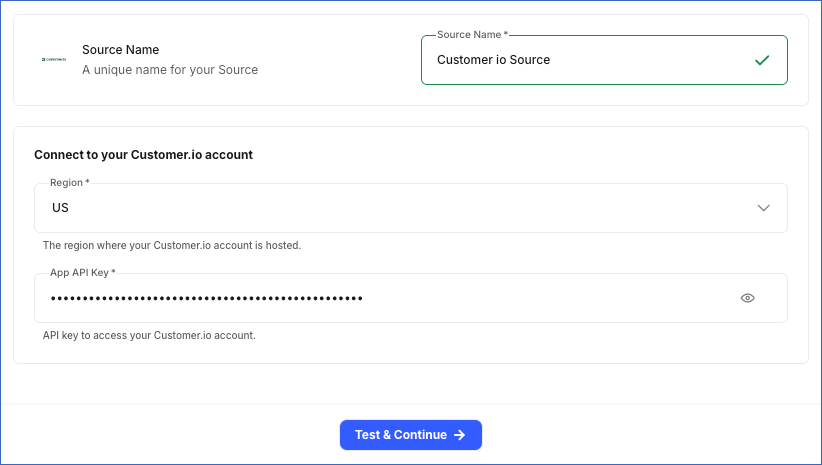
In the Configure Source screen, specify the following:
-
Source Name: A unique name for your Source, not exceeding 255 characters. For example, Customer io Source.
-
In the Connect to your Customer.io account section, specify the following:
-
Region: The region in which your Customer.io account is hosted. Default value: US.
-
App API Key: The App API key that you obtained from your Customer.io account.
-
-
-
Click Test & Continue to test the connection to your Customer.io Source. Once the test is successful, you can proceed to set up your Destination.
Data Replication
Hevo replicates data for all the objects selected on the Configure Objects page during Pipeline creation. By default, all supported objects and their available fields are selected. However, you can modify this selection while creating or editing the Pipeline.
Hevo ingests the following types of data from your Source objects:
-
Historical Data: The first run of the Pipeline ingests all available historical data for the selected objects and loads it into the Destination.
-
Incremental Data: Once the historical load is complete, new and updated records for objects are ingested as per the sync frequency.
For the following objects, Hevo ingests only the incremental data in the subsequent Pipeline runs:
-
Message
-
Segment
-
Segment Member
-
Segment Dependency Campaign
-
Segment Dependency Sent Newsletter
-
Segment Dependency Draft Newsletter
-
Segment Tag
To keep your Destination up to date, Hevo periodically re-fetches previously ingested data. For Segment and its child objects, Hevo re-fetches data every 24 hours. For the Message object, Hevo re-fetches data from the last 90 days every 7 days.
For the following objects, you must configure reporting webhooks for Hevo to ingest the data:
-
Email Event
-
Customer Event
-
In-App Message Event
-
Push Notification Event
-
Push Notification Event Recipient
-
SMS Event
-
Slack Event
-
Webhook Event
-
WhatsApp Event
For all other objects, Hevo ingests the entire data during each Pipeline run.
Customer.io currently enforces a rate limit on the number of calls that can be made to its App API in a given time period. If this limit is exceeded, a rate limit exception occurs. To understand how Hevo handles such scenarios, read Handling Rate Limit Exceptions.
Note: You can create a Pipeline with this Source only using the Merge load mode. The Append mode is not supported for this Source.
Schema and Primary Keys
Hevo uses the following schema to upload the records to the Destination. For a detailed view of the objects, fields, and relationships, click the ERD.
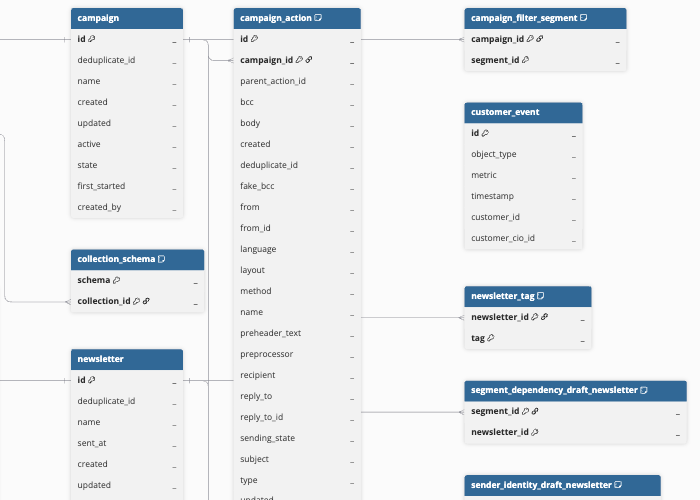
Data Model
The following is the list of tables (objects) that are created at the Destination when you run the Pipeline:
| Object | Description |
|---|---|
| Broadcast | Contains details of one-time messages sent from the account, including the name, state, type, and the dates it was created, first started, and last updated. It includes the following child objects: - Broadcast Action - Broadcast Tag |
| Campaign | Contains details of automated workflows created in the account, including the name, state, and the dates each was created, first started, and last updated. It includes the following child objects: - Campaign Action - Campaign Tag - Campaign Trigger Segment - Campaign Filter Segment - Sender Identity Campaign |
| Collection | Contains sets of data configured in the account, including the name, size, row count, and the dates of creation and update. It includes a child object, Collection Schema. |
| Customer | Contains profile details for an individual, such as the unique Customer.io identifier, an external identifier, email address, and the date the profile was created. |
| Customer Event | Contains lifecycle events for an individual, received via Customer.io Reporting Webhooks, such as subscribed, unsubscribed, and subscription-preference-changed events. |
| Email Event | Contains delivery lifecycle events for emails received through Customer.io Reporting Webhooks, such as sent, delivered, opened, clicked, bounced, and unsubscribed events, along with the associated campaign, broadcast, or newsletter. |
| In-App Message Event | Contains delivery lifecycle events for messages displayed within the application, received through Customer.io Reporting Webhooks, such as sent, opened, and clicked events. |
| Message | Contains the delivery history of a message sent to a customer, including metrics such as sent, delivered, opened, clicked, bounced, and unsubscribed timestamps, along with the campaign, broadcast, or newsletter that triggered it. |
| Newsletter | Contains details of one-time email sends created in the account, including the name, subject, type, and the dates each was created, updated, and sent. It includes the following child objects: - Newsletter Variant - Newsletter Tag - Newsletter Recipient Segment - Sender Identity Sent Newsletter - Sender Identity Draft Newsletter |
| Push Notification Event | Contains delivery lifecycle events for push notifications, received through Customer.io Reporting Webhooks, such as sent, delivered, opened, and clicked events. It includes a child object, Push Notification Event Recipient. |
| Segment | Contains details of audience groups defined in the account, including the name, description, type, and state. It includes the following child objects: - Segment Member - Segment Dependency Campaign - Segment Dependency Sent Newsletter - Segment Dependency Draft Newsletter - Segment Tag |
| Sender Identity | Contains sending profiles configured in the account, including the sender name, email address, physical address, and whether the profile was automatically generated. |
| Slack Event | Contains delivery lifecycle events for Slack messages, received through Customer.io Reporting Webhooks, such as sent and clicked events. |
| SMS Event | Contains delivery lifecycle events for Short Message Service (SMS) messages, received through Customer.io Reporting Webhooks, such as sent, delivered, clicked, and replied events. |
| Snippet | Contains reusable template code blocks configured in the account, including the name, value, and the date of last update. |
| Transactional Message | Contains templates for automated, one-to-one communications configured in the account, including the name, description, and settings such as link tracking, open tracking, and whether it is sent to unsubscribed customers. |
| Webhook Event | Contains delivery lifecycle events for messages sent through the webhook channel, received through Customer.io Reporting Webhooks. |
| WhatsApp Event | Contains delivery lifecycle events for WhatsApp messages, received through Customer.io Reporting Webhooks, such as sent, delivered, clicked, and replied events. |
Additional Information
Read the detailed Hevo documentation for the following related topics:
Configure Reporting Webhooks for Event Data
To ingest Event data, you must configure a Reporting Webhook in your Customer.io account using the webhook URL generated for your Pipeline.
Perform the following steps to configure a Reporting Webhook for event data:
Obtain the Webhook URL for your Pipeline
Perform the following steps to obtain the webhook URL generated by Hevo for your Pipeline:
-
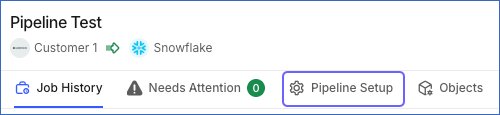
In the Pipeline’s toolbar, click Pipeline Setup.
-
Scroll down to the Configure Pipeline section and copy the URL displayed in the Webhook URL field.

Create a Reporting Webhook in your Customer.io account
Perform the following steps to create a Reporting Webhook in your Customer.io account:
-
Log in to your Customer.io account as a user with the required Integrations permissions to create Reporting Webhooks.
-
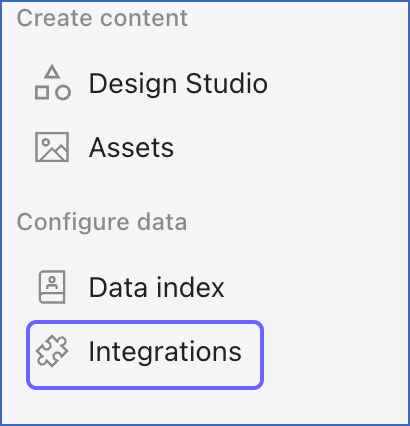
In the left navigation pane, under Configure data, click Integrations.
-
On the Integrations page, click + Add integration.

-
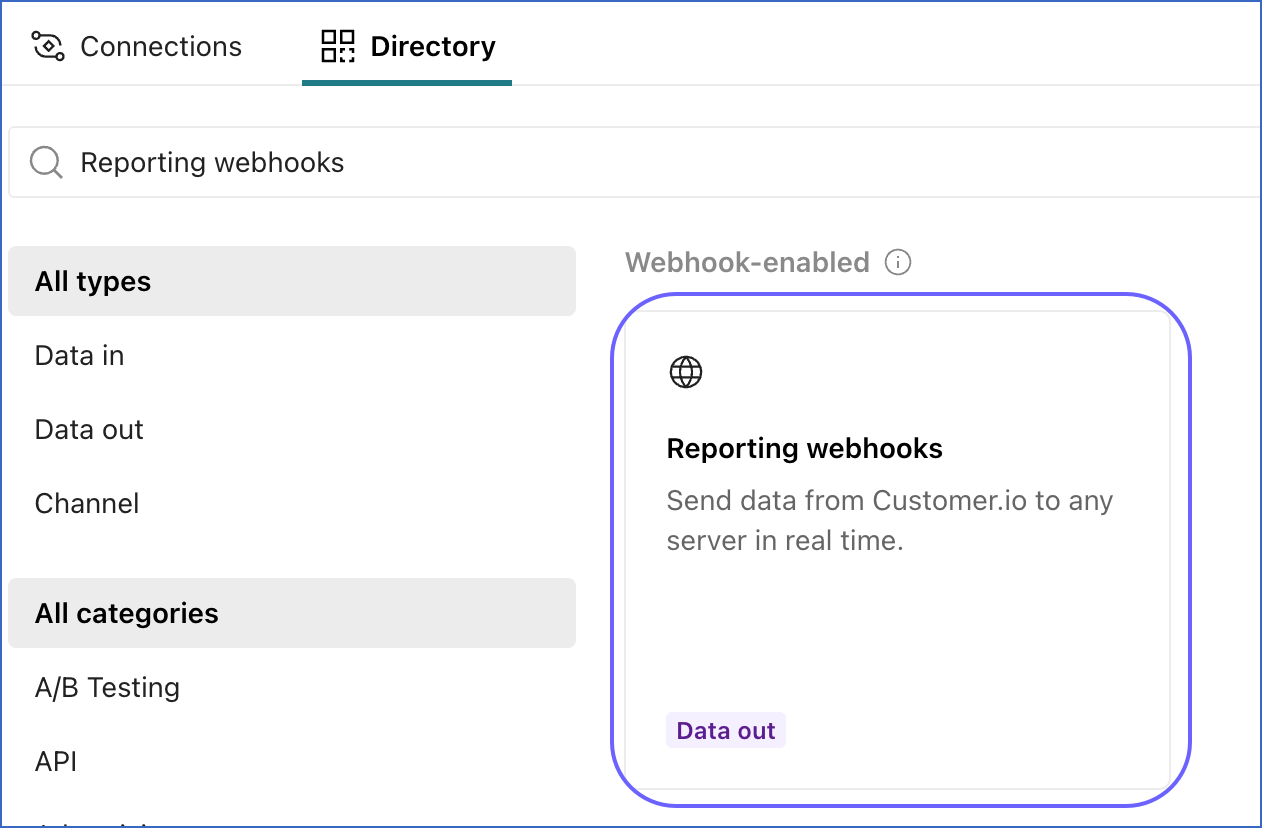
In the Directory tab, search for and select Reporting webhooks.
-
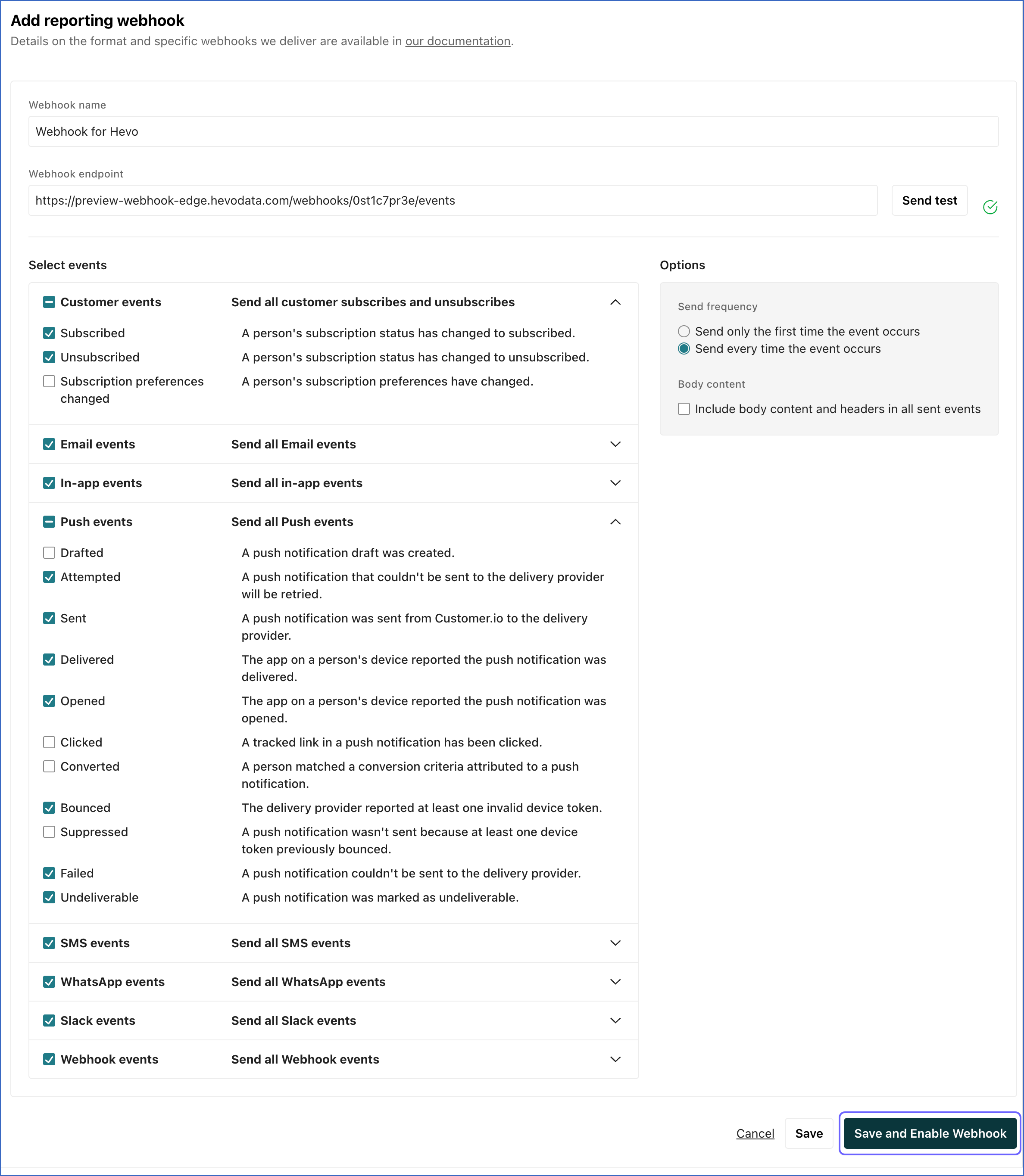
On the Add reporting webhook page, specify the following:
-
Webhook name: A unique name to identify the webhook.
-
Webhook endpoint: The webhook URL that you obtained from your Pipeline.
-
-
In the Select events section, select the events for which you want Customer.io to send notifications.
Note: If you select any additional events, Customer.io may send notifications for those events to the configured webhook URL. However, Hevo ignores these notifications, and they do not affect data ingestion.
-
Click Save and Enable Webhook to create the Reporting Webhook.
Note: Hevo can ingest Event data only after the Reporting Webhook is configured for your Pipeline. Events that occurred before the webhook was configured cannot be ingested.
Handling of Deletes
Hevo uses a full data refresh approach to capture delete actions for parent objects. During each Pipeline run, Hevo compares the data fetched from the Source object with the data present in the Destination table. If a record exists in the Destination but is no longer returned by the Source, the record is marked as deleted by setting the value of the metadata column __hevo__marked_deleted to True. This applies to the following objects:
-
Broadcast
-
Broadcast Action
-
Broadcast Tag
-
Campaign
-
Campaign Action
-
Campaign Filter Segment
-
Campaign Tag
-
Campaign Trigger Segment
-
Collection
-
Collection Schema
-
Customer
-
Newsletter
-
Newsletter Recipient Segment
-
Newsletter Tag
-
Newsletter Variant
-
Segment
-
Segment Member
-
Segment Dependency Campaign
-
Segment Dependency Sent Newsletter
-
Segment Dependency Draft Newsletter
-
Segment Tag
-
Sender Identity
-
Sender Identity Campaign
-
Sender Identity Draft Newsletter
-
Sender Identity Sent Newsletter
-
Snippet
-
Transactional Message
For all other objects, Hevo does not support capturing deletes.
Source Considerations
- If Customer.io is unable to deliver an event to the Reporting Webhook, it retries the delivery for up to 7 days. As a result, Hevo may receive an event up to 7 days after it occurred in Customer.io.