Campaign Monitor is an email marketing platform that helps businesses and agencies create, send, and track email campaigns. Agencies can manage campaigns for multiple clients from one account.
Hevo uses the Campaign Monitor API to replicate data from your Campaign Monitor account to the Destination of your choice. To ingest data, you must provide Hevo with the administrator API key of your Campaign Monitor account.
Supported Features
| Feature Name | Supported |
|---|---|
| Capture deletes | Yes (for most objects) |
| History mode | No |
| Custom data (user-configured tables & fields) | No |
| Data blocking (skip objects and fields) | Yes |
| Resync (objects and Pipelines) | Yes |
| API configurable | Yes |
Prerequisites
-
An active Campaign Monitor account from which data is to be ingested.
-
You are an administrator of the Campaign Monitor account, to obtain the API key.
Obtain the API Key
Hevo uses the administrator API key of your Campaign Monitor account. This key gives Hevo access to the data of all the clients in the account.
Perform the following steps to obtain the API key:
-
Log in to your Campaign Monitor account.
-
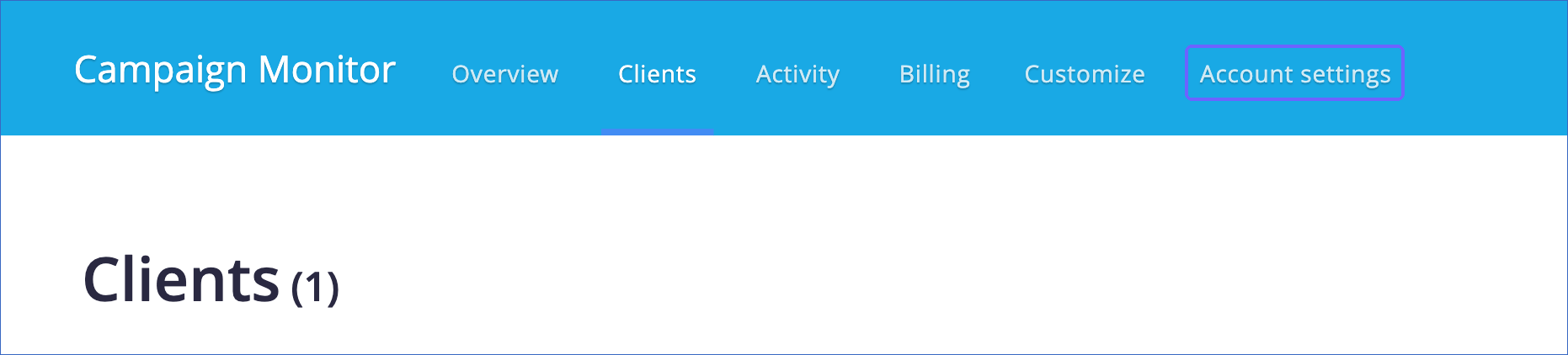
In the top navigation bar, click Account settings.
-
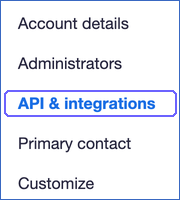
In the left navigation pane, click API & integrations.
-
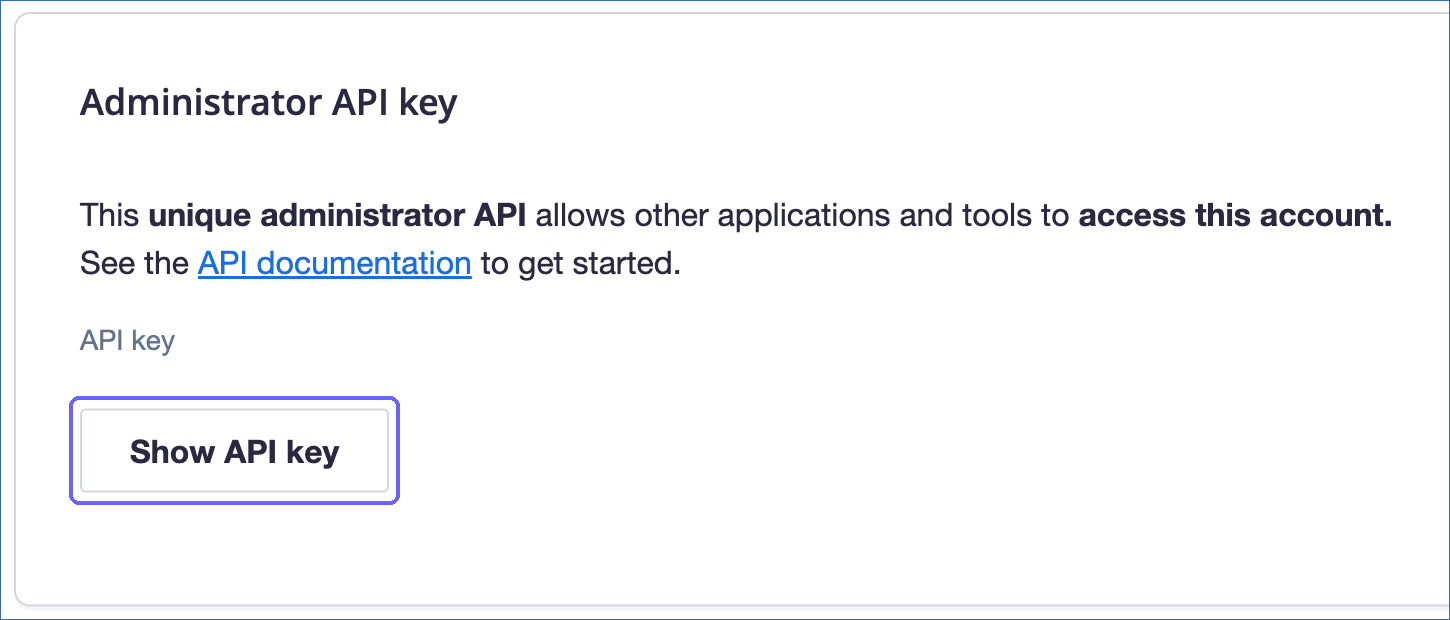
In the Administrator API key section, click Show API key. If no key exists yet, click Generate API key.
-
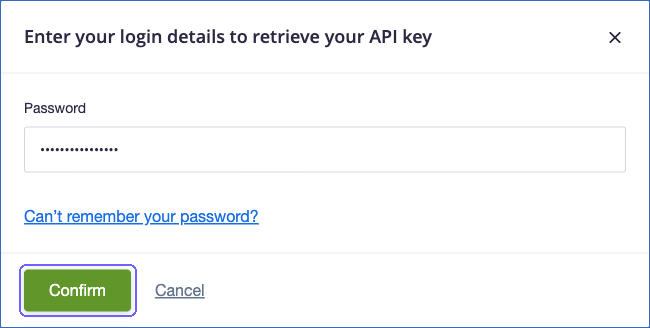
When prompted, enter your Campaign Monitor password, and then click Confirm.
-
Copy the API key and save it securely.
Note: If you generate a new API key, the earlier key stops working after 24 hours. To keep the Pipeline running, modify the Source configuration with the new key.
Configure Campaign Monitor as a Source in your Pipeline
Perform the following steps to configure your Campaign Monitor Source:
-
Click Pipelines in the Navigation Bar.
-
Click + Create Pipeline in the Pipelines List View.
-
On the Select Source Type page, select Campaign Monitor.
-
On the Select Destination Type page, select the type of Destination you want to use.
-
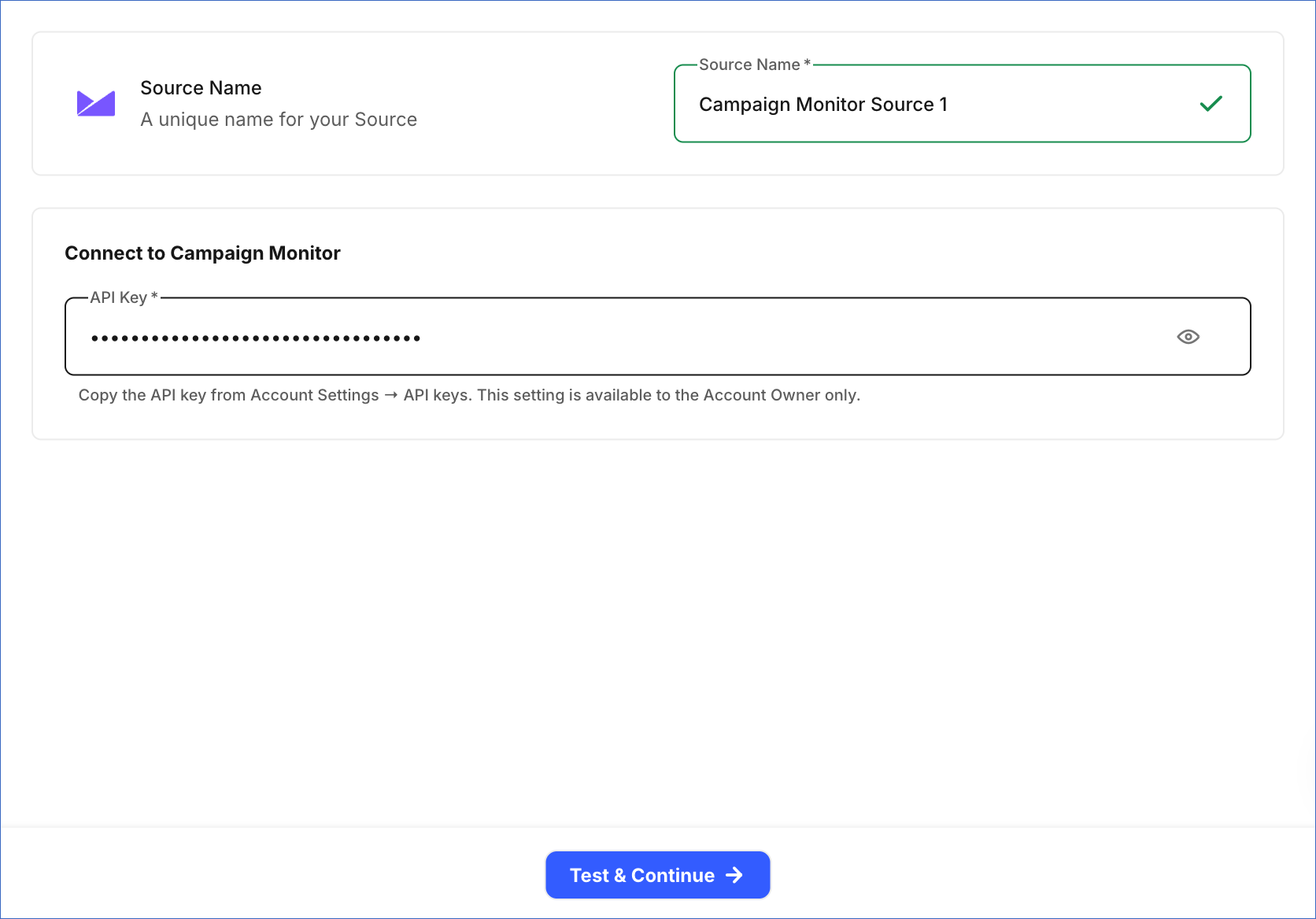
In the Configure Source screen, specify the following:
-
Source Name: A unique name for your Source, not exceeding 255 characters. For example, Campaign Monitor Source.
-
In the Connect to Campaign Monitor section, specify the following:
- API Key: The administrator API key that you copied from your Campaign Monitor account.
-
-
Click Test & Continue to test the connection to your Campaign Monitor Source. Once the test is successful, you can proceed to set up your Destination.
Data Replication
Hevo replicates data for all the objects selected on the Configure Objects page during Pipeline creation. By default, all supported objects and their available fields are selected. However, you can modify this selection while creating or editing the Pipeline.
Hevo ingests the entire data of all the selected objects during each Pipeline run, as per the sync frequency. This includes the complete history of the recipients, opens, bounces, and unsubscribes of all your sent campaigns. For an agency account, Hevo reads the data of all the clients that the API key can access.
You can resync only the parent objects, Account Client and Admins. When you resync Account Client, Hevo also resyncs its child objects.
If Campaign Monitor rejects a request because too many requests were made, Hevo waits for the time that Campaign Monitor specifies, and then retries the request. To understand how Hevo handles such scenarios, read Handling Rate Limit Exceptions.
Note: You can create a Pipeline with this Source only using the Merge load mode. The Append mode is not supported for this Source.
Schema and Primary Keys
Hevo uses the following schema to upload the records in the Destination. For a detailed view of the objects, fields, and relationships, click the ERD.
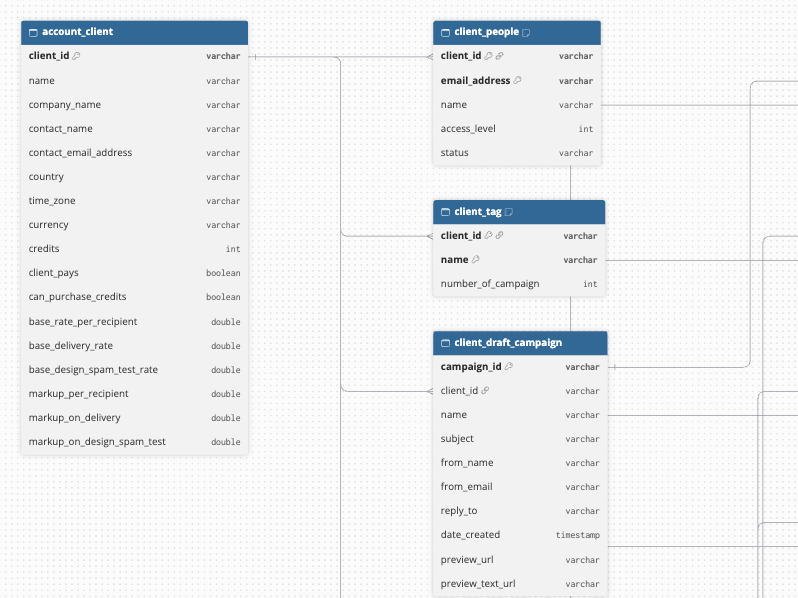
Most objects use the IDs from Campaign Monitor as primary keys, such as client_id, campaign_id, list_id, segment_id, and template_id. The following objects use other primary keys:
-
Client People and Client Suppression List:
client_idandemail_address. -
Client Tag:
client_idandname. -
Campaign Recipient:
campaign_idandemail_address. -
Campaign Audience:
campaign_id,audience_type, andaudience_id. -
Campaign Email Client:
campaign_id,client, andversion. -
Admins, Campaign Bounce, Campaign Open, Campaign Unsubscribe, Draft Campaign Tag, Scheduled Campaign Tag, and Sent Campaign Tag: a key that Hevo generates from the content of each record.
Data Model
The following is the list of tables (objects) that are created at the Destination when you run the Pipeline:
| Object | Description |
|---|---|
| Account Client | Contains the clients in your Campaign Monitor account. It includes the following child objects: - Client Draft Campaign: The draft campaigns of each client. It includes a child object, Draft Campaign Tag. - Client People: The people who can access each client. - Client Scheduled Campaign: The scheduled campaigns of each client. It includes a child object, Scheduled Campaign Tag. - Client Segment: The segments of each client. - Client Sent Campaign: The sent campaigns of each client. It includes the following child objects: Campaign Audience (the lists and segments that the campaign was sent to), Campaign Bounce, Campaign Email Client, Campaign Open, Campaign Recipient, Campaign Summary, Campaign Unsubscribe, and Sent Campaign Tag. - Client Subscriber List: The subscriber lists of each client. - Client Suppression List: The suppressed email addresses of each client. - Client Tag: The tags of each client. - Client Template: The email templates of each client. - CM Client IDs: The ID and name of each client. |
| Admins | Contains the administrators of your Campaign Monitor account. |
Additional Information
Read the detailed Hevo documentation for the following related topics:
Handling of Deletes
For most objects, Hevo uses a full data refresh approach to capture delete actions. During each Pipeline run, Hevo compares the data fetched from the Source object with the data present in the Destination table. If a record exists in the Destination but is no longer returned by the Source, the record is marked as deleted by setting the value of the metadata column __hevo__marked_deleted to True.
For the Admins, Campaign Bounce, Campaign Open, Campaign Unsubscribe, Draft Campaign Tag, Scheduled Campaign Tag, and Sent Campaign Tag objects, Hevo replaces the records in each Pipeline run. Records deleted in Campaign Monitor are removed from the Destination.
Source Considerations
-
Hevo does not replicate the subscribers of your lists. The Client Subscriber List object contains only the name and ID of each list.
-
Campaign objects, such as Campaign Recipient, Campaign Open, and Campaign Bounce, contain data only for campaigns that have been sent.
-
Hevo does not replicate the link clicks and spam complaints of campaigns.
-
Date and time fields, such as
sent_dateand the eventdate, are loaded without a time zone, as Campaign Monitor returns them.