Applovin is a mobile marketing and monetization platform that helps advertisers grow their apps through performance-based mobile advertising campaigns. It provides advertisers and publishers with tools to run app install campaigns, monetize in-app ad inventory, and measure ad performance, including SKAdNetwork-based attribution for iOS campaigns.
Hevo uses Applovin’s Reporting API to replicate data from your Applovin account to the Destination of your choice. To ingest data, you must provide Hevo with a Reporting Key to authenticate with your Applovin account.
Supported Features
| Feature Name | Supported |
|---|---|
| Capture deletes | Yes |
| History mode | No |
| Data blocking (skip objects and fields) | Yes |
| Resync (objects and Pipelines) | Yes |
| API configurable | No |
Prerequisites
-
An active Applovin account exists from which data is to be ingested.
-
A Reporting Key is available to provide Hevo access to your Applovin account data.
Obtain the Reporting Key
To connect Hevo to your Applovin account, you must provide a Reporting Key. You can use an existing Reporting Key or generate a new one from your Applovin dashboard.
Perform the following steps to obtain the Reporting Key:
-
Log in to your Applovin account.
-
In the top-right corner of the dashboard, click your account name.
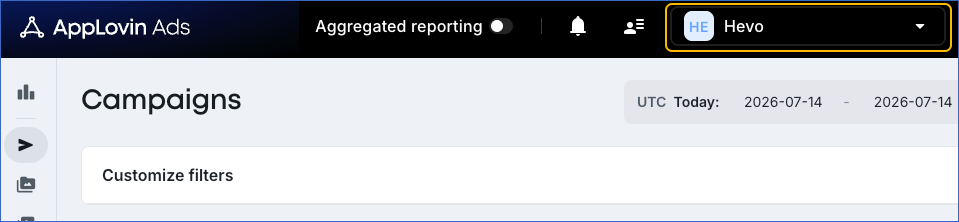
-
From the drop-down, click Keys.
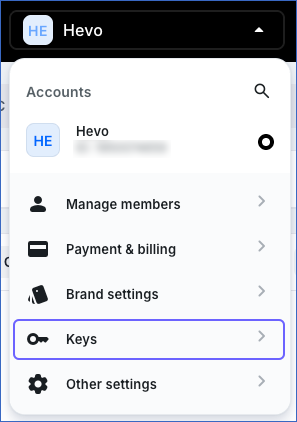
-
On the page that appears, click the copy icon to copy the Reporting Key, and save it securely like any other password.
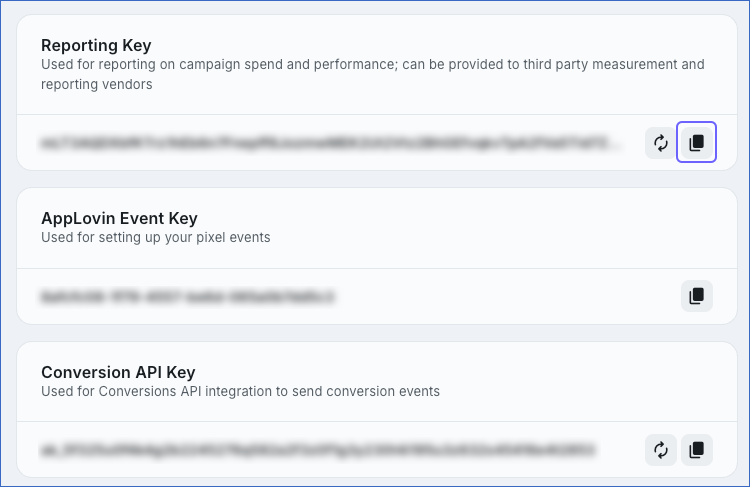
Use this Reporting Key when configuring your Applovin Source in Hevo. If the Reporting Key configured in the Pipeline is revoked manually from your Applovin account, Hevo cannot authenticate with the Source. As a result, all active jobs for the Pipeline fail, and no data is replicated. To resume data replication, modify the Source configuration in the Pipeline with a valid Reporting Key. Once the updated key is saved, Hevo re-authenticates the Source, and data ingestion resumes from the last saved offset.
Configure Applovin as a Source in your Pipeline
Perform the following steps to configure your Applovin Source:
-
Click Pipelines in the Navigation Bar.
-
Click + Create Pipeline in the Pipelines List View.
-
On the Select Source Type page, select Applovin.
-
On the Select Destination Type page, select the type of Destination you want to use.
-
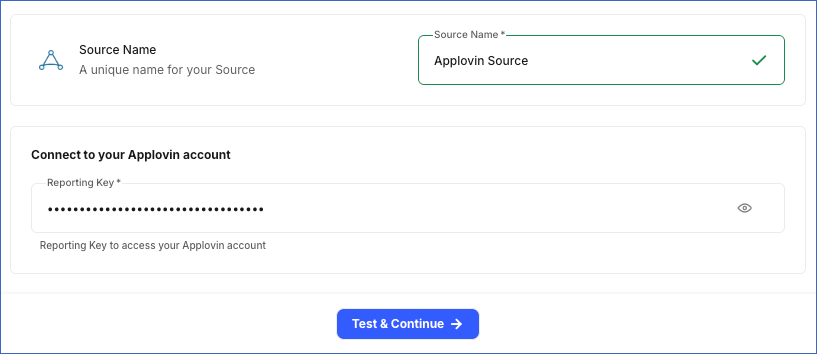
In the Configure Source screen, specify the following:
-
Source Name: A unique name for your Source, not exceeding 255 characters. For example, Applovin Source.
-
In the Connect to your Applovin account section, specify the following:
- Reporting Key: The Reporting Key that you obtained from your Applovin account.
-
-
Click Test & Continue to test the connection to your Applovin Source. Once the test is successful, you can proceed to set up your Destination.
Data Replication
Hevo replicates data for all the objects selected on the Configure Objects page during Pipeline creation. By default, all supported objects and their available fields are selected. However, you can modify this selection while creating or editing the Pipeline.
Hevo ingests the following types of data from your Source objects:
-
Historical Data: The first run of the Pipeline ingests all available historical data for the selected objects and loads it into the Destination.
-
Incremental Data: Once the historical load is complete, new and updated records for objects are ingested as per the sync frequency.
Hevo ingests the entire data for all objects during each Pipeline run.
Note: You can create a Pipeline with this Source only using the Merge load mode. The Append mode is not supported for this Source.
Schema and Primary Keys
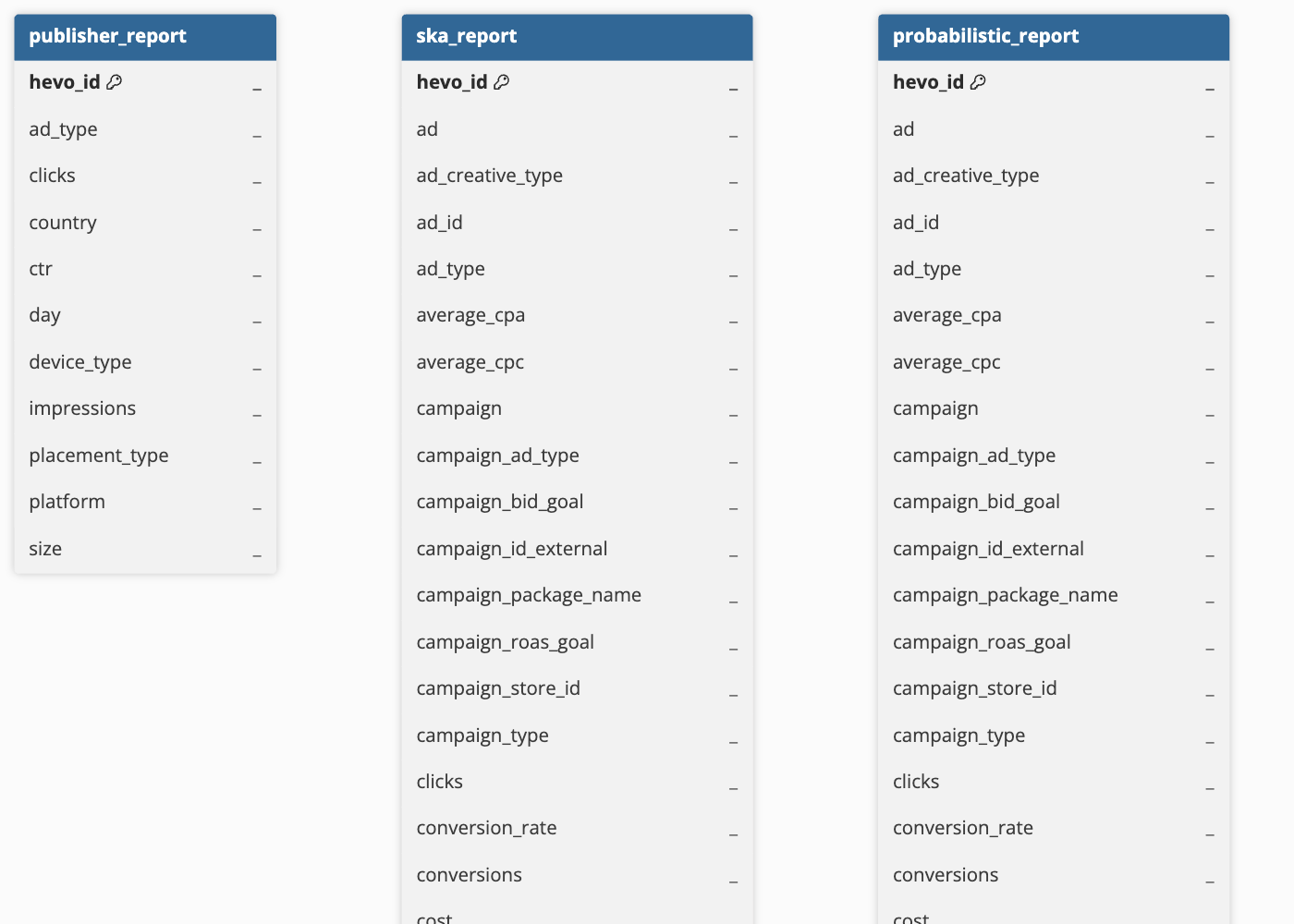
Hevo uses the following schema to upload the records to the Destination. For a detailed view of the objects, fields, and relationships, click the ERD.
Data Model
The following is the list of tables (objects) that are created at the Destination when you run the Pipeline:
| Object | Description |
|---|---|
| Publisher Report | Contains publisher-side performance metrics for your Applovin ad placements, such as impressions, clicks, and click-through rate, broken down by day, country, device type, ad type, and placement type. |
| Advertiser Report | Contains advertiser-side campaign performance metrics, such as impressions, clicks, cost, conversions, installs, and redownloads, along with revenue and purchaser metrics tracked across multiple post-install time windows, broken down by day, campaign, country, and platform. |
| Probabilistic Report | Contains advertiser campaign performance metrics computed using Applovin’s probabilistic attribution model, covering cost, conversions, and revenue metrics tracked across multiple post-install time windows, broken down by day, campaign, country, and platform. |
| SKA Report | Contains advertiser campaign performance metrics derived from SKAdNetwork (SKAN) postback data for iOS campaigns, covering cost, conversions, and revenue metrics tracked across multiple post-install time windows, broken down by day, campaign, country, and platform. |
Additional Information
Read the detailed Hevo documentation for the following related topics:
Handling of Deletes
Applovin does not explicitly mark records as deleted in its Reporting API responses. When a record is deleted or is no longer available for the requested date range, it is no longer returned in subsequent API responses.
Hevo uses a full data refresh approach to capture delete actions for objects. During each Pipeline run, Hevo compares the data fetched from the Source object with the data present in the Destination table. If a record exists in the Destination but is no longer returned by the Source, the record is marked as deleted by setting the value of the metadata column __hevo__marked_deleted to True. This applies to all the objects.
Source Considerations
- Applovin’s Reporting API only returns data for a maximum window of 45 days from the request date. Historical data older than 45 days cannot be retrieved through this API.