Why can't I see my Pipelines after logging in?
You are most likely logged in to the wrong region. Hevo is available in multiple regions, each with its own URL, workspaces, and Pipelines. When you log in, Hevo automatically selects the nearest region based on your IP address. If your network or location has changed, you may be directed to a different region where your Pipelines do not exist.
Your Hevo account is region-independent, which means your login credentials work across all regions. However, the workspaces you create are tied to the specific region selected at the time of creation. Logging in with valid credentials to the wrong region shows an empty workspace, because your Pipelines do not exist there.
Note: Pipelines and workspaces are permanently tied to the region they were created in and cannot be migrated. To use a different region, re-create your Pipelines in that region.
To access your Pipelines, verify which region your Pipelines are in and then switch regions from the Hevo Account Region drop-down.
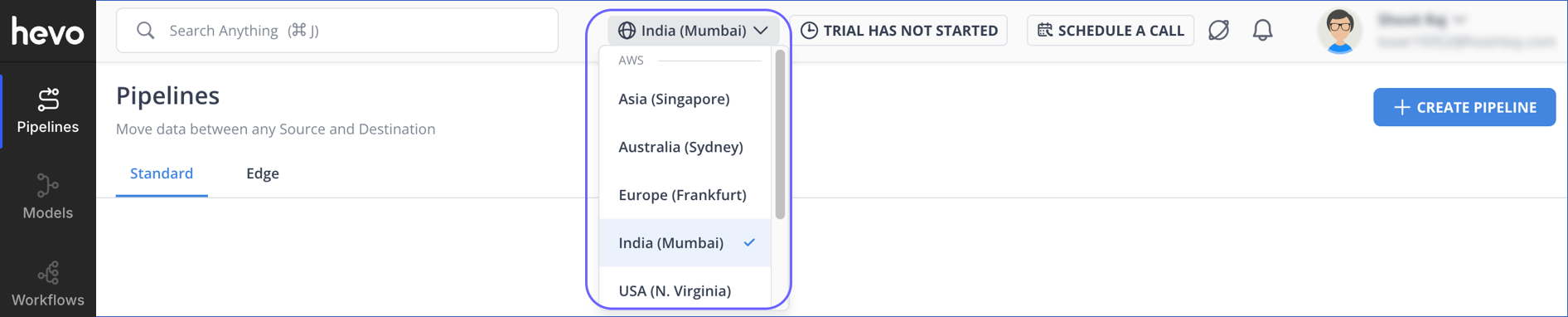
For example, if your Pipelines are in the Oregon region, access them at https://us2.hevodata.com. Similarly, for the N. Virginia region, use https://us.hevodata.com.
Note: You can bookmark the direct URL for your region and use it every time you log in. This bypasses the automatic IP-based region selection and takes you directly to the region where your Pipelines exist.