Snapchat Ads is Snap Inc.’s advertising platform that lets businesses create and manage full-screen, immersive vertical ad campaigns to reach Snapchat’s user base. It provides tools for audience targeting and segmentation, the Snap Pixel for conversion tracking, and campaign performance reporting, all managed through Snapchat Ads Manager.
Hevo uses the Snapchat Marketing API to replicate data from your Snapchat Ads account to the Destination of your choice.
Hevo supports the following authentication methods to connect to your Snapchat Ads account:
-
Open Authorization (OAuth): Allows Hevo to connect to your account through an authorization flow, where you sign in to Snapchat and grant Hevo access to your account data.
-
OAuth app: Allows Hevo to connect to your account using the client ID, client secret, and refresh token of an OAuth app that you create in Snapchat.
Note: To create a Pipeline with Snapchat Ads as the Source using an OAuth app, you must use the Create a Pipeline endpoint through the Hevo API. This method is not available in the Hevo UI. Read Creating a Pipeline with Hevo API for the steps to create the Pipeline.
Supported Features
| Feature Name | Supported |
|---|---|
| Capture deletes | Yes (for the ad_account_funding_source object) |
| History mode | No |
| Custom data (user-configured tables & fields) | Yes |
| Data blocking (skip objects and fields) | Yes |
| Resync (objects and Pipelines) | Yes |
| API configurable | Yes |
Prerequisites
-
An active Snapchat Ads account with at least one Organization and Ad Account, from which data is to be ingested.
-
A Snapchat user with the Organization Admin role at the Organization level.
Configure Snapchat Ads as a Source in your Pipeline
Perform the following steps to configure your Snapchat Ads Source:
-
Click Pipelines in the Navigation Bar.
-
Click + Create Pipeline in the Pipelines List View.
-
On the Select Source Type page, select Snapchat Ads.
-
On the Select Destination Type page, select the type of Destination you want to use.
-
On the Select Pipeline Type page, click Edge, and then click Continue.
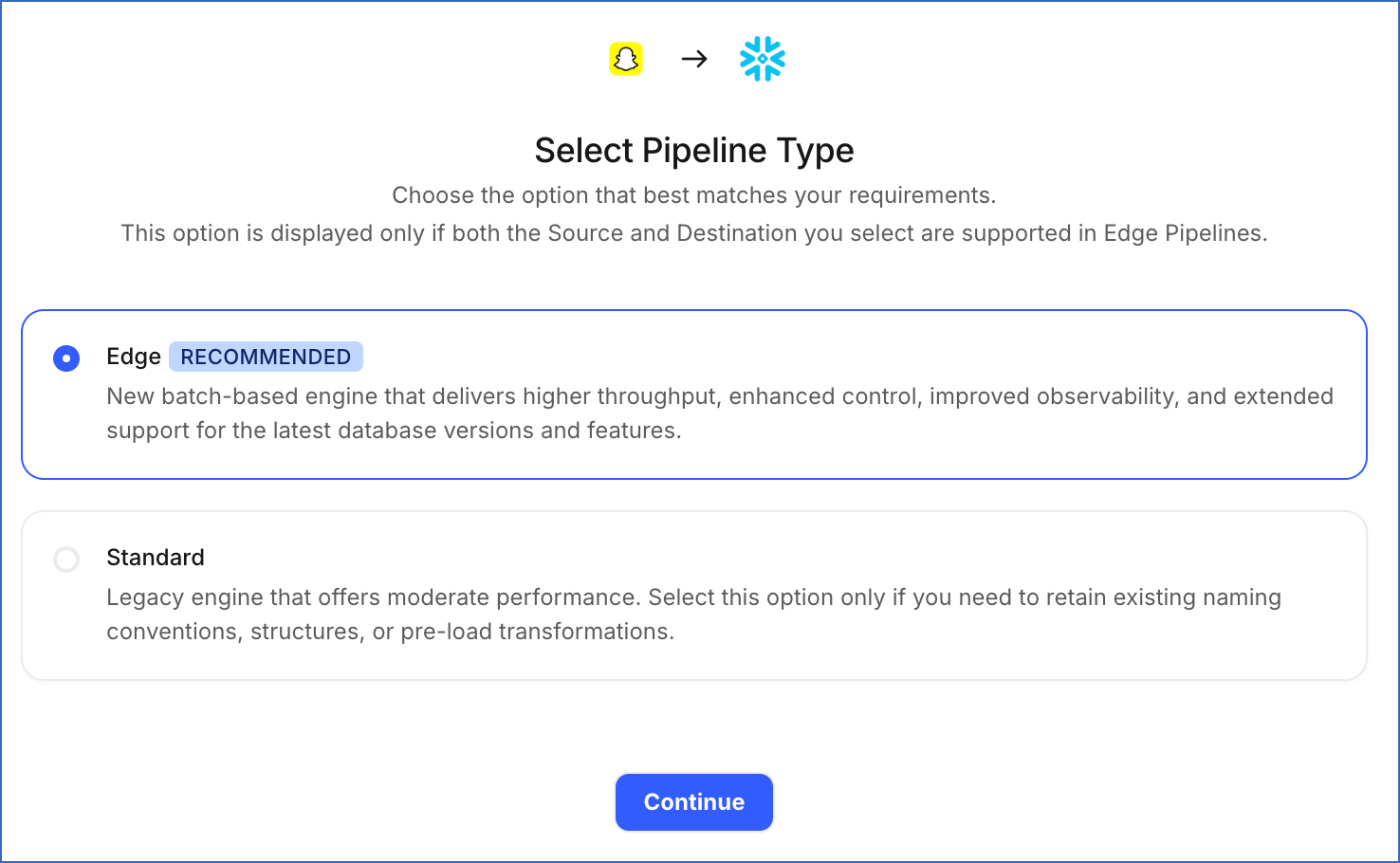
This page appears only if the selected Destination type is supported in Edge and your Team has an existing Snapchat Ads Pipeline with the same Destination type. Otherwise, you can proceed to create an Edge Pipeline.
-
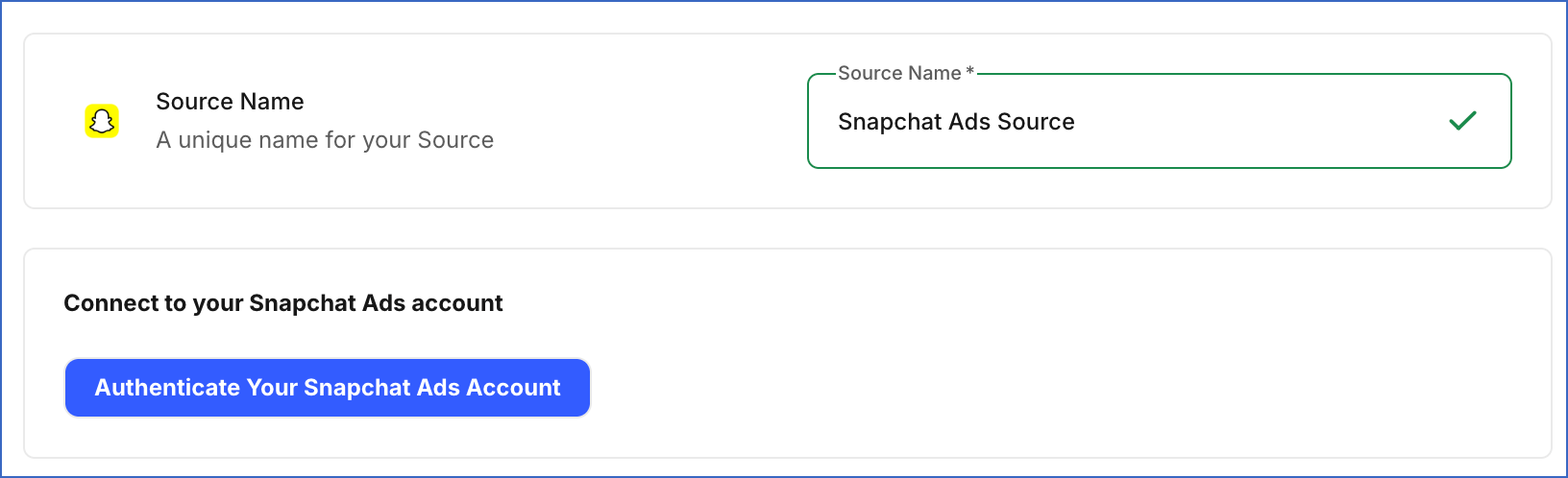
In the Configure Source screen, specify the following:
-
Source Name: A unique name for your Source, not exceeding 255 characters. For example, Snapchat Ads Source.
-
In the Connect to your Snapchat Ads account section, click Authenticate Your Snapchat Ads Account, log in to your Snapchat Ads account, and grant Hevo access to your account.
-
In the Sync Settings section, specify the following:
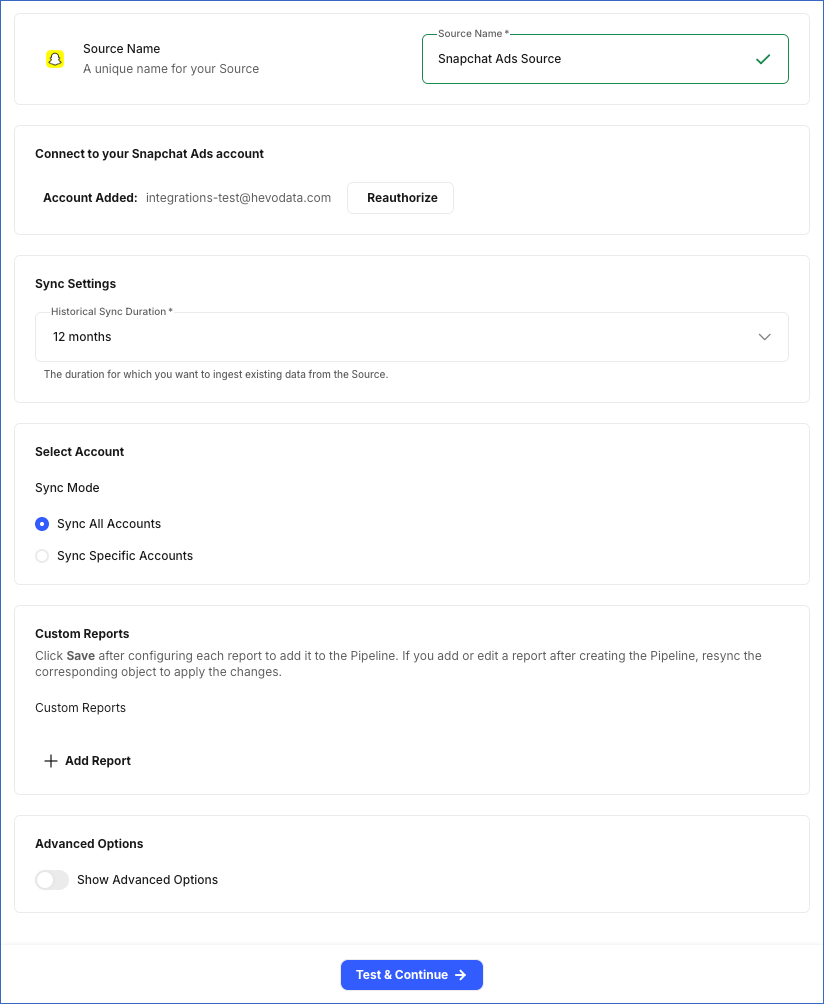
- Historical Sync Duration: From the drop-down, select the duration for which you want to ingest existing data from the Source. This cannot be changed after the Pipeline is created. Default value: 12 months.
-
In the Select Account section, specify the following:
-
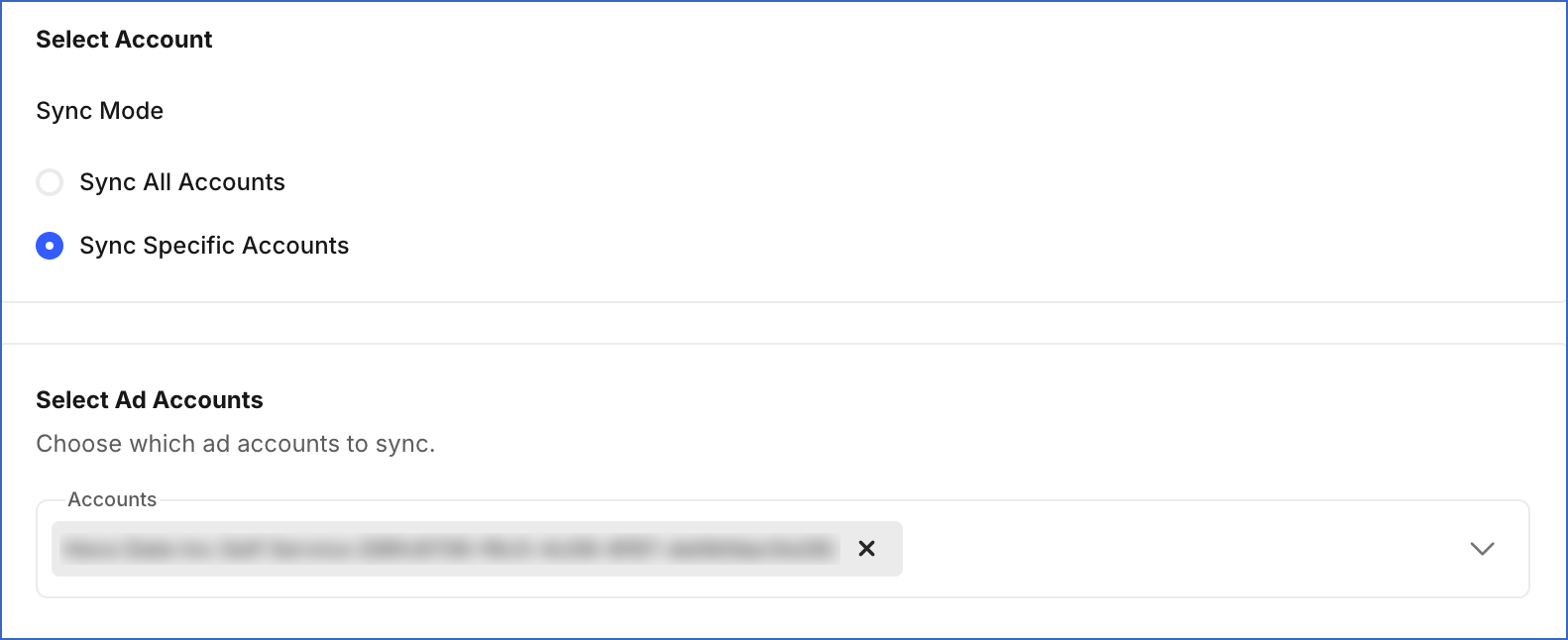
Sync Mode: Specify whether to sync all Ad Accounts accessible to the authenticated account, or only specific ones:
-
Sync All Accounts: Hevo syncs data for all ad accounts accessible to your authorized Snapchat Ads account, including any accounts added later.
-
Sync Specific Accounts: Hevo ingests data only for the accounts you select from the Accounts drop-down in the Select Ad Accounts section.
-
-
-
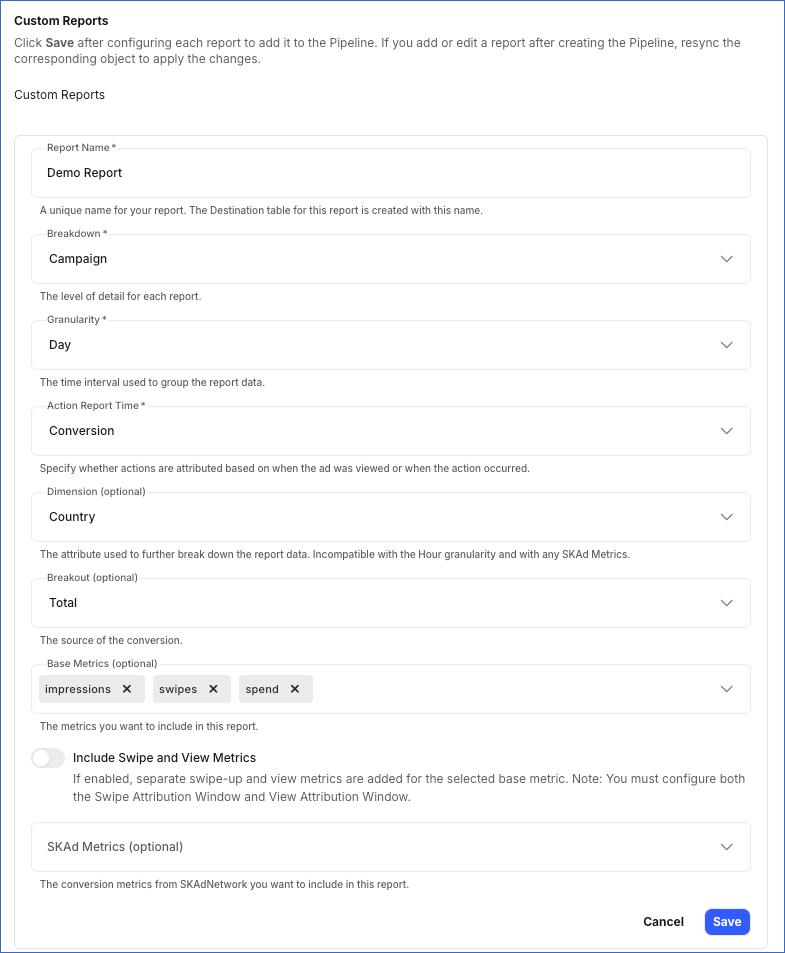
(Optional) In the Custom Reports section, click + Add Report to define a custom report. Each report syncs to its own Destination table. For each report, specify the following:
-
Report Name: A unique name for the Destination table where Hevo loads the data for this report.
-
Breakdown: The level of detail shown in each row of the report.
-
Granularity: The frequency at which data is recorded in the report.
-
Action Report Time: The time used to determine when actions and conversions are counted in the report.
-
Dimension (optional): The attribute used to further break down the report data. This field is incompatible with the Hour granularity and with any SKAd Metrics field value.
-
Breakout (optional): The source through which the conversion occurred.
-
Base Metrics (optional): The performance metrics you want to include in the report.
-
Include Swipe and View Metrics: Enable this option to include separate metrics for swipe-ups and views for the selected base metric. You must configure both the Swipe Attribution Window and View Attribution Window in the Advanced Options section.
-
SKAd Metrics (optional): The conversion metrics from SKAdNetwork that you want to include in the report. This field is incompatible with any Dimension value or Hour granularity.
Note:
-
Click Save after configuring each report. Reports that are not saved before you click Test & Continue are not included in the Pipeline.
-
If you add a new custom report or edit an existing one after the Pipeline is created, resync the corresponding object to apply the changes and load the data using the updated configuration.
-
-
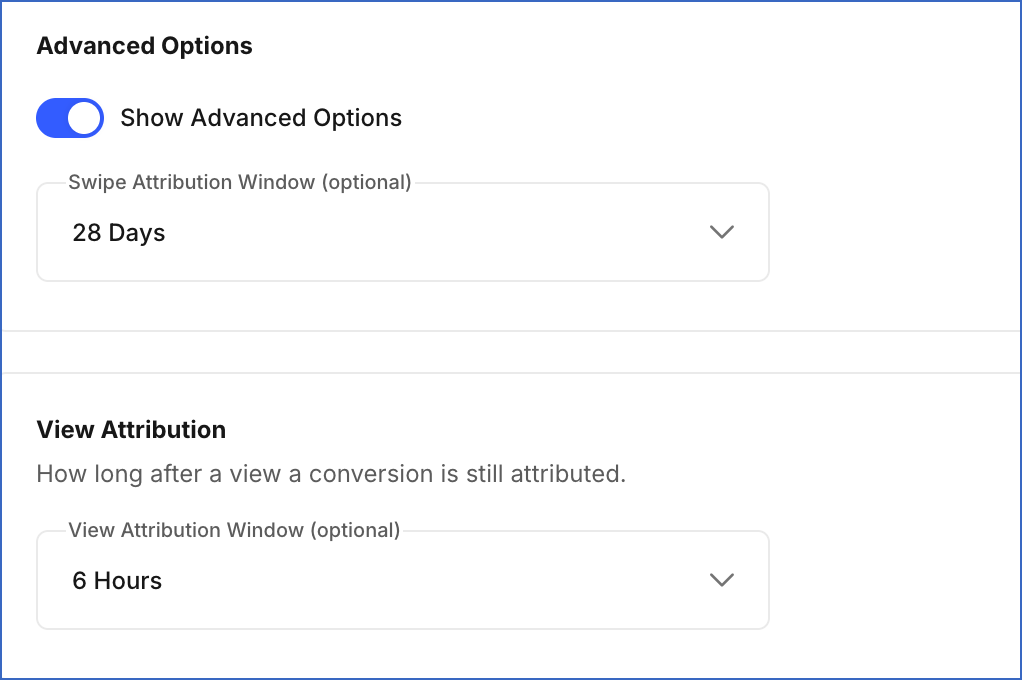
(Optional) In the Advanced Options section, do the following:
-
Show Advanced Options: Enable this option to configure the following:
-
Swipe Attribution Window (optional): The number of days between a person interacting with your ad by swiping up and taking an action, such as making a purchase or signing up. Default value: 28 Days.
-
View Attribution Window (optional): The duration between a person viewing your ad and taking an action, such as making a purchase or signing up. The available options depend on the Swipe Attribution Window you select.
-
-
-
-
Click Test & Continue to test the connection to your Snapchat Ads Source. Once the test is successful, you can proceed to set up your Destination.
Data Replication
Hevo replicates data for all the objects selected on the Configure Objects page during Pipeline creation. By default, all supported objects and their available fields are selected. However, you can modify this selection while creating or editing the Pipeline.
Hevo ingests the following types of data from your Source objects:
-
Historical Data: The first run of the Pipeline ingests historical data for the selected objects, based on the Historical Sync Duration specified when creating the Pipeline, and loads it into the Destination.
-
Incremental Data: Once the historical load is complete, new and updated records for objects are ingested as per the sync frequency.
For report objects, Hevo ingests only the incremental data in subsequent Pipeline runs. For all other objects, Hevo ingests the entire data during each Pipeline run.
Note: Report data may change as more conversion data becomes available. To keep your data up to date, Hevo re-fetches the data once a day for each ad account. As a result, previously synced records for reports may be updated in the Destination.
You can create a Pipeline with this Source only using the Merge load mode. The Append mode is not supported for this Source.
Snapchat currently enforces a rate limit on the number of calls that can be made to its API in a given time period. If this limit is exceeded, a rate limit exception occurs. To understand how Hevo handles such scenarios, read Handling Rate Limit Exceptions.
Schema and Primary Keys
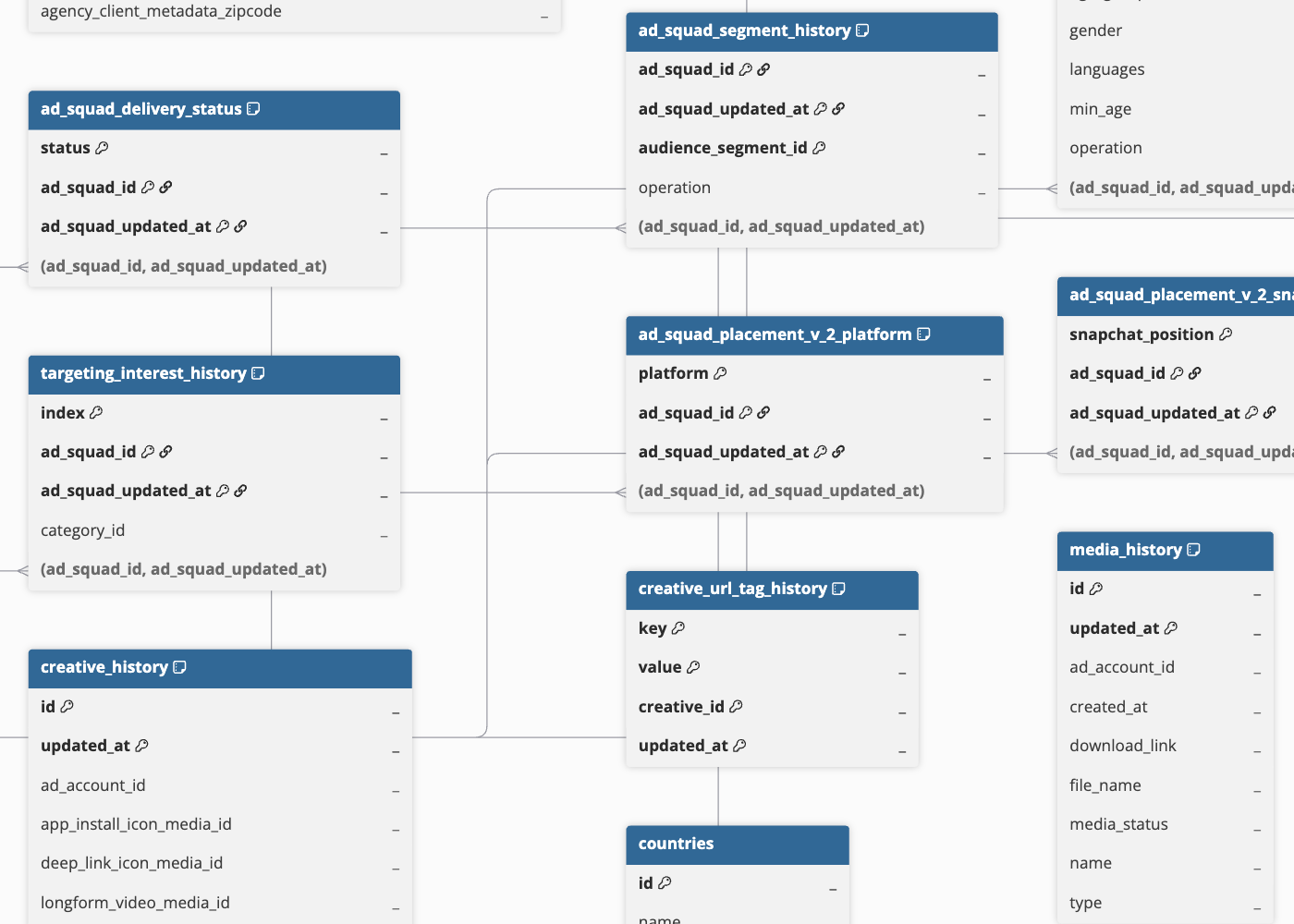
Hevo uses the following schema to upload the records to the Destination. For a detailed view of the objects, fields, and relationships, click the ERD.
Data Model
The following is the list of tables (objects) that are created at the Destination when you run the Pipeline:
| Object | Description |
|---|---|
| Ad Account History | Contains details about an advertising account on Snapchat, including its billing type, currency, time zone, and lifetime spending limit. |
| Ad Account Funding Source | Contains the payment methods assigned to fund advertising activity for an account. |
| Ad Country OS Daily Report | Contains daily performance metrics for an ad, broken down by the country and operating system of the device on which the ad was served. |
| Ad Daily Report | Contains daily performance metrics for an ad, such as impressions, swipes, spend, and video views. |
| Ad Delivery Status | Contains the current state of an individual advertisement, indicating whether it is active or paused and the reason for the pause. |
| Ad Demographic Daily Report | Contains daily performance metrics for an ad, broken down by the age group and gender of the audience that viewed the ad. |
| Ad Device Make Daily Report | Contains daily performance metrics for an ad, broken down by the device manufacturer on which the ad was served. |
| Ad Device OS Daily Report | Contains daily performance metrics for an ad, broken down by the operating system of the device on which the ad was served. |
| Ad Geo Country Daily Report | Contains daily performance metrics for an ad, broken down by the country in which the ad was served. |
| Ad Geo DMA Daily Report | Contains daily performance metrics for an ad, broken down by the Designated Market Area (DMA), or metro region, in which the ad was served. |
| Ad Geo Region Daily Report | Contains daily performance metrics for an ad, broken down by the region (state or province) in which the ad was served. |
| Ad History | Contains details about an individual advertisement, including the format in which it is displayed and its review status. |
| Ad Hourly Report | Contains hourly performance metrics for an ad, such as impressions, swipes, spend, and video views. |
| Ad Interest Daily Report | Contains daily performance metrics for an ad, broken down by the audience interest category targeted by the ad. |
| Ad Squad Country OS Daily Report | Contains daily performance metrics for an ad group, broken down by the country and operating system of the device on which the ad was served. |
| Ad Squad Daily Report | Contains daily performance metrics for an ad group, such as impressions, swipes, spend, and video views. |
| Ad Squad Delivery Status | Contains the current state of an ad group, indicating whether it is active or paused and the reason for the pause. |
| Ad Squad Demographic Daily Report | Contains daily performance metrics for an ad group, broken down by the age group and gender of the audience that viewed the ad. |
| Ad Squad Device Make Daily Report | Contains daily performance metrics for an ad group, broken down by the device manufacturer on which the ad was served. |
| Ad Squad Device OS Daily Report | Contains daily performance metrics for an ad group, broken down by the operating system of the device on which the ad was served. |
| Ad Squad Geo Country Daily Report | Contains daily performance metrics for an ad group, broken down by the country in which the ad was served. |
| Ad Squad Geo DMA Daily Report | Contains daily performance metrics for an ad group, broken down by the Designated Market Area (DMA), or metro region, in which the ad was served. |
| Ad Squad Geo Region Daily Report | Contains daily performance metrics for an ad group, broken down by the region (state or province) in which the ad was served. |
| Ad Squad History | Contains details about an ad group within a campaign, including its bid strategy, budget, optimization goal, and placement. |
| Ad Squad Hourly Report | Contains hourly performance metrics for an ad group, such as impressions, swipes, spend, and video views. |
| Ad Squad Interest Daily Report | Contains daily performance metrics for an ad group, broken down by the audience interest category targeted by the ad. |
| Ad Squad Placement v2 Platform | Contains platform-level placement settings for an ad group, indicating where its ads are allowed to run, such as on Snapchat or partner apps. |
| Ad Squad Placement v2 Snapchat Position | Contains the specific areas within the Snapchat app, such as Feed or Camera, where an ad group’s ads may appear. |
| Ad Squad Segment History | Contains the audience segments included in or excluded from the targeting settings of an ad group. |
| Ad Squad Unique Impression Daily Report | Contains daily reach metrics for an ad group, such as the number of unique impressions and the average frequency with which they were served. |
| Ad Unique Impression Daily Report | Contains daily reach metrics for an ad, such as the number of unique impressions and the average frequency with which they were served. |
| Audience Segment History | Contains details about a group of users built from an advertiser’s own data, used to include or exclude that group when targeting ads. |
| Campaign Country OS Daily Report | Contains daily performance metrics for a campaign, broken down by the country and operating system of the device on which the ad was served. |
| Campaign Daily Report | Contains daily performance metrics for a campaign, such as impressions, swipes, spend, and video views. |
| Campaign Delivery Status | Contains the current state of a campaign, indicating whether it is active or paused, and the reason for the pause. |
| Campaign Demographic Daily Report | Contains daily performance metrics for a campaign, broken down by the age group and gender of the audience that viewed the ad. |
| Campaign Device Make Daily Report | Contains daily performance metrics for a campaign, broken down by the device manufacturer on which the ad was served. |
| Campaign Device OS Daily Report | Contains daily performance metrics for a campaign, broken down by the operating system of the device on which the ad was served. |
| Campaign Geo Country Daily Report | Contains daily performance metrics for a campaign, broken down by the country in which the ad was served. |
| Campaign Geo DMA Daily Report | Contains daily performance metrics for a campaign, broken down by the Designated Market Area (DMA), or metro region, in which the ad was served. |
| Campaign Geo Region Daily Report | Contains daily performance metrics for a campaign, broken down by the region (state or province) in which the ad was served. |
| Campaign History | Contains details about an advertising campaign on Snapchat, including its objective, budget, and schedule. |
| Campaign Hourly Report | Contains hourly performance metrics for a campaign, such as impressions, swipes, spend, and video views. |
| Campaign Interest Daily Report | Contains daily performance metrics for a campaign, broken down by the audience interest category targeted by the ad. |
| Campaign Unique Impression Daily Report | Contains daily reach metrics for a campaign, such as the number of unique impressions and the average frequency with which they were served. |
| Countries | Contains the list of countries available as a location-based targeting option for ad groups. |
| Creative History | Contains details about the combined visual and text elements used in an advertisement, including headline, brand name, and call-to-action button. |
| Creative URL Tag History | Contains custom tracking codes added to links associated with the visual and text elements of an advertisement. |
| Funding Source History | Contains details about a payment method used to pay for advertising activity, such as card type, budget limits, and available credit. |
| Locations | Contains Location of Interest (LOI) categories provided by Snapchat, including the category name, hierarchy, parent category, and originating data source. |
| Media History | Contains details about visual assets, such as videos, used to build advertisement creative. |
| Metros | Contains the list of Designated Market Areas (DMA), commonly known as metro regions, available as a location-based targeting option for ad groups. |
| Organization History | Contains details about the brand, partner, or ad agency that owns advertising activity on Snapchat, including its address and other identifying information. |
| Regions | Contains the list of states or provinces available as a location-based targeting option for ad groups. |
| Snap Pixel History | Contains details about a tracking code that advertisers add to their website. It links the ads a person saw on Snapchat to actions they later took on that website, such as making a purchase. |
| Targeting Demographic History | Contains audience characteristics used for targeting, such as age group, gender, and language, applied to an ad group. |
| Targeting Device History | Contains targeting criteria based on the equipment and connection type used to access Snapchat, such as operating system, applied to an ad group. |
| Targeting Geolocation History | Contains targeting criteria based on where a user is located, such as country, region, or metro area, applied to an ad group. |
| Targeting Interest History | Contains categories based on what a user is interested in, used for targeting an ad group. |
Additional Information
Read the detailed Hevo documentation for the following related topics:
Handling of Deletes
For the ad_account_funding_source object, Hevo uses a full data refresh approach to capture delete actions. During each Pipeline run, Hevo compares the data fetched from the Source object with the data present in the Destination table. If a record exists in the Destination but is no longer returned by the Source, the record is marked as deleted by setting the value of the metadata column __hevo__marked_deleted to True.
For all other objects, Hevo does not support capturing deletes.
Source Considerations
- The Countries, Regions, Metros, and Locations objects contain standard location data provided by Snapchat for ad targeting. This data is the same for all Snapchat Ads accounts and is not specific to your Snapchat Ads account.