Pinterest Ads is Pinterest’s advertising platform that enables businesses to promote their Pins to people who are searching for and saving ideas on Pinterest. It allows advertisers to organize their advertising into ad accounts, campaigns, and ad groups, promote Pins as ads, and measure ad performance through reporting.
Hevo uses the Pinterest REST API to replicate data from your Pinterest Ads account to the Destination of your choice.
Hevo supports the following authentication methods to connect to your Pinterest Ads account:
-
Open Authorization (OAuth): Allows Hevo to connect to your account through an authorization flow, where you sign in to Pinterest and grant Hevo access to your account data.
-
OAuth app: Allows Hevo to connect to your account using the client ID, client secret, and refresh token of an OAuth app that you create in Pinterest.
Note: To create a Pipeline with Pinterest Ads as the Source using an OAuth app, you must use the Create a Pipeline endpoint through the Hevo API. This method is not available in the Hevo UI. Read Creating a Pipeline with Hevo API for the steps to create the Pipeline.
Supported Features
| Feature Name | Supported |
|---|---|
| Capture deletes | No |
| History mode | No |
| Custom data (user-configured tables & fields) | Yes |
| Data blocking (skip objects and fields) | Yes |
| Resync (objects and Pipelines) | Yes |
| API configurable | Yes |
Prerequisites
-
An active Pinterest Ads account from which data is to be ingested.
-
You have the Owner or Admin role on the Pinterest ad account(s) you want to sync, to ingest data for all the objects. If you have a different role, such as Analyst or Campaign Manager, Hevo ingests only the objects that your role can access. The other objects are shown as inaccessible on the Configure Objects page.
Configure Pinterest Ads as a Source in your Pipeline
Perform the following steps to configure your Pinterest Ads Source:
-
Click Pipelines in the Navigation Bar.
-
Click + Create Pipeline in the Pipelines List View.
-
On the Select Source Type page, select Pinterest Ads.
-
On the Select Destination Type page, select the type of Destination you want to use.
-
On the Select Pipeline Type page, click Edge, and then click Continue.
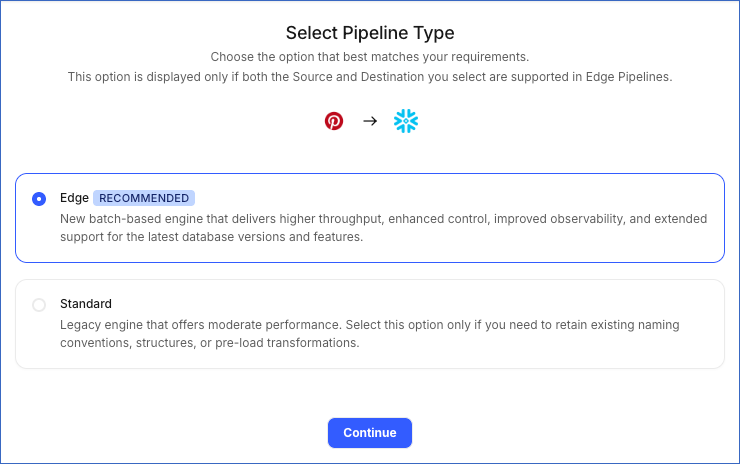
This page appears only if the selected Destination type is supported in Edge and your Team has an existing Pinterest Ads Pipeline with the same Destination type. Otherwise, you can proceed to create an Edge Pipeline.
-
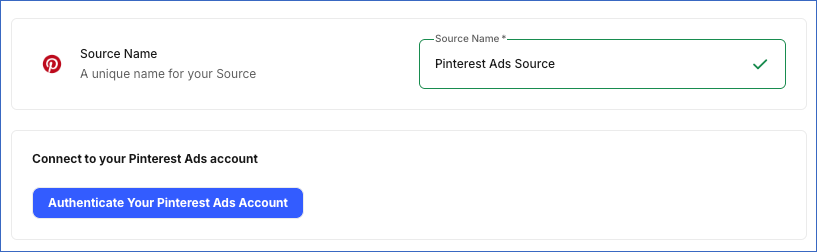
In the Configure Source screen, specify the following:
-
Source Name: A unique name for your Source, not exceeding 255 characters. For example, Pinterest Ads Source.
-
In the Connect to your Pinterest Ads account section, click Authenticate Your Pinterest Ads Account, log in to your Pinterest account, and grant Hevo the requested permissions.
-
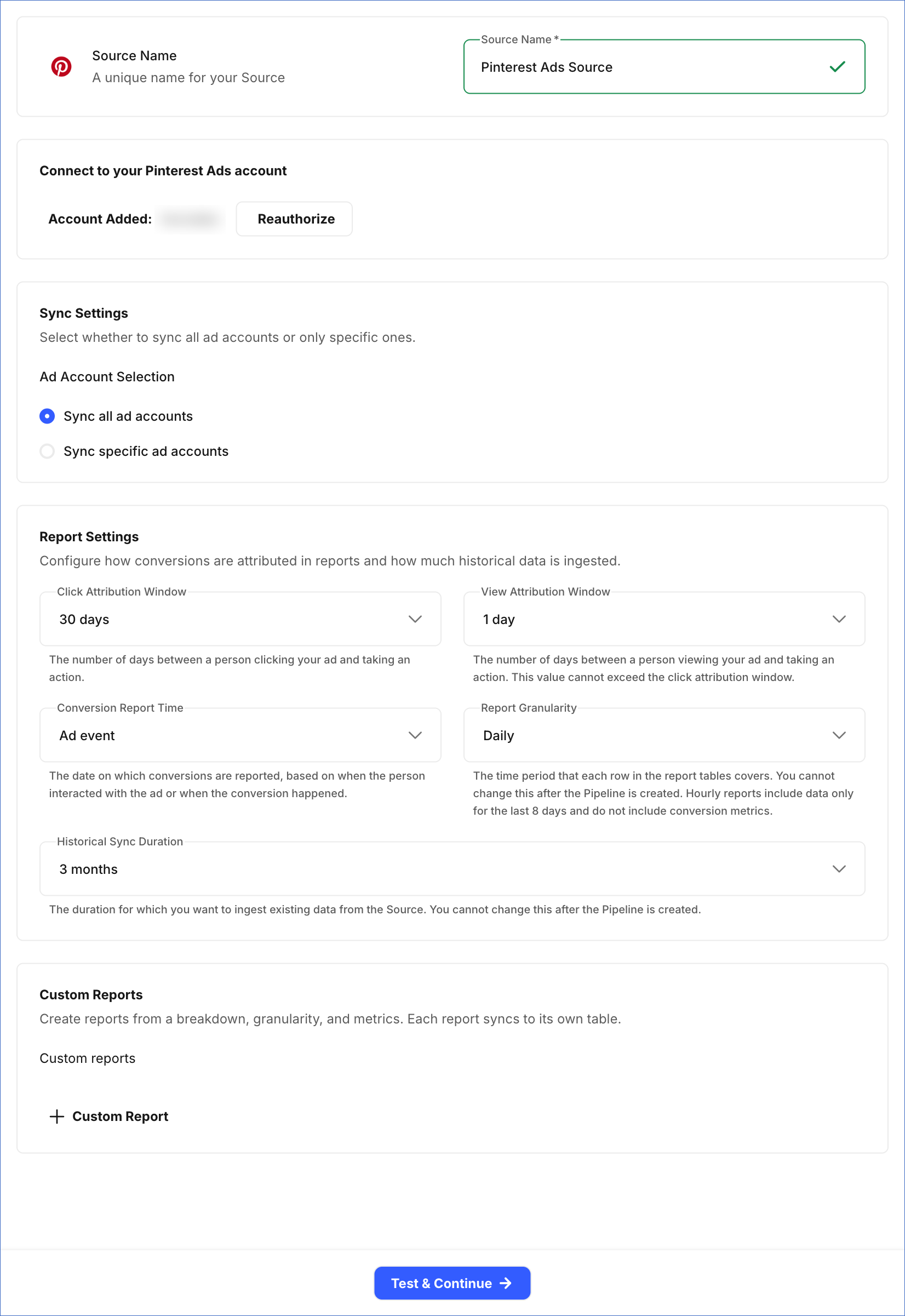
In the Sync Settings section, specify the following:
-
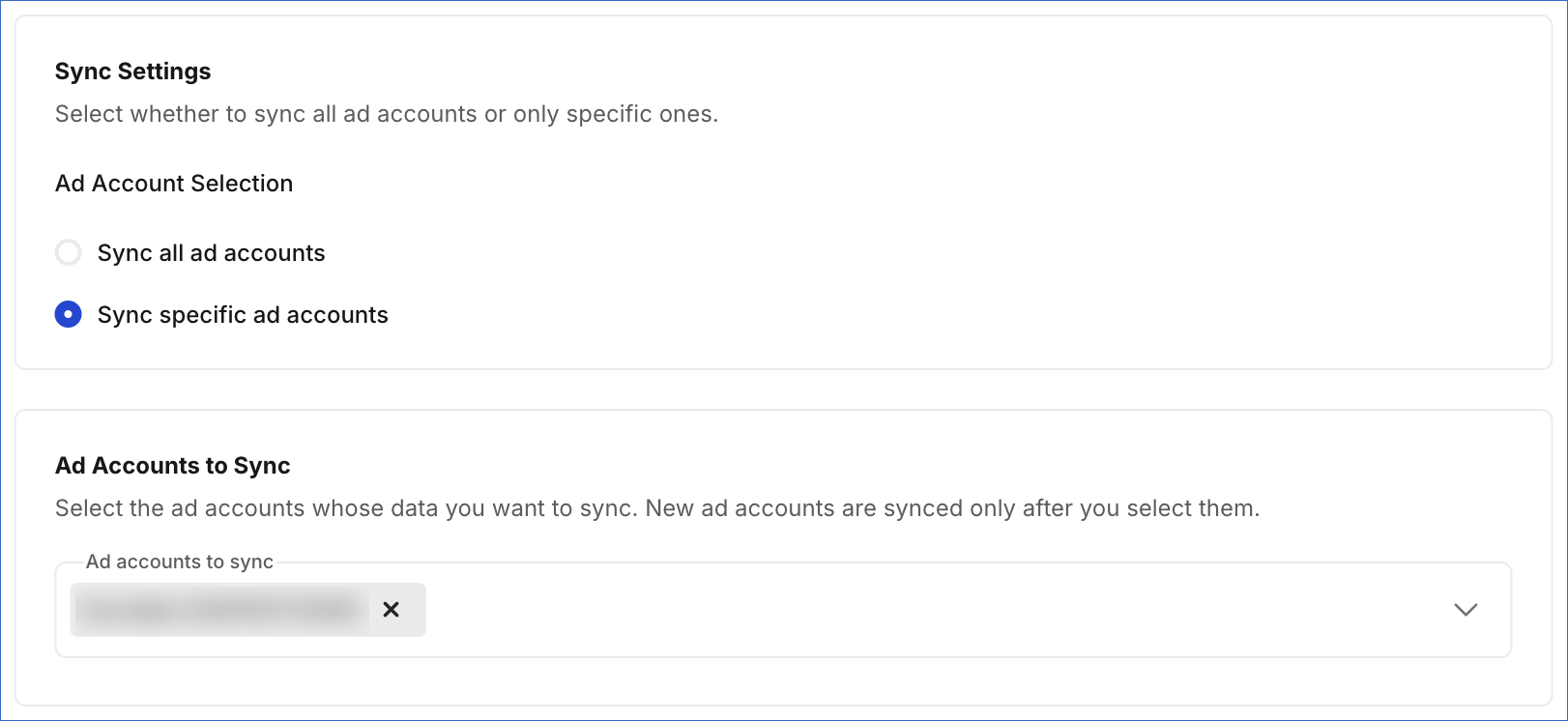
Ad Account Selection: Select whether you want Hevo to sync all ad accounts or only specific ones:
-
Sync all ad accounts: Syncs data for all ad accounts that Hevo has access to.
-
Sync specific ad accounts: Syncs data only for specific ad accounts you select. If you select this option, in the Ad Accounts to Sync section, select the specific Pinterest ad accounts whose data you want to sync. Ad accounts that you add to Pinterest later are synced only after you select them here.
-
-
-
In the Report Settings section, specify the following:
-
Click Attribution Window: The number of days between a person clicking your ad and taking an action. Default value: 30 days.
-
View Attribution Window: The number of days between a person viewing your ad and taking an action. This value cannot exceed the click attribution window. Default value: 1 day.
-
Conversion Report Time: The date on which conversions are reported, based on when the person interacted with the ad or when the conversion happened. Default value: Ad event.
-
Report Granularity: The time period that each row in the report tables covers. You cannot change this setting after the Pipeline is created. Default value: Daily. Select one of the following options:
-
Daily: Creates one row per entity for each day.
-
Hourly: Creates one row per entity for each hour. Hourly reports include data only for the last 8 days and do not include conversion metrics.
-
Weekly: Creates one row per entity for each week, from Monday to Sunday. Each row is identified by the first day of the week, and the current week’s row is updated as new data arrives.
-
Monthly: Creates one row per entity for each month. Each row is identified by the first day of the month, and the current month’s row is updated as new data arrives.
-
Total (last 30 days): Creates one row per entity that holds its totals for the last 30 days. Hevo updates the row in each sync if the entity had activity in that period. Otherwise, the entity keeps its last row.
Note: The MMM Ad Group Targeting Daily Report and MMM Campaign Targeting Daily Report objects always contain daily data, irrespective of the granularity you select.
-
-
Historical Sync Duration: The duration for which you want to ingest existing data for the report objects from the Source. You cannot change this setting after the Pipeline is created. Default value: 3 months.
-
-
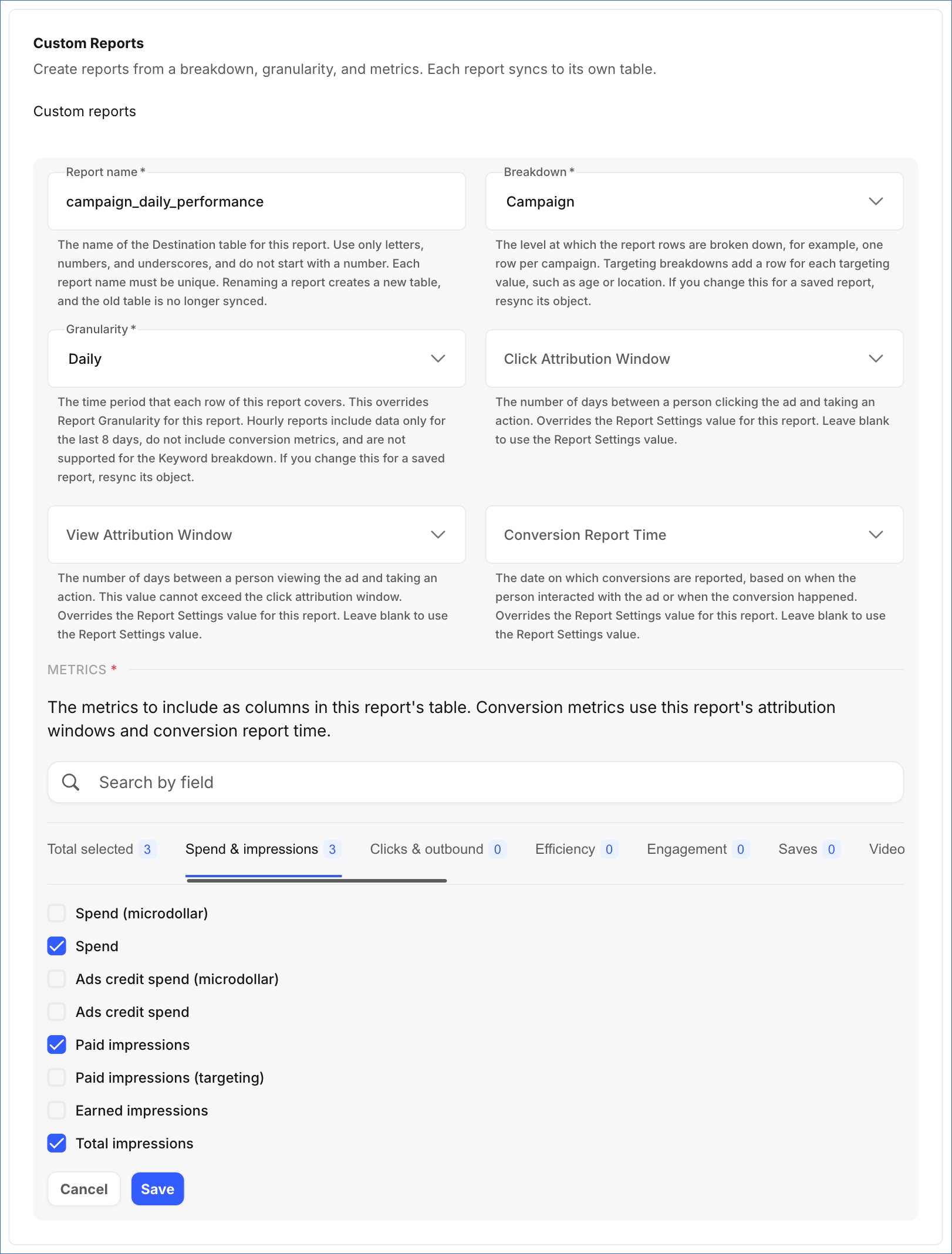
(Optional) In the Custom Reports section, click + Custom Report to define a report. Each report you define is ingested into its own table in the Destination. For each report, specify the following:
-
Report name: A name for the report, which is used as the name of its Destination table. The name must be unique across your custom reports, contain only letters, numbers, and underscores, and must not start with a number. It also cannot be the same as the name of an existing Pinterest Ads object, such as campaign_report.
Note: If you rename a report after the Pipeline is created, you must resync the report’s object. Hevo then creates a table with the new name in the Destination. The table with the earlier name remains in the Destination with its existing data.
-
Breakdown: From the drop-down, select the level at which the report data is broken down, for example, one row per campaign or per ad group. Select one of Advertiser, Campaign, Ad group, Pin promotion, Pin promotion targeting, Product group, Product group targeting, Keyword, Campaign targeting, Ad group targeting, or Advertiser targeting. The targeting breakdowns add one row for each targeting value, such as age, gender, or location.
-
Granularity: From the drop-down, select the time period that each row of the report covers. Select one of Daily, Hourly, Weekly, Monthly, or Total (last 30 days). This value applies only to this report and is used instead of the Report Granularity setting. Hourly reports include data only for the last 8 days and do not include conversion metrics.
-
(Optional) Click Attribution Window: The number of days between a person clicking the ad and taking an action. Select one of 1 day, 7 days, 30 days, or 60 days. If you leave this field blank, Hevo uses the value of the Click Attribution Window field in the Report Settings section.
-
(Optional) View Attribution Window: The number of days between a person viewing the ad and taking an action. This value cannot exceed the click attribution window. Select one of 1 day, 7 days, 30 days, or 60 days. If you leave this field blank, Hevo uses the value of the View Attribution Window field in the Report Settings section.
-
(Optional) Conversion Report Time: The date on which conversions are reported. Select Ad event to report a conversion on the day of the ad interaction, or Conversion event to report it on the day of the conversion. If you leave this field blank, Hevo uses the value of the Conversion Report Time field in the Report Settings section.
-
Metrics: The metrics to include as columns in the report’s table. You can browse the metrics by category, such as Spend & impressions and Conversion rates, or search for them by name. The conversion metrics are calculated based on the attribution windows and conversion report time of the report.
Note:
-
Click Save to add each report. Any report that is not saved before you click Test & Continue is not included in the Pipeline.
-
If you change a custom report after the Pipeline is created, such as its name, breakdown, granularity, attribution windows, or metrics, you must resync the report’s object for the changes to take effect.
-
-
-
Click Test & Continue to test the connection to your Pinterest Ads Source. Once the test is successful, you can proceed to set up your Destination.
Note: If any custom report is configured incorrectly, such as with a duplicate report name or no metrics selected, clicking Test & Continue fails the Source configuration. Hevo lists all configuration issues in your custom reports. You can fix these issues by editing the reports before retrying.
Data Replication
Hevo replicates data for all the objects selected on the Configure Objects page during Pipeline creation. By default, all supported objects and their available fields are selected. However, you can modify this selection while creating or editing the Pipeline.
Selecting a parent object automatically includes all its associated child objects for replication. However, you can select or deselect the child objects individually, and you can select a child object without selecting its parent object.
Hevo ingests the following types of data from your Source objects:
-
Historical Data: The first run of the Pipeline ingests historical data for the selected objects, based on the Historical Sync Duration specified when configuring the Source, and loads it into the Destination.
-
Incremental Data: Once the historical load is complete, new and updated records for objects are ingested as per the sync frequency.
For the following objects, Hevo ingests only the incremental data in subsequent Pipeline runs:
-
Advertiser Report
-
Ad Group Report
-
Campaign Report
-
Keyword Report
-
MMM Ad Group Targeting Daily Report
-
MMM Campaign Targeting Daily Report
-
Pin Promotion Report
-
Pin Promotion Targeting Report
-
Product Group Report
-
Product Group Targeting Report
-
Product Item Report
Custom report objects are also ingested this way. If you add a custom report after the Pipeline is created, Hevo ingests its historical data based on the Historical Sync Duration specified when configuring the Source.
For the report objects, Hevo also re-fetches the data every 24 hours. This captures any updates made to previously ingested data and keeps your Destination up to date.
For custom report objects, Hevo re-fetches the data of the last 7 days, or of the report’s click attribution window if it is longer, once every 24 hours. This captures conversions that Pinterest reports with a delay. For reports with the Hourly granularity, Hevo re-fetches at most the last 8 days. For reports with the Weekly or Monthly granularity, Hevo re-fetches the data from the start of the week or month in which this period begins. For reports with the Total (last 30 days) granularity, Hevo ingests the data of the last 30 days during each sync.
For all other objects, Hevo ingests the entire data during each Pipeline run.
Pinterest enforces a rate limit on the number of requests that can be made to its API in a given period of time. If this limit is exceeded, a rate limit exception occurs. To understand how Hevo handles such scenarios, read Handling Rate Limit Exceptions.
Note: You can create a Pipeline with this Source only using the Merge load mode. The Append mode is not supported for this Source.
Schema and Primary Keys
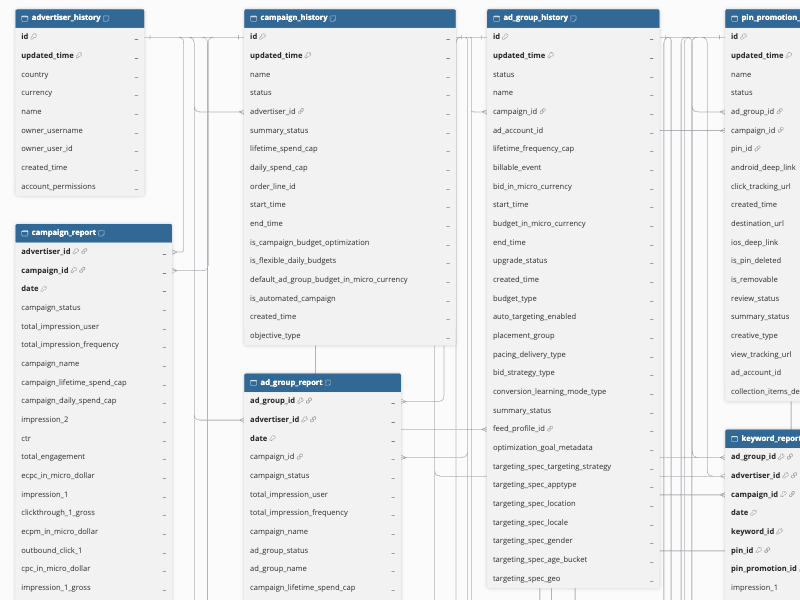
Hevo uses the following schema to upload the records to the Destination. For a detailed view of the objects, fields, and relationships, click the ERD.
Data Model
The following is the list of tables (objects) that are created at the Destination when you run the Pipeline:
| Object | Description |
|---|---|
| Advertiser History | Contains a record of changes made over time to each Pinterest ad account, which is used to create, manage, and pay for ads. Includes details such as the account’s name, country, currency, owner, and the permissions granted on it. |
| Advertiser Report | Contains performance metrics for each ad account, such as impressions, clicks, engagements, and spend, combined across all the ads it runs. |
| Ad Group History | Contains a record of changes made over time to each set of ads within a campaign that share the same budget, targeting, bidding, placement, and schedule settings. It includes a child object, Product Group History. |
| Ad Group Report | Contains performance metrics, such as impressions, clicks, engagements, and spend, for each set of ads within a campaign. |
| Audience History | Contains a record of changes made over time to each audience owned by your ad accounts, which is a group of people you can target with your ads. Includes details such as the audience’s name, type, size, and status. |
| Board History | Contains details about the boards that are available to your ad accounts, such as the board’s name, description, privacy setting, and owner. It includes the following child objects: - Board Pin Thumbnail URL - Board Section |
| Campaign History | Contains a record of changes made over time to each campaign, including its objective and the ads associated with it. |
| Campaign Report | Contains performance metrics, such as impressions, clicks, engagements, and spend, for each campaign and its ads. |
| Catalog Feed History | Contains a record of changes made over time to each catalog feed, which is a product data file that Pinterest fetches on a schedule. Includes details such as the feed’s name, format, location, and status. It includes a child object, Catalog Product Groups History. |
| Conversion Tag History | Contains details about the Pinterest tags of your ad accounts, which track the actions people take on your website after viewing or clicking your ads. Includes details such as the tag’s name, status, and when it last fired. It includes a child object, Conversion Tag Config. |
| Customer List History | Contains a record of changes made over time to each customer list owned by your ad accounts. Includes details such as the list’s name, status, and upload counts. It does not include the uploaded customer records. |
| Keyword History | Contains details about the targeting and negative keywords added to your ad accounts, campaigns, and ad groups, such as the keyword’s value, match type, and bid. |
| Keyword Report | Contains performance metrics, such as impressions, clicks, engagements, and spend, for each keyword in each ad, based on search traffic that matches the keyword. |
| MMM Ad Group Targeting Daily Report | Contains daily Marketing Mix Modeling (MMM) metrics, such as impressions, clicks, and spend, for each ad group, broken down by app type, gender, location, and creative type. |
| MMM Campaign Targeting Daily Report | Contains daily Marketing Mix Modeling (MMM) metrics, such as impressions, clicks, and spend, for each campaign, broken down by app type, gender, location, and creative type. |
| Pin History | Contains details about the Pins that are available to your ad accounts, such as the Pin’s title, description, link, media type, and the board it belongs to. It includes the following child objects: - Pin App Type Report - Pin Media - Pin Media Image |
| Pin Promotion History | Contains a record of changes made over time to each ad, which is a paid Pin used to reach a wider audience. Includes details such as the advertised Pin, its status, and tracking information. It includes the following child objects: - Ad Rejected Label History - Rejected Reason History |
| Pin Promotion Report | Contains performance metrics for each paid Pin, such as impressions, clicks, engagements, and spend. |
| Pin Promotion Targeting Report | Contains performance metrics, such as impressions, clicks, engagements, and spend, for each paid Pin, broken down by targeting type and value. |
| Product Group Report | Contains performance metrics, such as impressions, clicks, engagements, and spend, for each product group promoted in an ad group. |
| Product Group Targeting Report | Contains performance metrics, such as impressions, clicks, engagements, and spend, for each promoted product group, broken down by targeting type and value. |
| Product Item Report | Contains performance metrics, such as impressions, clicks, engagements, and spend, for each catalog product promoted in an ad group. |
| Targeting Age Bucket | Contains the list of age ranges that you can use to target your ads. |
| Targeting App Type | Contains the list of device and app types, such as mobile web and tablet, that you can use to target your ads. |
| Targeting Gender | Contains the list of genders that you can use to target your ads. |
| Targeting Geo | Contains the list of countries that you can use to target your ads. |
| Targeting Geo Metro | Contains the list of metropolitan areas, such as US Designated Market Areas (DMAs), that you can use to target your ads. |
| Targeting Geo Region | Contains the list of regions, such as states and provinces, that you can use to target your ads. |
| Targeting Interest | Contains Pinterest’s list of interests that you can use to target your ads, including each interest’s level and parent interest. |
| Targeting Locale | Contains the list of languages that you can use to target your ads. |
| Targeting Location | Contains the list of country and metropolitan area codes that you can use to target your ads by location. |
| User Account | Contains details of the Pinterest profile that owns the ad accounts, such as its username, whether it is a business or personal profile, and its business name. |
In addition to the objects listed above, you can define custom reports in the Source configuration. Each custom report you create is ingested into its own table, named after the report, containing the metrics you select.
Additional Information
Read the detailed Hevo documentation for the following related topics:
Source Considerations
-
Pinterest retains up to 30 months of daily report data and up to 8 days of hourly report data.
-
Hourly reports do not include conversion metrics.
-
Pinterest does not provide hourly keyword data. Hence, if you select the Hourly report granularity, the Keyword Report object is shown as inaccessible on the Configure Objects page. Similarly, a custom report with the Keyword breakdown and the Hourly granularity is shown as inaccessible on the Configure Objects page.
-
Pinterest provides product item data only for the last 366 days. Hence, the Product Item Report object cannot ingest data older than 366 days, irrespective of the Historical Sync Duration you select. If you select the Hourly report granularity, Hevo ingests daily data for this object.
-
Pinterest provides Pin analytics only for the last 90 days. Hence, the Pin App Type Report object contains organic engagement data, such as impressions, saves, and clicks, only for the last 90 days.
-
In the MMM Ad Group Targeting Daily Report and MMM Campaign Targeting Daily Report objects, Pinterest adds a prefix to the IDs, for example, A549763713300 for an ad account ID. Hence, you must remove the prefix to join these objects with other objects, such as Campaign History.