Metaplane is a data observability platform that monitors your data warehouse and other data tools for issues, such as freshness delays, volume changes, and schema changes.
Hevo uses the Metaplane API to replicate data from your Metaplane account to the Destination of your choice. To ingest data, you must provide Hevo with a Metaplane API token.
Supported Features
| Feature Name | Supported |
|---|---|
| Capture deletes | Yes |
| History mode | No |
| Custom data (user-configured tables & fields) | No |
| Data blocking (skip objects and fields) | Yes |
| Resync (objects and Pipelines) | Yes (the child objects are resynced through the Connections object) |
| API configurable | Yes |
Prerequisites
-
An active Metaplane account with a verified email address, from which data is to be ingested.
-
At least one connection, such as a data warehouse, set up in Metaplane. Otherwise, there is no data to replicate.
Obtain the API Token
Perform the following steps to obtain the API token:
-
Log in to your Metaplane account.
-
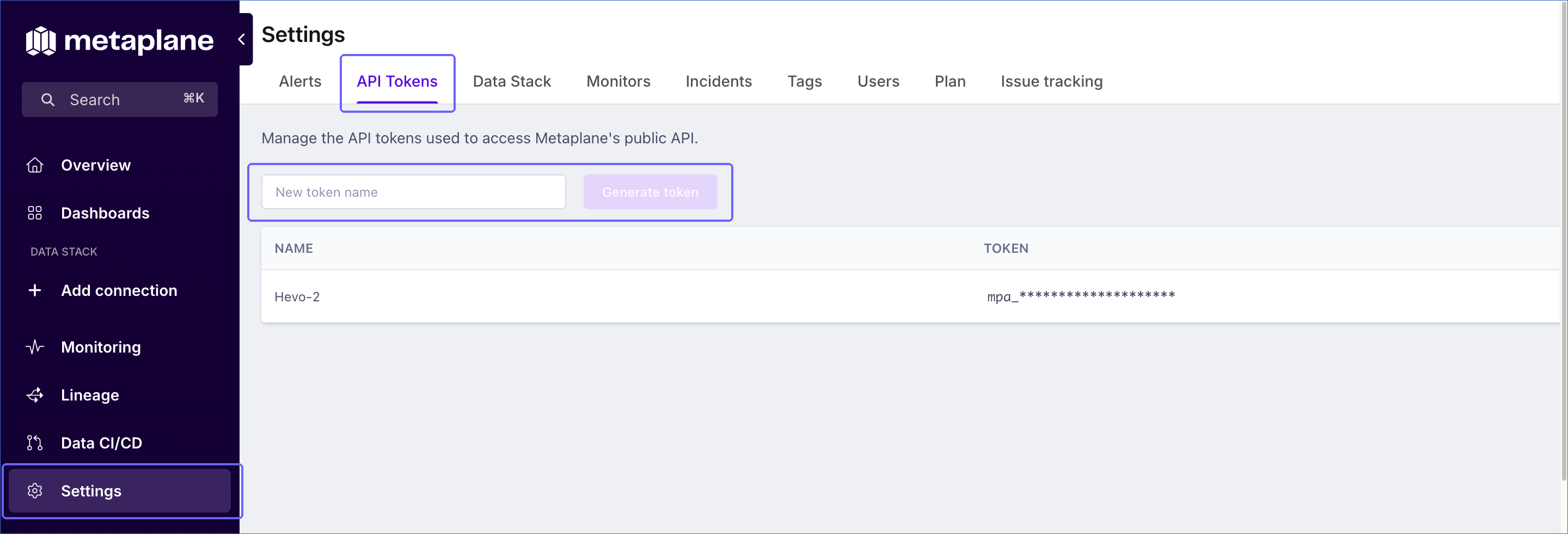
In the left navigation pane, click Settings.
-
Click the API Tokens tab.
-
In the New token name field, specify a name for the token, such as Hevo, and then click Generate token.
-
Copy the token and save it securely.
Note: Metaplane shows the token only when you generate it. If you lose the token, revoke it and generate a new one. The Generate token button is available only after you verify your email address.
Configure Metaplane as a Source in your Pipeline
Perform the following steps to configure your Metaplane Source:
-
Click Pipelines in the Navigation Bar.
-
Click + Create Pipeline in the Pipelines List View.
-
On the Select Source Type page, select Metaplane.
-
On the Select Destination Type page, select the type of Destination you want to use.
-
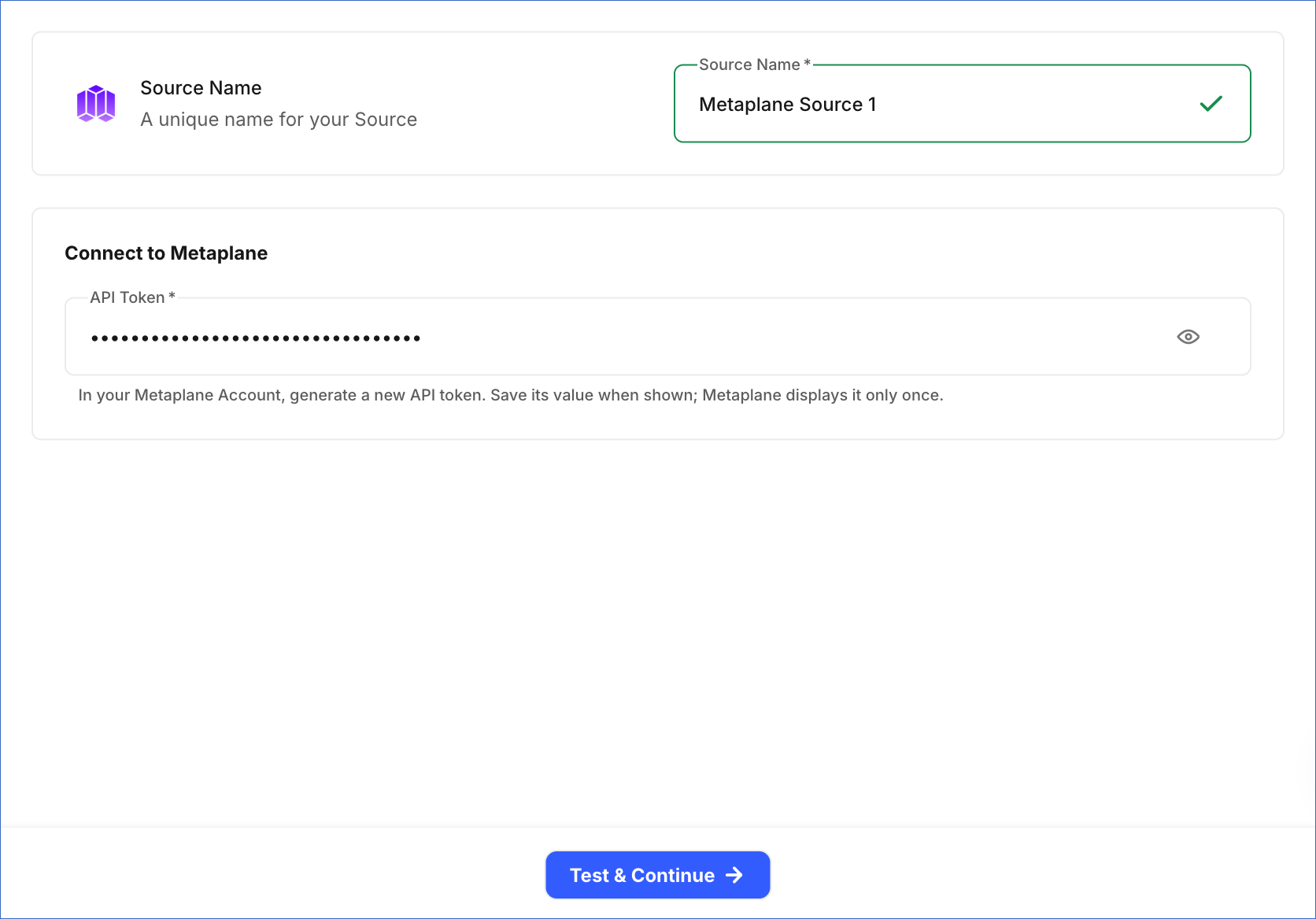
In the Configure Source screen, specify the following:
-
Source Name: A unique name for your Source, not exceeding 255 characters. For example, Metaplane Source.
-
In the Connect to Metaplane section, specify the API token that you generated in Metaplane.
-
-
Click Test & Continue to test the connection to your Metaplane Source. Once the test is successful, you can proceed to set up your Destination.
Data Replication
Hevo replicates data for all the objects selected on the Configure Objects page during Pipeline creation. By default, all supported objects and their available fields are selected. However, you can modify this selection while creating or editing the Pipeline.
Hevo ingests the entire data of all the selected objects during each Pipeline run, as per the sync frequency. For each connection, Hevo also reads its sync status and its monitors, including the disabled monitors.
Note: You can create a Pipeline with this Source only using the Merge load mode. The Append mode is not supported for this Source.
Schema and Primary Keys
Hevo uses the following schema to upload the records in the Destination. For a detailed view of the objects, fields, and relationships, click the ERD.
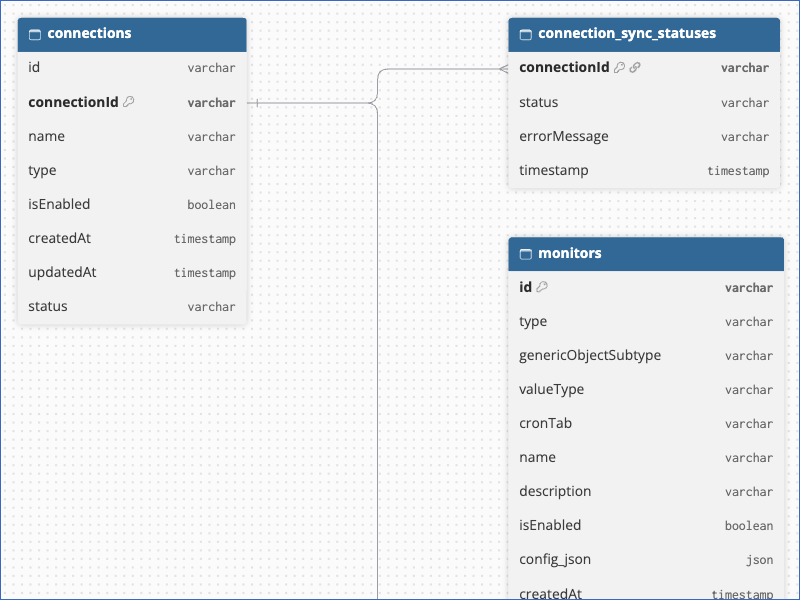
The primary keys of the objects are:
-
Connections:
connectionId -
Connection Sync Statuses:
connectionId, which also links each status to its connection. -
Monitors:
id. TheconnectionIdfield links each monitor to its connection.
Data Model
The following is the list of tables (objects) that are created at the Destination when you run the Pipeline:
| Object | Description |
|---|---|
| Connections | Contains the connections, such as data warehouses, that are set up in your Metaplane account, including their name, type, and status. It includes the following child objects: - Connection Sync Statuses: The current sync status of each connection, including the error message, if any, and the time of the status. - Monitors: The monitors configured for each connection, including the disabled monitors. The configuration, tags, and groups of each monitor are stored as JSON in the config_json, monitor_tags_json, and monitor_groups_json fields. |
Additional Information
Read the detailed Hevo documentation for the following related topics:
Handling of Deletes
Hevo uses a full data refresh approach to capture delete actions. If a record exists in the Destination but is no longer returned by the Source, the record is marked as deleted by setting the value of the metadata column __hevo__marked_deleted to True.
Source Considerations
-
If no connections are set up in your Metaplane account, the objects are created in the Destination without any records.
-
Hevo does not replicate the evaluation history and the run status of monitors, or the tags defined in your account as separate objects.