Modifying a Merge Job
Perform the following steps to modify a merge job:
-
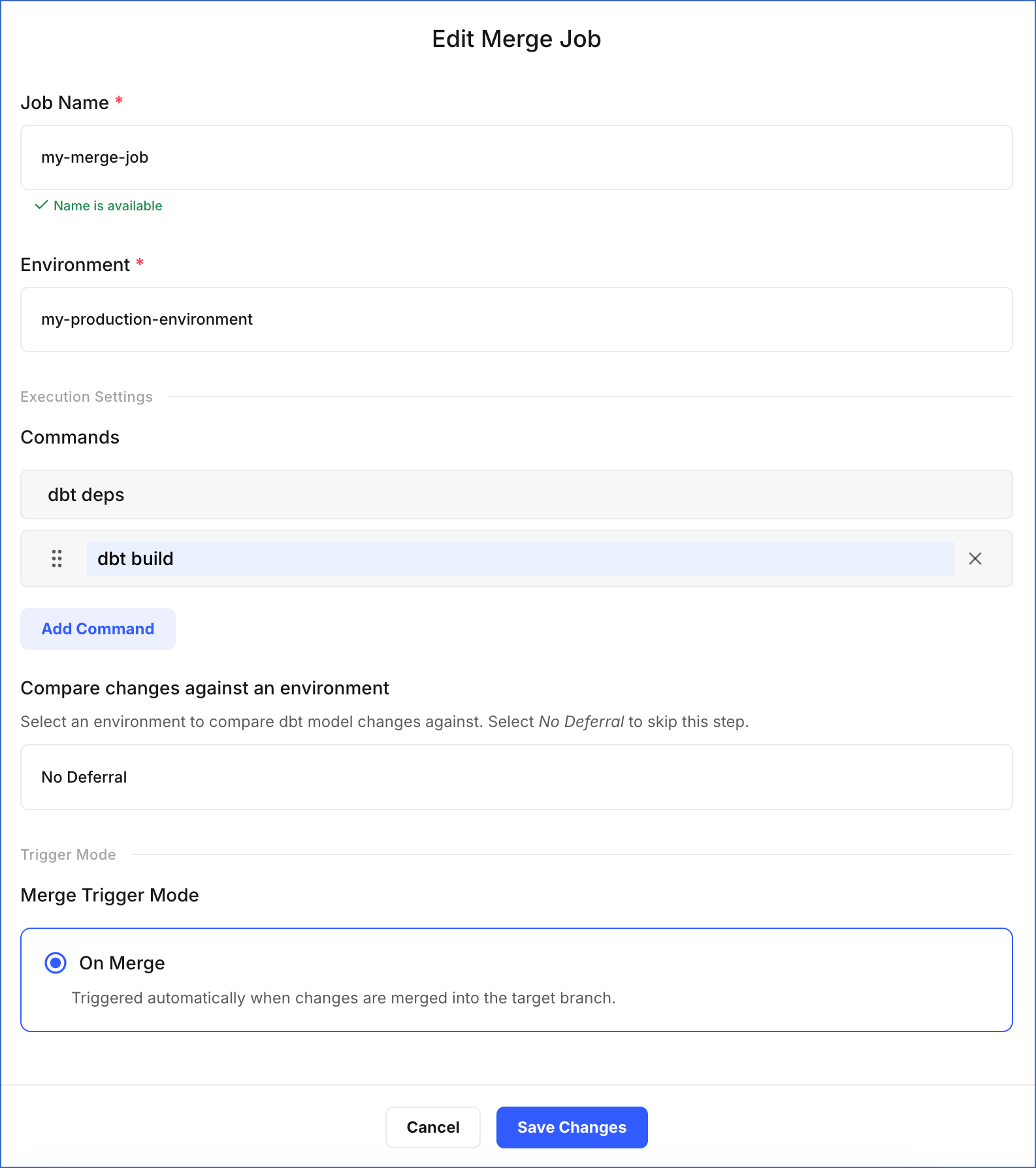
On the Edit Merge Job page, update the required fields:
-
Job Name: Specify a new name for the job.
-
Environment: Select the environment that contains the Git branch for merging changes.
-
In the Execution Settings section:
-
Commands: Click Add Command to specify more commands you want to execute during the job run, or click X to remove an existing command.
-
Compare changes against an environment: Select an existing environment as a deferred reference. The merge job builds only the models that differ from that environment, making the execution faster. Select No Deferral to build all models from scratch instead.
-
-
Trigger Mode: On Merge is the only trigger mode available for merge jobs and cannot be changed.
-
-
Click Save Changes.
A notification is displayed to confirm that the job has been updated successfully.