A merge job runs automatically when a pull request is merged into the target branch. Once the merge event is detected, the job executes the dbt commands you have configured in the selected environment, applying the merged code changes to the selected environment. This keeps your environment in sync with your Git branch without requiring a manual step.
A merge job is typically the step that follows a successful CI job. While the CI job validates code changes before merging, the merge job applies those changes to the environment after the pull request is approved and merged.
You can configure the merge job to use deferral, which means it compares the merged changes against an existing environment and builds only the models that have changed, making the run faster on large projects.
Creating a Merge Job
Note: Before creating a merge job, ensure that all the prerequisites are completed.
Perform the following steps to create a merge job:
-
In the Navigation Bar, click Transformations.
-
On the Transformations page, select the project for which you want to create a merge job.
-
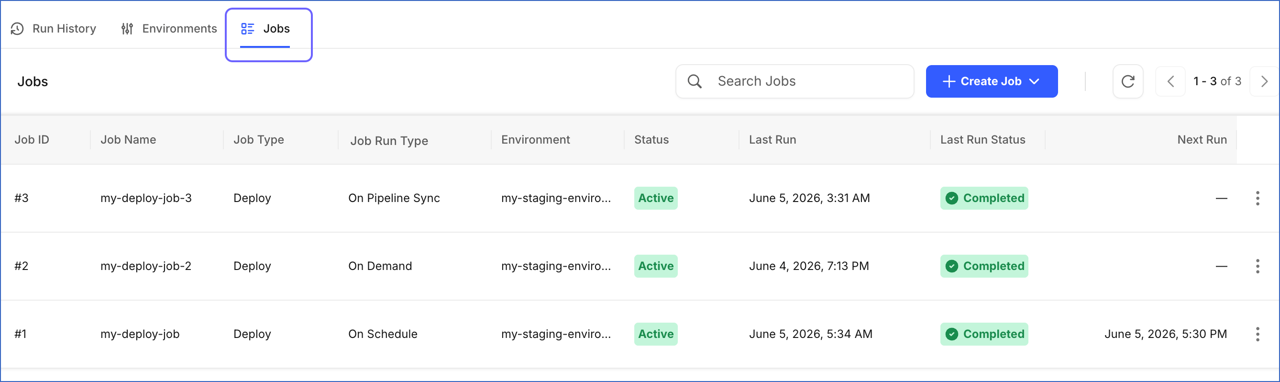
In the Transformations Detailed View, click the Jobs tab.
-
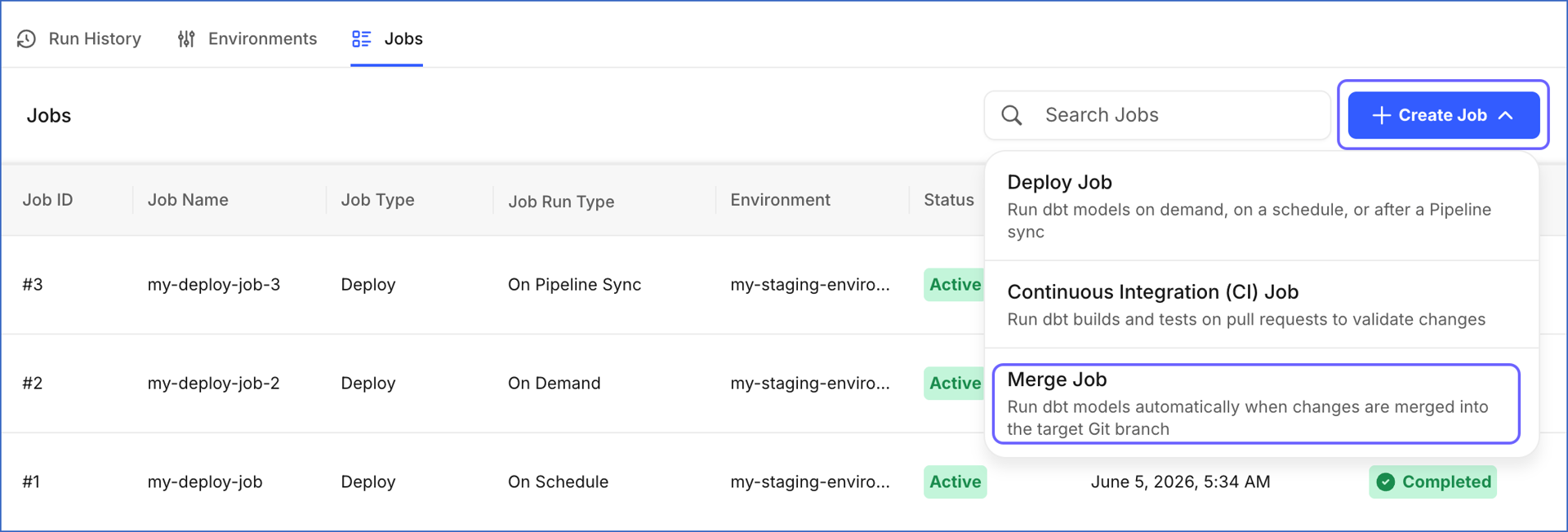
Click + Create Job and select Merge Job from the drop-down.
-
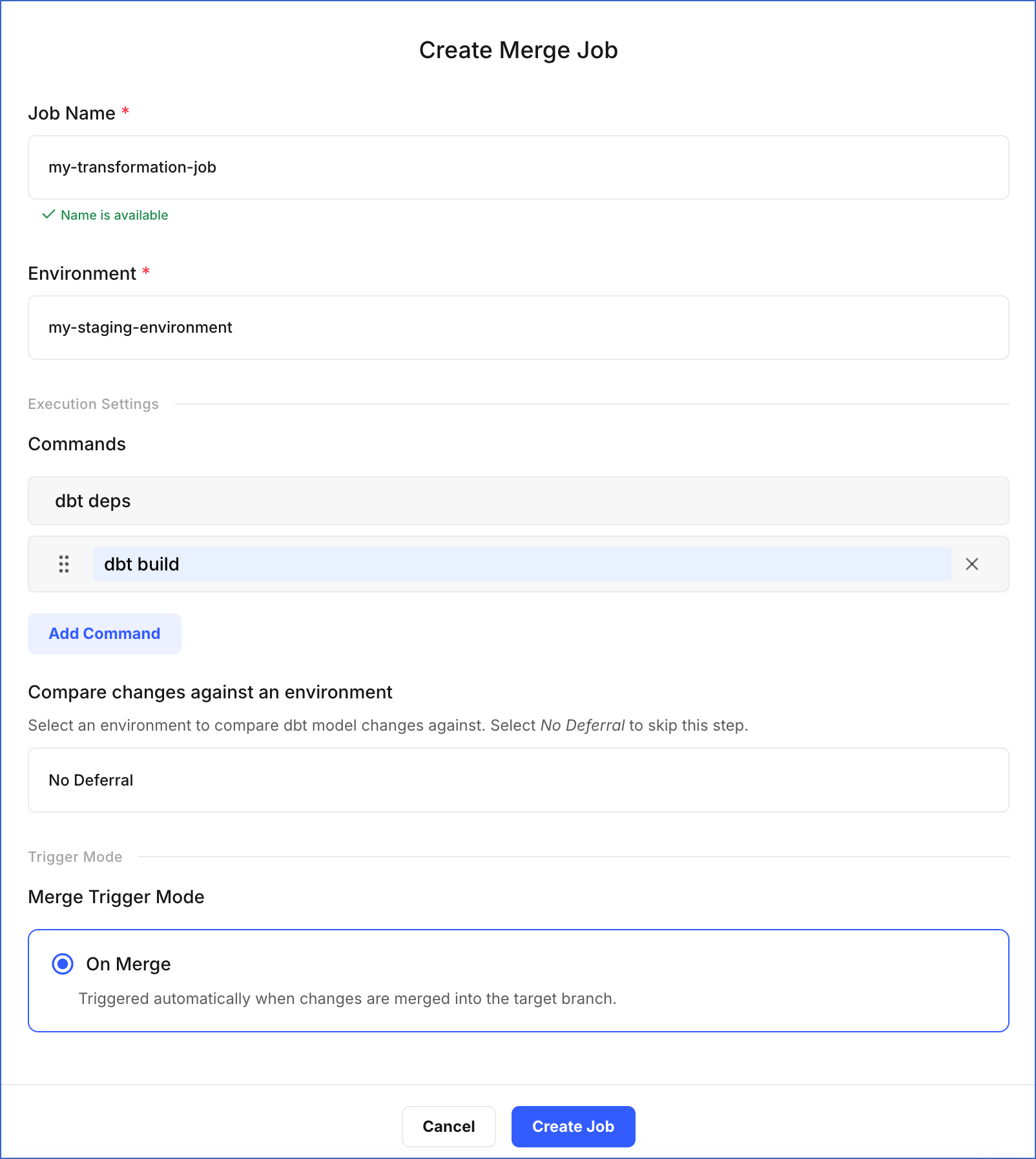
On the Create Merge Job page, do the following:
-
Job Name: Specify a unique name for the job. For example, my-transformation-job.
-
Environment: Select the environment that contains the Git branch for merging changes.
-
In the Execution Settings section:
-
Commands: Click Add Command to specify the dbt commands you want to execute during the job run. By default, dbt deps is included, which installs the packages listed in your
packages.ymlfile before the models execute. For example, in the image above, we have added the dbt build command, which compiles and tests your models. -
Compare changes against an environment: Select an existing environment as a deferred reference. The merge job builds only the models that differ from that environment, making the execution faster. Select No Deferral to build all models from scratch instead.
-
-
Trigger Mode: On Merge is the only mode currently available for merge jobs. The job starts automatically when changes are merged into the Git branch specified in the selected environment.
-
-
Click Create Job.
You are redirected to the Jobs tab, where the new merge job appears in the list. The job runs automatically the next time a pull request is merged into the target branch. You can monitor the run status and view execution details in the Run History tab.
Note: If a merge job fails, the merged code is not applied to the environment. The environment remains on the previous version of the code until the merge job runs successfully. Review the step-by-step execution logs to identify the error, fix the issue in your dbt code, and create a new pull request to trigger the job again.