Activate is currently available for Early Access. Please contact your Hevo account executive or the Support team to enable it for your team. Alternatively, request for early access to try out one or more such features.
HubSpot is a cloud-based Customer Relationship Management (CRM) platform that enables businesses to manage customer interactions, handle sales and marketing processes, and analyze customer data. In Activate, HubSpot acts as the Target that receives the data returned by your datasets.
Activate sends data to HubSpot through its REST APIs. You authenticate the HubSpot account with Hevo using Open Authorization (OAuth). After authorization, Activate can write records to the HubSpot objects supported by your account.
Prerequisites
-
An active HubSpot account exists to which data is to be sent.
-
You must be logged in as a Super Admin in your HubSpot account.
Configure HubSpot as a Target
Perform the following steps to configure HubSpot as a Target in Activate:
-
In the Navigation Bar, click Activate.
-
On the Activate page, click the Targets tab, and then click + Create Target.

-
On the Select Target Type page, click HubSpot.
-
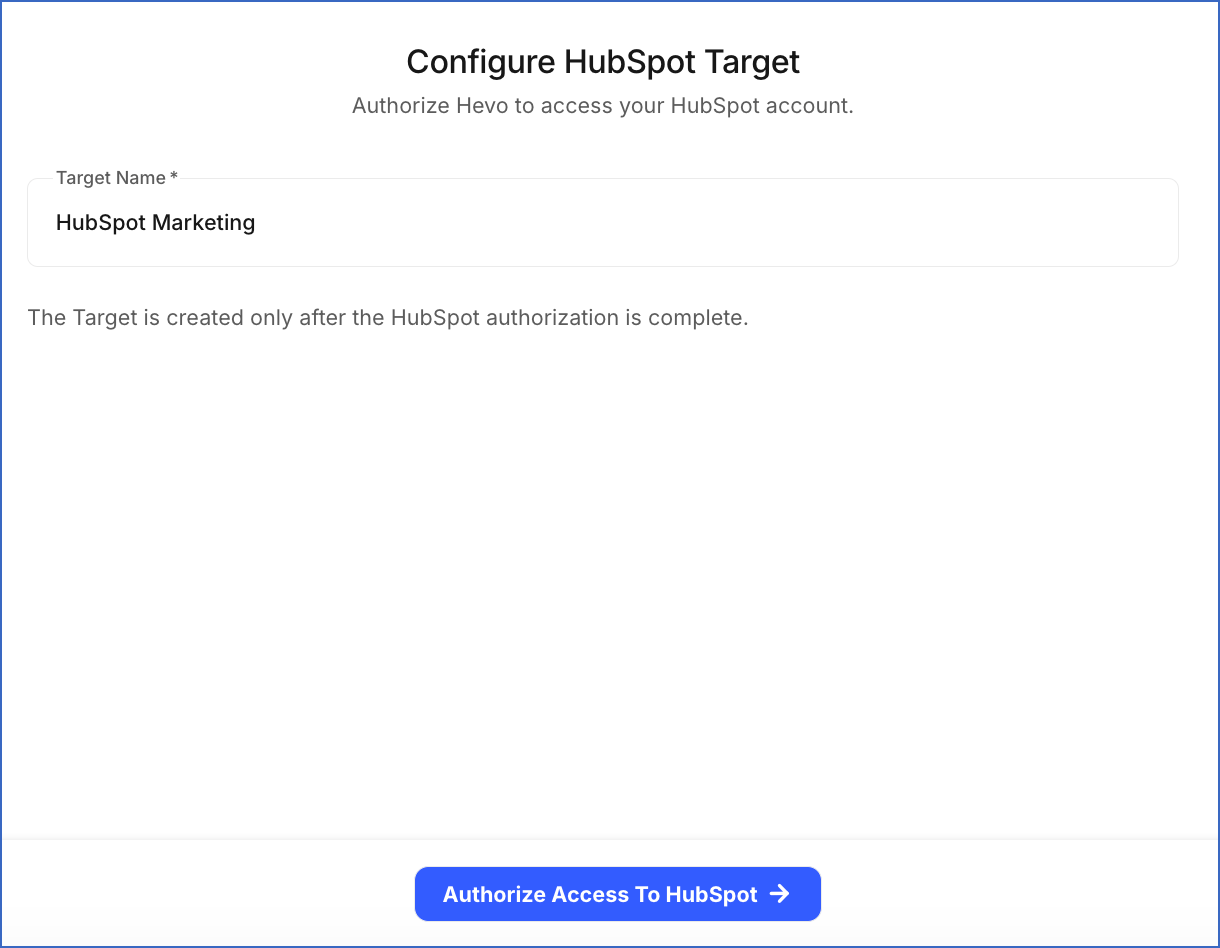
On the Configure HubSpot Target page, do the following:
-
Specify a unique Target Name, such as HubSpot Marketing. If you connect multiple HubSpot accounts, name each Target after the account it points to, so that you select the correct one when creating an Activation.
-
Click Authorize Access To HubSpot, and then perform the following steps:
-
If you are not already signed in to your HubSpot account, sign in when prompted. Otherwise, proceed to step 2.
-
Select the HubSpot account to which you want Hevo to send data, and then click Choose Account.
-
Select the acknowledgment check box, and then click Connect app to authorize Hevo to access your HubSpot account data.
-
After authorization completes, you are redirected to the Targets List View, and the Target is created with the Active status.
-
When you create an Activation with this Target, the Target Object drop-down on the Select Target Object page lists the HubSpot objects that Hevo can access. If an expected object is missing, the authorization granted to Hevo does not include access to it. Reauthorize the Target and grant access to that object. Read Reauthorizing a Target for the steps.
Data Model
Activate supports the following HubSpot objects. An Activation matches each row to a record using a sync key. The properties you can use as the sync key depend on the object you select, and always include the Record ID and any property that HubSpot marks as unique:
| Target object | Eligible sync keys | Description |
|---|---|---|
| Companies | Domain, Record ID, and any unique property | Stores information about businesses and organizations. |
| Contacts | Email, Record ID, and any unique property | Stores information about individuals. |
| Deals | Record ID, and any unique property | Stores information about revenue opportunities associated with a contact or company. |
| Tickets | Record ID, and any unique property | Stores information about customer requests for help or support. |
| Custom objects | Record ID, and any unique property | Stores information about the objects created in your HubSpot account for your specific business requirements. Note: Custom objects are available only on HubSpot’s Enterprise subscriptions. If your account does not include them, only the standard objects are listed when you select a Target object. |
Sync Behaviors
The sync behaviors available to an Activation depend on the Target object you select, because HubSpot’s API supports different operations on each one:
| Target object | Insert Only | Insert or Update | Update Only | Mirror | Delete Only |
|---|---|---|---|---|---|
| Contacts | Yes | Yes | Yes | Yes | Yes |
| Companies | No | Yes | Yes | Yes | No |
| Deals | Yes | Yes | Yes | Yes | No |
| Tickets | Yes | No | No | No | No |
| Custom objects | No | Yes | Yes | Yes | No |
Read Select the Target for what each sync behavior does.
Delete Behavior
Mirror and Delete Only are the two sync behaviors that remove records from HubSpot.
When either behavior removes a record, Activate calls the archive API endpoint. HubSpot archives the record instead of removing it. An archived record no longer appears in your lists, views, and reports, but HubSpot keeps it in the recycle bin of your HubSpot account for 90 days. You can restore it within that period. Read Restore deleted records for the steps to restore a record.
You must consider the following before you use a sync behavior that deletes records:
-
Archived records: Restoring records one at a time is slow, and HubSpot keeps a deleted record for only 90 days. Confirm that your dataset returns what you intend before running an Activation that deletes.
-
Permanent deletion: Activate does not perform a permanent deletion. If you need a record removed instead of archived, for example to satisfy a data subject erasure request, do it in HubSpot using its own permanent deletion tools.
-
Restored records: HubSpot decides what can be restored, so a restored record is not always identical to the original. Read the HubSpot documentation on the data lost when a record is deleted and on restoring deleted activities for more information.
Target Field Mapping Reference
When you map fields in an Activation, Activate reads the property list for the selected Target object directly from HubSpot. You must consider the following while mapping:
-
Required properties: Every HubSpot object has properties required to create a record. For example, a contact requires an email address. If you do not map a dataset column to a required property, those records fail when the Activation runs.
-
Read-only properties: HubSpot calculates some values itself, such as record creation dates and internal record IDs. Activate does not offer these for mapping, because it cannot write to them.
-
Contact email addresses: An email address that another contact already uses cannot be assigned to a second contact. If a sync sends an email address that is already in use, HubSpot does not update that property, but it may still update the record’s other mapped properties.
-
Property types: The value in the dataset must be compatible with the HubSpot property’s type. For example, a text value sent to a numeric property, or a date in an unexpected format, can cause the record to fail. Read Failed Records to see the reason reported for each failure.
You map fields while creating an Activation, after selecting the Target object and the sync behavior. Read Map Fields for the steps to set the sync key and map your dataset columns to HubSpot properties.
Target Considerations
-
Activate sends the sync key value with each row and HubSpot uses that value to find the matching record. For contacts, HubSpot treats the email address as the primary unique identifier, so using the email address as the sync key gives the most predictable results.
-
HubSpot limits the number of requests an application can send in a given period. When a sync reaches that limit, HubSpot rejects the request until the limit resets. Activate waits and tries again, so the sync takes longer to finish instead of stopping. Records are reported as failed only if those retries do not succeed.